Purchasing an RK3588S SoM is not a component order. It is a decision about which compute platform your product will live on for the next five to eight years, made before you have drawn the carrier board. Get the configuration wrong and you pay for memory you do not need or run out of the interfaces you do; get the supplier evaluation wrong and you discover at year three that the module is out of production and your mechanical design is orphaned.
This guide is written from the buyer’s side of the table: what to decide before requesting quotes, what actually moves the price, what the datasheet will not tell you, and what to ask a supplier before money changes hands.
Step One: Confirm You Need RK3588S, Not RK3588 or RK3576
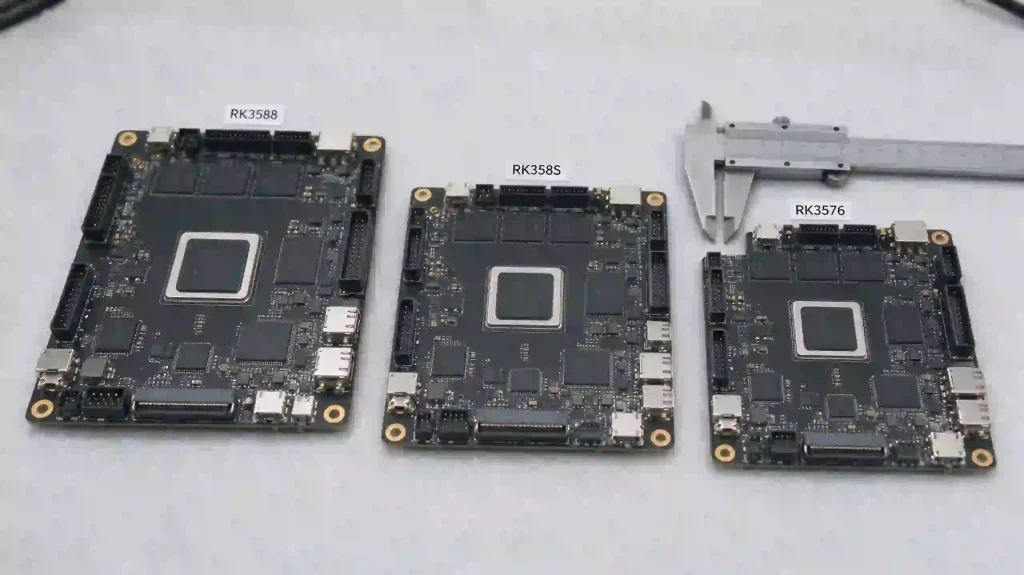
Three Rockchip platforms appear in almost every industrial SoM shortlist, and they are not interchangeable.
| Platform | Class | Practical fit |
|---|---|---|
| RK3588 | Full-interface flagship SoC | Products that need the maximum display outputs, PCIe lanes, USB ports and camera interfaces at once — multi-display signage, vision gateways, medical imaging |
| RK3588S | Reduced-interface variant of the same compute class | Products with a defined I/O budget: HMI plus one camera, dual display, single NVMe. Smaller package, less routing burden on the carrier board |
| RK3576 | Mid-tier, lower power and cost | Products where 8K decode and full flagship I/O are unnecessary — gateway, machine control, mid-range HMI |
The distinction that matters commercially: RK3588S is not a cheaper RK3588 — it is an RK3588 with fewer interfaces exposed. If your carrier board needs the third display output, the additional PCIe lanes, or the full USB complement, RK3588S will not deliver them regardless of what the CPU benchmark says. Choosing RK3588S to save on the SoM and then adding bridge chips to recover the interfaces is a false economy.
Conversely, specifying RK3588 for an application that needs one display and one Ethernet port pays for silicon capability that never gets used, and adds layout complexity to a carrier board that did not need it.
Practical order of evaluation: list the interfaces your product actually requires at production, not at demo. Then select the platform that satisfies that list with a modest margin. Compute headroom is easy to add later through the next module in the same family; missing I/O is not.
What Actually Drives the RK3588S SoM Price
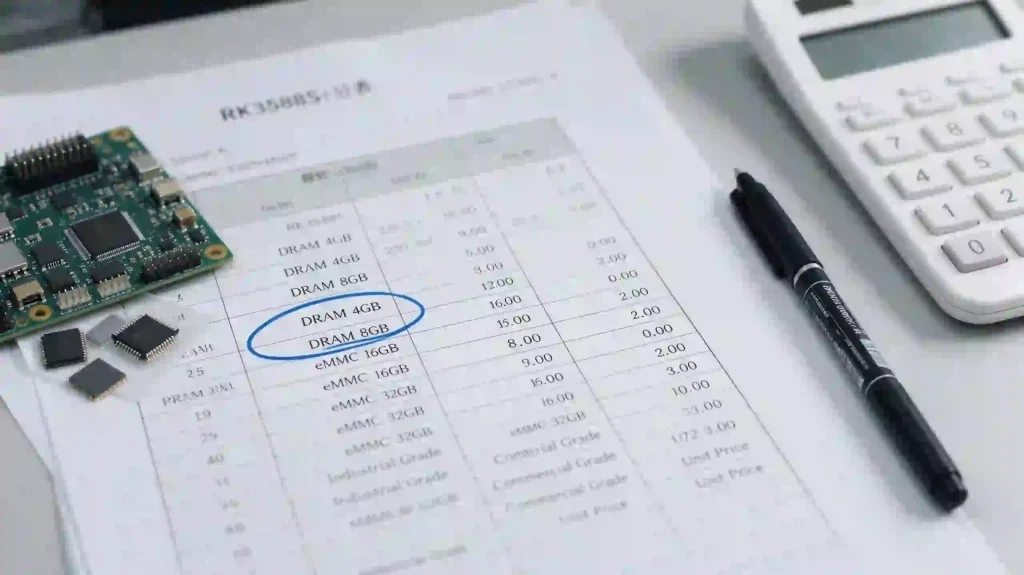
Every quote you receive for an RK3588 SoM will differ, and the difference is rarely the module vendor’s margin. It is configuration.
DRAM capacity and type. LPDDR4x versus LPDDR5, and 4 GB versus 8 or 16 GB, is the single largest cost lever. It is also the component most exposed to market pricing volatility, which is why a quote has a validity period and why a quoted price can change between the sample and the production order. Buyers who treat the quoted price as fixed for a twelve-month program are the ones surprised at the second purchase order.
eMMC capacity. 32 GB versus 64 or 128 GB is a linear cost step, and it usually costs less than adding a carrier-board NVMe socket plus the validation work that comes with it.
Connector type. Solder-down modules are the cheapest per unit and the least serviceable; board-to-board connector modules cost more but are replaceable in the field. That trade is a product decision, not a purchasing one.
Temperature grade. Industrial temperature range modules carry a premium for component screening and validation. Specifying industrial grade for a product that lives in a 0–40 °C office is money spent on nothing; specifying commercial grade for a sealed outdoor cabinet is a warranty claim waiting to happen.
Quantity and MOQ. Module vendors quote by volume band. Sample quantities are priced for engineering, and the price curve to 1k and 10k units is usually steep enough that a program’s business case depends on it.
Connector, test and programming services. Pre-programmed eMMC, functional test at module level, serialised labels and custom boot logos are all chargeable line items that appear late in the negotiation if they are not in the first RFQ.
What does not drive the price, despite appearances: the CPU. RK3588S pricing across vendors clusters around the DRAM and storage configuration, not the SoC itself. Comparing “RK3588 price” between suppliers without normalising the memory and storage configuration is comparing two different products.
The Specification That Decides Your BOM
When you compare RK3588 SoM options, three specification lines decide what your carrier board has to carry, and they are the ones most often read too quickly.
Interface count and lane allocation. PCIe lanes are shared between sockets, NVMe and add-in devices; USB 3.x ports may be routed through a hub on the module or left to the carrier. Confirm which interfaces are brought out on the connector, at what lane width, and whether any are consumed internally by on-module devices.
Power input and sequencing. Some modules accept a wide input and handle sequencing internally; others expect the carrier to provide defined rails in a defined order. The second type is cheaper per unit and more expensive in engineering time.
Mechanical and thermal definition. Module outline, connector height, mounting holes and the thermal contact area are fixed by the module. If the vendor cannot provide a 3D STEP model and a thermal application note, the mechanical design of your product becomes guesswork.
For buyers with a legacy product or a reused enclosure, module dimensions are the binding constraint, and they are the reason form-factor standards exist at all. SGET’s SMARC and PICMG’s COM Express define module footprints and connector pinouts specifically so that a carrier board can be designed against a standard rather than a single vendor. Modules that follow a published standard are easier to second-source; vendor-proprietary form factors are not.
The Cost Line Nobody Budgets For: BSP and Device Tree

The module price is visible. The software cost is not, and on Rockchip-based products it is often larger.
A vendor’s board support package is written against their reference carrier board. Your carrier board has different pin multiplexing, different regulator definitions, different bus numbering and different peripheral wiring. On Linux, all of that is described in the device tree, and the device tree has to be rewritten for your hardware.
Budget for this explicitly in the purchase decision. Ask, in writing:
- Which kernel versions and which Yocto or Buildroot release the vendor supports, and until when
- Whether they will support device tree adaptation for your carrier board, and at what cost
- Whether the NPU runtime, multimedia stack and graphics drivers are delivered as source or as prebuilt binaries
- What the update path is for security patches over the product’s life, and who owns it
A module that saves a few dollars per unit but comes with a frozen BSP and no driver support channel is a more expensive purchase than a module with a maintained BSP and a named support engineer. This is where most RK3588 SoM purchase decisions actually go wrong.
Supplier Vetting: What to Demand, Not What to Accept
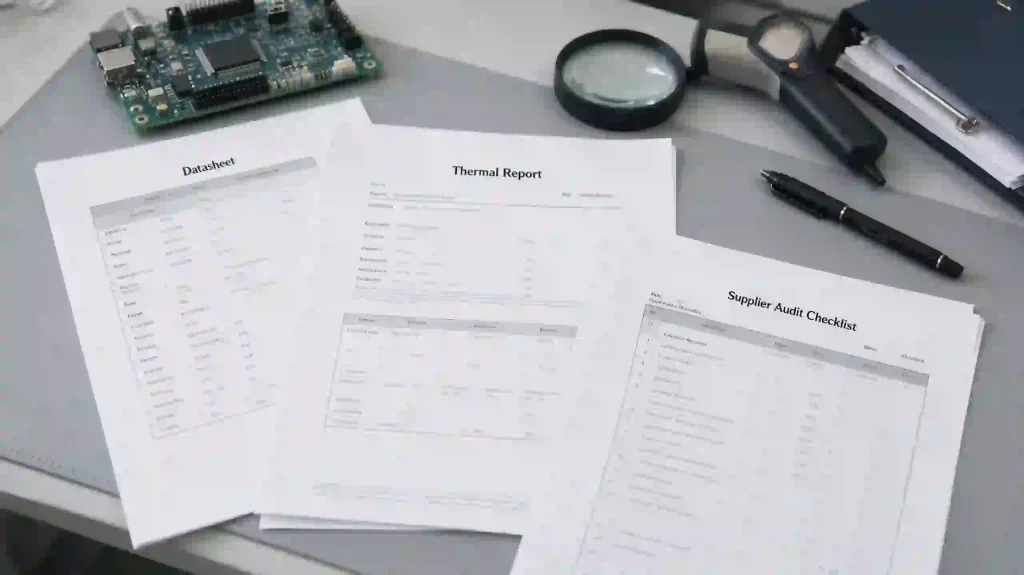
The supplier evaluation is where E-E-A-T becomes concrete. Documentation is evidence; a website is not.
Ask for the documents, and check the dates.
- Module datasheet with revision history
- Carrier board reference schematic and layout guide
- Thermal application note with measured data, not a claim
- 3D STEP model and mechanical drawing
- BSP release notes with kernel and driver versions
- Certification reports relevant to your market — EMC, safety, and where applicable IEC 60529 for the enclosure and IEC 60068 environmental test methods
Ask about lifecycle in years, not adjectives. Minimum availability commitment, product change notification policy with a defined notice period, and last-time-buy terms. Embedded products commonly run seven to ten years in the field; a module with a three-year horizon is a redesign scheduled in advance.
Ask about the production test. What is tested at module level, at what coverage, and is the test record available per serial number. For an industrial product, a supplier that cannot describe its outgoing test process cannot support a warranty discussion.
Ask for a reference design review, not a reference customer. A vendor willing to walk through your power tree and interface allocation before layout starts is demonstrating engineering capability. A vendor who can only send a product page is demonstrating marketing capability.
Verify the silicon. Rockchip publishes platform information and documentation channels directly; matching a module’s claimed SoC against Rockchip’s own product material takes minutes and catches relabelled or remark-ed parts, which do appear in this market.
The RFQ That Saves a Project
Send this in the first email, before asking for a price.
- Confirm SoC and variant, package, and the exact interface list brought out on the connector
- DRAM type, capacity, and bus width; eMMC capacity
- Connector type, mating cycles, and 3D model availability
- Input voltage range and whether power sequencing is internal or carrier-side
- Operating and storage temperature range, and the test method behind it
- Typical and maximum power dissipation, with the measurement condition
- BSP: kernel versions, Yocto/Buildroot release, driver delivery format, support period
- Device tree adaptation support for a custom carrier board — scope and price
- MOQ, volume price bands, sample lead time, production lead time
- Lifecycle commitment, PCN notice period, last-time-buy terms
- Certification reports available for the module and reference design
- Pre-programming, serialisation and functional test services
A supplier who answers nine of these twelve with documents is a supplier worth a second call. One who answers three with adjectives is not.
Reading the Search Results Without Being Misled
Buyers searching an RK3588S SoM purchase will encounter a mixed set of results: generic “RK3588 price” listings whose configuration is unstated, distributor pages for the RK3588 SBC evaluation boards rather than production modules, and competitor brand queries such as Geniatech SoM or vendor-specific model numbers like SOM-COM-BT6-RK3588.
Three practical cautions:
SBC prices are not SoM prices. An RK3588 SBC evaluation board and a production SoM with the same SoC are different products at different price points. Comparing them produces a budget that will not survive procurement.
Brand-name searches are not a strategy. Searches for a specific competitor’s module model reflect existing design inertia, not buyer intent you can capture — and a page built around another company’s product name reads as affiliate content to both readers and search engines. Compare on specifications and support terms, publish your own model names, and let the comparison happen on capability.
Quoted prices without configuration are noise. Insist that every price comparison carries DRAM, storage, connector type, temperature grade and quantity. Without those five data points, two prices cannot be compared.
Total Cost, Not Unit Price
The purchase order is the smallest part of the decision. A defensible cost model includes:
| Cost line | Where it hides |
|---|---|
| Module unit price | Varies with configuration and volume band |
| Carrier board NRE | Schematic, layout, stack-up, prototype runs |
| BSP and device tree work | Weeks of engineering, often under-budgeted |
| Certification | EMC pre-compliance, test house fees, retest cycles |
| Production test fixture | Per product, not per unit, but a real line item |
| Lifecycle risk | Redesign cost if the module reaches end of life mid-program |
| Second-source flexibility | Higher with standard form factors, near zero with proprietary ones |
Projects that compare only the first line consistently choose the more expensive overall solution.
FAQ
Is RK3588S weaker than RK3588? Same compute class, fewer interfaces exposed. For applications that fit its I/O budget it is the more efficient choice; for applications that need the full display and PCIe complement it is the wrong part, not a slower version of the right one.
Why do RK3588S SoM prices vary so much between suppliers? Almost always DRAM and storage configuration, temperature grade, connector type, and the volume band the quote assumes. Ask each supplier for the same configuration before comparing numbers.
Can I buy the SoM now and design the carrier board later? You can, but the module’s interface list, mechanical outline and power sequencing requirements are inputs to the carrier board design, not outputs. Buy the module after the interface budget and enclosure concept exist, or you will be designing around a constraint you chose by accident.
Does an RK3588 SBC work as a production platform? Sometimes, for low-volume or single-enclosure products. As volume grows, the per-unit cost of an SBC and the inability to remove interfaces you do not need usually make a SoM plus custom carrier board the better economics.
How long should BSP support be expected to last? Match it to the product’s field life, not the module’s marketing cycle. If the product will ship for eight years, ask for the support and security patch plan across that horizon in writing, and treat a vague answer as a cost.
Conclusion
An RK3588S SoM purchase is three decisions stacked: which platform variant fits your real interface budget, which configuration your product actually needs, and which supplier will still be answering emails in year four. The price list answers only the second one.
Decide the interfaces before the module, normalise every quote to the same configuration, budget the device tree work as engineering rather than overhead, and demand documents dated within the last year. That process produces a purchase that a production team can live with.
IEEKER supplies and integrates Rockchip-based SOM and SBC platforms, and supports custom carrier board design, device tree and BSP adaptation, thermal and EMC pre-compliance, and production test development. If you are preparing an RFQ for an RK3588S SoM, send us your interface list and enclosure constraints — we will come back with a configured proposal rather than a headline price.
Standards and references
- Rockchip official platform documentation: https://www.rock-chips.com/
- SGET — SMARC module standard: https://sget.org/
- PICMG — COM Express module standard: https://www.picmg.org/openstandards/com-express/
- JEDEC — LPDDR memory standards: https://www.jedec.org/standards-documents
- devicetree.org — Devicetree Specification: https://www.devicetree.org/specifications/
- IEC 60068 series — Environmental testing methods: https://webstore.iec.ch/publication/457
- IEC 60529 — Degrees of protection provided by enclosures (IP Code): https://webstore.iec.ch/publication/2452