
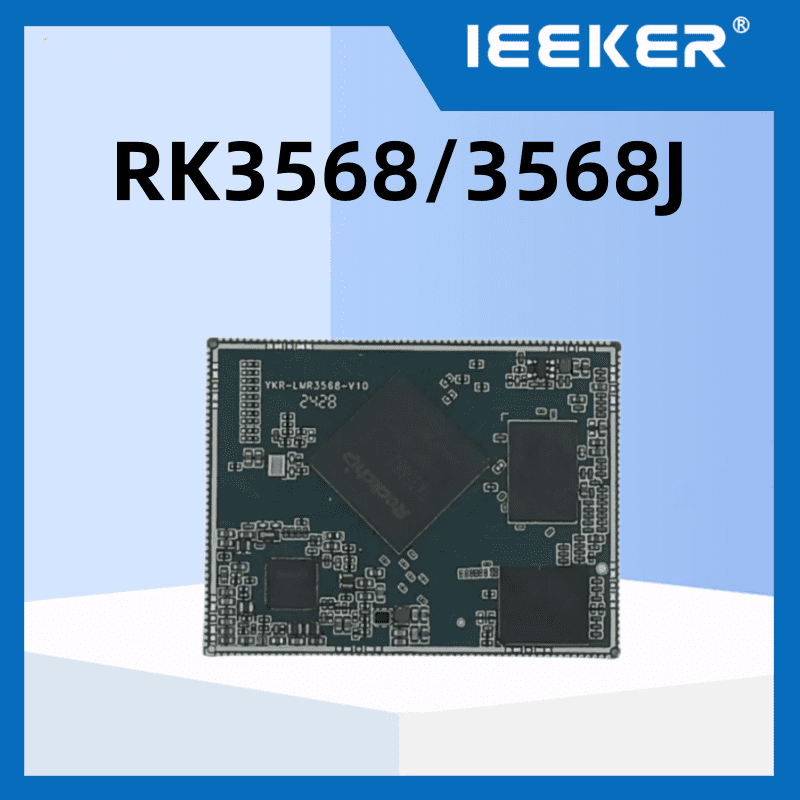
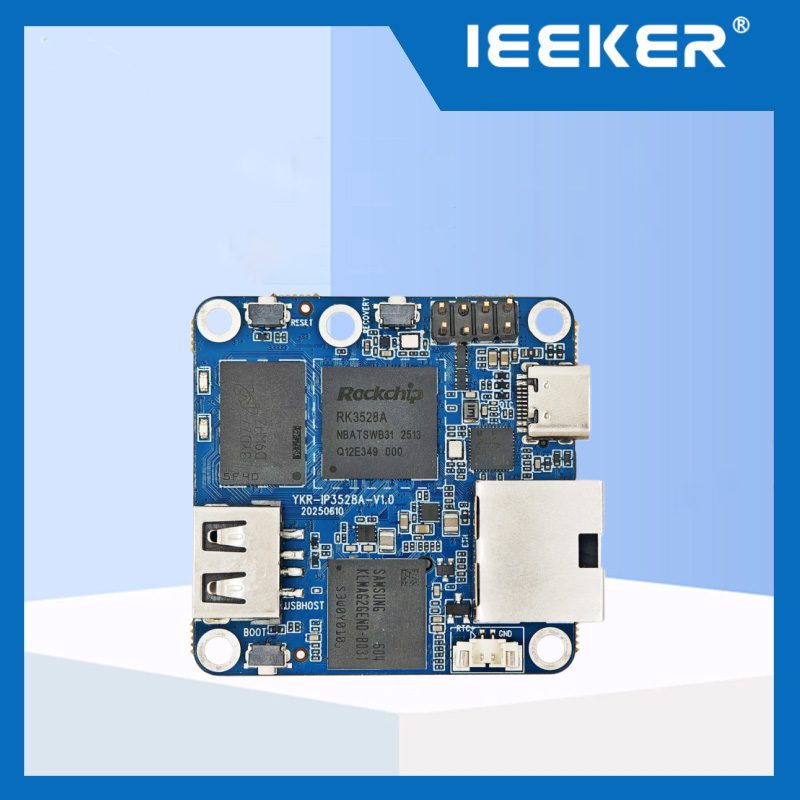
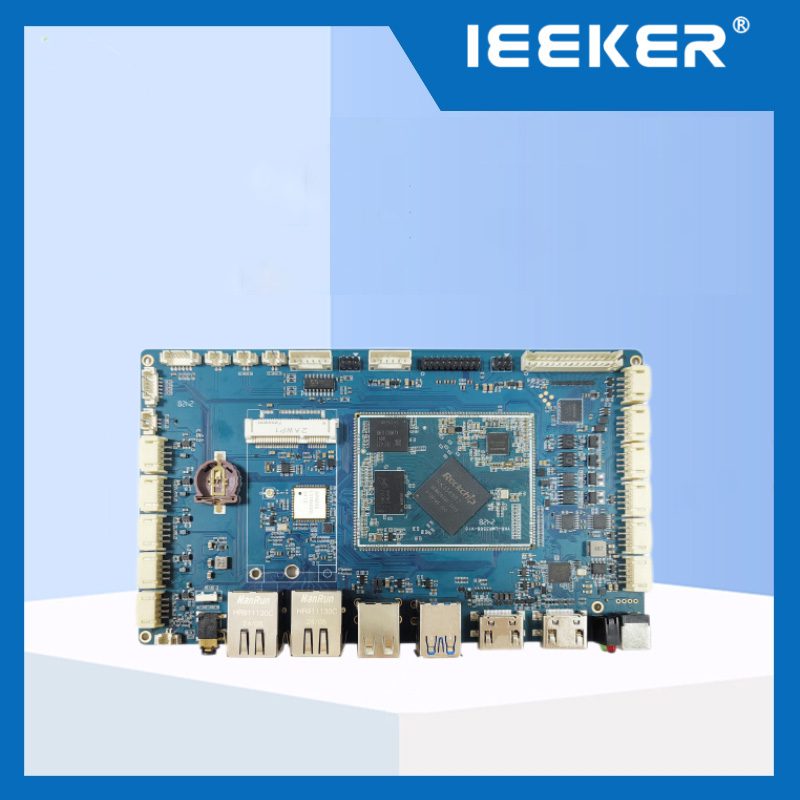
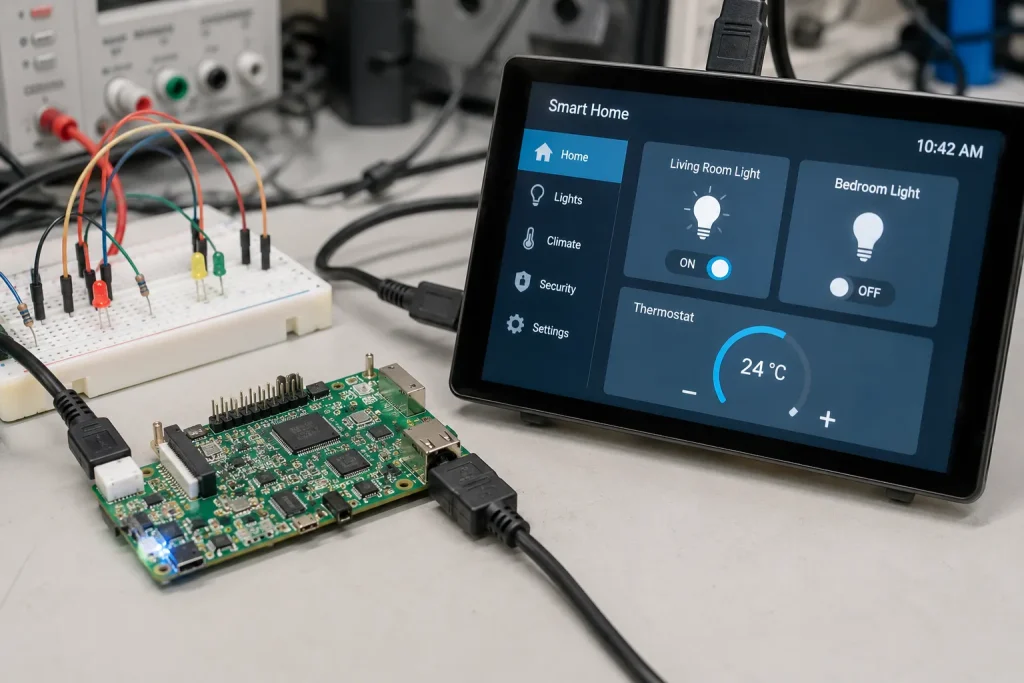
Kurze Antwort: Eine RK3566-Entwicklungsboard ist die richtige Wahl, wenn Ihr Projekt solide Linux- oder Android-Leistung, grundlegende KI-Inferenz und Dual-Display-Ausgabe benötigt, aber nicht auf die Triple-Display- oder Dual-Ethernet-Fähigkeiten des RK3568 angewiesen ist. Es ist der Einstieg in das Rockchip-Ökosystem. Zu den typischen Anwendungsbereichen zählen Smart-Home-Bedienfelder, Kiosksysteme mit einem Bildschirm, einfache IoT-Gateways und Bildungsrobotik. Wenn Ihr Budget begrenzt ist und Ihre I/O-Anforderungen bescheiden sind, ist der RK3566 oft die klügere Wahl als der RK3568.
Die Auswahl eines Rockchip-Einsteiger-Boards kann verwirrend sein. Die meisten Kaufratgeber vergleichen den RK3566 mit Hobby-Boards wie dem Raspberry Pi. Nur wenige gehen darauf ein, worauf es bei einem kommerziellen Produkt tatsächlich ankommt. Welche Ein- und Ausgänge benötigen Sie wirklich? Wie schneidet ein RK3566-Entwicklungsboard im Vergleich zu seinem nächsten Verwandten, dem RK3568, ab? Wo werden Ihnen die Grenzen des Chips in der Produktion zu schaffen machen?
Dieser Leitfaden gibt einen detaillierten Überblick über die tatsächlichen technischen Daten des RK3566. Er behandelt die vier Anwendungskategorien, in denen sich dieses RK3566-Entwicklungsboard besonders auszeichnet. Außerdem wird genau erläutert, wann Sie den RK3566 links liegen lassen und stattdessen mehr für den RK3568 ausgeben sollten.
Wichtigste Erkenntnisse
- Der RK3566 verfügt über eine NPU mit 0,8–1,0 TOPS – ausreichend für einfache Gesichtserkennung und einfache Klassifizierung, jedoch nicht für die Objekterkennung in Echtzeit bei hohen Bildraten.
- Der RK3566 unterstützt zwei unabhängige Bildschirme, der RK3568 drei – dieser eine Unterschied ist ausschlaggebend für viele Entscheidungen bei der Auswahl der Platinen.
- Der RK3566 verfügt über einen Gigabit-Ethernet-Anschluss; der RK3568 über zwei – dies ist relevant, wenn Ihr Design eine Trennung von LAN und WAN erfordert
- Der RK3566 nutzt PCIe 2.1 x1, der RK3568 nutzt PCIe 3.0 x2 – dies ist entscheidend für die Geschwindigkeit von NVMe-SSDs und die Erweiterung um mehrere Geräte
- Beide Chips verfügen über dieselbe Mali-G52-GPU und unterstützen die 4K-Videodekodierung mit 60 fps, sodass die Leistung bei der Multimedia-Wiedergabe nahezu identisch ist
- Der RK3566 kostet in der Regel 20–30% weniger als ein vergleichbares RK3568-Board mit derselben Speicher- und Speicherkonfiguration.
- Für Kiosksysteme mit einem Bildschirm, einfache IoT-Gateways und Bildungsprojekte erfüllt der RK3566 die Anforderungen, ohne den Preisaufschlag des RK3568 mit sich zu bringen
- Wenn Sie Dual-Netzwerk-Gateways, HMIs mit drei Bildschirmen oder schnellen NVMe-Speicher benötigen, sollten Sie auf den RK3568 umsteigen – der RK3566 wird sonst zum Engpass.
RK3566-Entwicklungsboard: Kernspezifikationen
Der RK3566 verfügt über dieselbe CPU- und GPU-Architektur wie der RK3568. Beide werden im 22-nm-Verfahren hergestellt. Der Unterschied liegt vor allem in der Anzahl der E/A-Anschlüsse und der Anzeigefähigkeit, nicht in der reinen Rechenleistung.
| Spezifikation | RK3566 |
|---|---|
| CPU | Quad-Core-Cortex-A55 mit bis zu 1,8–2,0 GHz |
| GPU | Mali-G52 2EE, OpenGL ES 3.2, Vulkan 1.1 |
| NPU | 0,8–1,0 TOPS (RKNN) |
| Prozessknoten | 22nm |
| Speicher | Bis zu 8 GB LPDDR4 |
| Videodekodierung | 4K bei 60 fps, H.265/H.264/VP9 |
| Anzeigeausgänge | Zwei unabhängige Anschlüsse (HDMI + MIPI DSI/LVDS/eDP) |
| Ethernet | 1× Gigabit-Ethernet |
| PCIe | PCIe 2.1 × 1 Lane |
| USB | USB 3.0, mehrere USB 2.0-Anschlüsse |
| Betriebssystemunterstützung | Android 11/12, Linux (Debian/Ubuntu/Buildroot) |
| Typischer Preis | $60-120 für eine komplette Entwicklungsplatine |
Beachten Sie den NPU-Wert genau. Je nach Quelle liegt er zwischen 0,8 und 1,0 TOPS. In der Dokumentation von Rockchip selbst werden 0,8 TOPS für allgemeine KI-Anwendungen angegeben. Einige Board-Anbieter runden diesen Wert in ihren Marketingunterlagen auf 1,0 TOPS auf. So oder so reicht dies für einfache Gesichtserkennung und grundlegende Bildklassifizierung aus, jedoch nicht für die Echtzeit-Erkennung mehrerer Objekte bei Videobildraten.
RK3566 vs. RK3568: Die drei Unterschiede, auf die es wirklich ankommt
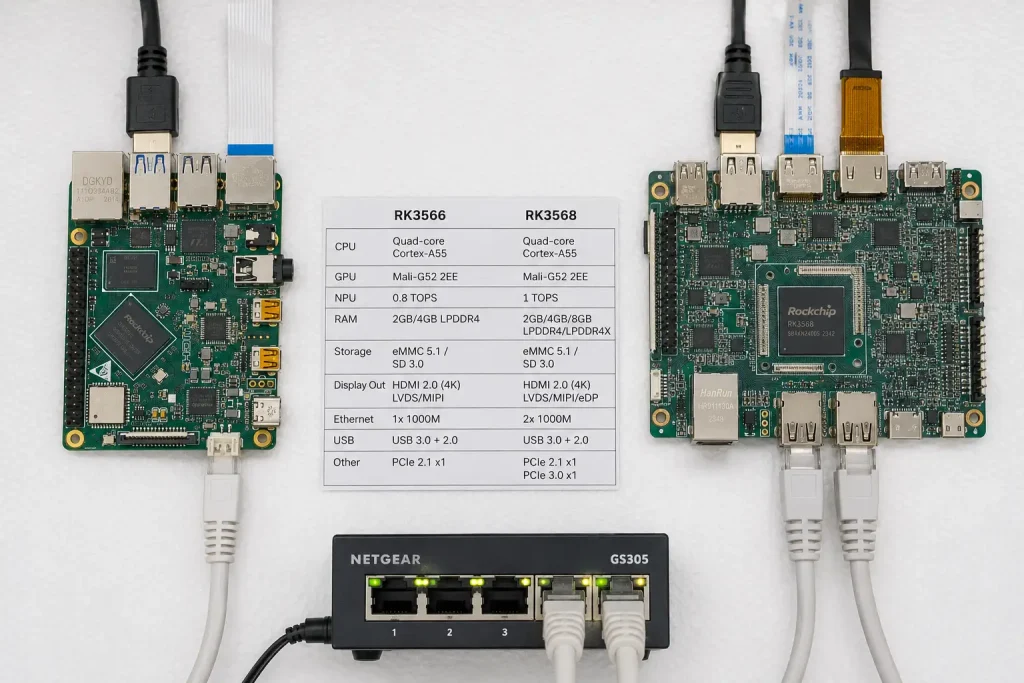
RK3566 und RK3568 werden oft als nahezu identische Chips beschrieben. Das stimmt größtenteils. Die Architektur von CPU, GPU und NPU ist identisch. Der Unterschied zwischen den beiden Chips liegt letztlich in drei I/O-Entscheidungen, die Rockchip bei der Entwicklung des RK3568 als höherwertiges Modell getroffen hat.
Anzahl der Anzeigen. Der RK3566 steuert zwei unabhängige Displays an. Der RK3568 steuert drei an. Wenn es sich bei Ihrem Produkt um einen Kiosk mit einem Bildschirm oder ein Smart Panel handelt, spielt dieser Unterschied keine Rolle. Wenn Sie jedoch eine Kontrollraum-Schnittstelle mit mehreren Monitoren oder einen Kiosk mit zwei Bildschirmen – einem Display für den Kunden und einem Bedienerdisplay – entwickeln, stoßen Sie sofort an die Grenzen des RK3566.
Netzwerkschnittstellen. Der RK3566 verfügt über einen Gigabit-Ethernet-Anschluss. Der RK3568 verfügt über zwei unabhängige MACs. Dies ist insbesondere für Gateway-Designs von Bedeutung, bei denen eine Trennung zwischen LAN und WAN erforderlich ist – also die Anbindung von Feldgeräten an ein Netzwerk und die Anbindung an das Unternehmensnetzwerk über einen Uplink an ein anderes. Für ein Smart-Home-Panel oder einen Kiosk mit einem Bildschirm ist ein Ethernet-Anschluss völlig ausreichend.
PCIe-Lanes. Der RK3566 verfügt über einen einzigen PCIe-2.1-Kanal. Der RK3568 verfügt über PCIe 3.0 mit zwei Kanälen. In der Praxis wirkt sich dies auf den Durchsatz von NVMe-SSDs aus und darauf, wie viele Erweiterungsgeräte gleichzeitig angeschlossen werden können – beispielsweise ein Mobilfunkmodem und eine SSD. Der RK3566 kann weiterhin eine NVMe-SSD ansteuern, allerdings mit einer geringeren Bandbreite als der RK3568.
Einen umfassenden technischen Vergleich der nächsthöheren Stufe finden Sie in unserem Vergleich zwischen RK3568 und i.MX8M Plus. Es nutzt dasselbe I/O-Auswertungs-Framework, das auch hier zum Einsatz kommt.
Wo ein RK3566-Entwicklungsboard am besten zum Einsatz kommt
Smart-Home- und Gebäudesteuerungs-Bedienfelder
Ein 6- bis 10-Zoll-Touchpanel zur Wandmontage, das Beleuchtung, Klimaanlage und Vorhänge steuert, ist die klassische Anwendung für den RK3566. Dies ist ein reales Einsatzszenario. Ein Beispiel: ein Wandpanel mit RK3566, einem 6-Zoll-Display und zwei Ethernet-Anschlüssen für interne und externe Netzwerke. Zudem nutzt es ZigBee, WLAN und RS485 zur Steuerung von Beleuchtung, Jalousien und HLK-Systemen. Ein Displayausgang, eine geringe CPU-Auslastung sowie WLAN- oder RS485-Konnektivität zu Smart-Geräten decken den gesamten Bedarf ab.
Interaktive Kiosksysteme mit einem Bildschirm
Selbstbedienungs-Bestellterminals, Wegweiser-Kioske und Kassensysteme benötigen in der Regel ein Touchdisplay und grundlegende Netzwerkfunktionen. Außerdem benötigen sie ausreichend GPU-Leistung für eine reaktionsschnelle Benutzeroberfläche. Die Mali-G52-GPU eines RK3566-Entwicklungsboards bewältigt Android- oder Qt-basierte Benutzeroberflächen in diesem Umfang problemlos. Die 4K-Videodekodierung ermöglicht die problemlose Wiedergabe von Werbeinhalten.
Einfache IoT-Gateways und Protokollkonverter
Für Gateways, die eine moderate Anzahl von Modbus- oder Sensorgeräten bündeln, eignet sich ein RK3566-Entwicklungsboard gut. Dies gilt, solange Sie keine Trennung zwischen LAN- und WAN-Netzwerk benötigen. Der einzelne Ethernet-Anschluss und die PCIe-2.1-Lane des RK3566 reichen für diesen Anwendungsbereich aus. Wenn Ihr Gateway-Design zwei unabhängige Netzwerke erfordert, springen Sie zu unserem Anleitung zum industriellen IoT-Gateway RK3568 stattdessen. Dieser Chip wurde genau für diese Anforderung entwickelt.
Bildung, Prototypenentwicklung und Robotik
Der günstige Preis des RK3566 und der uneingeschränkte GPIO-Zugriff machen ihn zu einer praktischen Lehrplattform. Studierende sammeln echte Erfahrungen in der Linux- und Android-Entwicklung, ohne dafür die Preise von Spitzenmodellen zahlen zu müssen. Die NPU reicht aus, um grundlegende Konzepte der KI-Inferenz zu vermitteln, auch wenn sie keine Bildverarbeitungsaufgaben im Produktionsmaßstab bewältigen kann.
Aus der Fertigung: Als ein Kunde bei einem Kiosk mit einem Bildschirm fast zu viel für den RK3568 ausgegeben hätte
Vor etwa vier Monaten wandte sich ein Hersteller von Verkaufsautomaten aus Vietnam an uns, der ein neues Zahlungsterminal mit Touchscreen plante. In seinem Spezifikationsentwurf war ein RK3568-Board vorgesehen. Die Begründung war einfach: Der RK3568 war der „bessere“ Chip, daher schien er die sicherere Wahl für eine neue Produktreihe zu sein.
Als wir ihre tatsächlichen Anforderungen prüften, sah die Situation ganz anders aus. Ein 10-Zoll-Touchdisplay. Ein Ethernet-Anschluss für die Zahlungsabwicklung und die Bestandsabgleichung. Kein Bedarf an einem zweiten Display, kein Bedarf an zwei Netzwerkanschlüssen und kein Bedarf an NVMe-Speicher über einen kleinen lokalen Produktkatalog hinaus. Jede funktionale Anforderung auf ihrer Liste wurde vom RK3566 vollständig abgedeckt.
Wir haben empfohlen, auf den RK3566 umzusteigen. Die geplante Stückzahl belief sich im ersten Jahr auf 2.000 Einheiten. Bei dieser Stückzahl belief sich der Preisunterschied zwischen einer RK3566-basierten Platine und einer gleichwertigen RK3568-Platine auf etwa $9 pro Einheit. Das entspricht einer Gesamteinsparung von $18.000 für ein Produkt, bei dem die zusätzlichen I/O-Anschlüsse des RK3568 vollständig ungenutzt geblieben wären.
Sechs Monate nach der Einführung, nachdem die ersten 800 Einheiten im Einsatz sind, entsprechen die Leistungsdaten genau den Anforderungen. Die Erkenntnis daraus ist klar: Größer ist nicht automatisch besser. Erfassen Sie Ihren tatsächlichen I/O-Bedarf, bevor Sie sich automatisch für den Chip der höheren Leistungsklasse entscheiden, denn der Preisunterschied summiert sich bei großen Stückzahlen schnell.
Wann man das RK3566-Entwicklungsboard links liegen lassen und stattdessen das RK3568 wählen sollte
Wenn Sie hier klar und deutlich sind, ersparen Sie sich eine spätere Neugestaltung. Drei Anzeichen deuten darauf hin, dass der RK3566 die falsche Wahl ist:
- Sie benötigen drei unabhängige Bildschirme. Für einen Übersichtsbildschirm im Kontrollraum, ein Bedienerdisplay und einen sekundären Alarmmonitor auf einer Platine ist die Dreifach-Display-Engine des RK3568 erforderlich. Der RK3566 unterstützt maximal zwei Displays.
- Ihr Gateway benötigt eine Trennung zwischen LAN und WAN. Wenn sich die Feldgeräte in einem Netzwerk befinden und Ihre Cloud-Verbindung in einem anderen, benötigen Sie zwei unabhängige Ethernet-MAC-Adressen. Der RK3566 verfügt jedoch nur über eine.
- Sie führen NPU-Inferenz mit Videobildraten durch. Die NPU des RK3566 mit 0,8–1,0 TOPS bewältigt einfache Klassifizierungsaufgaben problemlos, hat jedoch Schwierigkeiten bei der Echtzeit-Objekterkennung in einem Kamerabild. Für anwendungsintensive Bildverarbeitungsaufgaben sollten Sie entweder auf den RK3568 umsteigen oder sich für die NPU des RK3588 mit 6 TOPS entscheiden – siehe unseren RK3588 – Kaufberatung für diese Stufe.
Wenn keiner dieser drei Punkte auf Ihr Projekt zutrifft, ist der RK3566 sehr wahrscheinlich die richtige Wahl, und die Einsparungen sind erheblich.
Das RK3566-Entwicklungsboard von IEEKER
ieeker's RK3566-Entwicklungsboard Es wird mit validierten Android- und Linux-Images, vollem GPIO-Zugriff und dem gleichen technischen Support ausgeliefert, den wir auch für unsere höherwertigen RK3568- und RK3588-Boards bieten. Es ist ein praktischer Ausgangspunkt für kostensensible Produkte, den Bildungsbereich und die schnelle Prototypenentwicklung.
Sie sind sich nicht sicher, ob Ihr Projekt den RK3566 oder den RK3568 benötigt? Teilen Sie uns die Anzahl Ihrer Displays und Ihre Netzwerkanforderungen mit. Wir empfehlen Ihnen ehrlich ein RK3566-Entwicklungsboard, wenn es zu Ihrem Projekt passt – auch wenn dies die kostengünstigere Option ist.
Sie sind sich nicht sicher, ob der RK3566 für Ihr Projekt geeignet ist?
Teilen Sie uns Ihre Display-Anzahl, Ihre Netzwerkanforderungen und Ihre KI-Anforderungen mit – wir finden die passende Platine für Sie, auch wenn es nicht die teuerste ist.
→ Eine Empfehlung des Vorstands einholen →Häufig gestellte Fragen
Ist der RK3566 leistungsfähig genug für KI-Anwendungen?
Für grundlegende KI-Aufgaben, ja. Die NPU mit 0,8–1,0 TOPS bewältigt Gesichtserkennung, einfache Bildklassifizierung und das Erkennen einfacher Schlüsselwörter gut. Für die Echtzeit-Objekterkennung in Videos mit hohen Bildraten reicht sie jedoch nicht aus. Wenn Ihr Projekt dieses Leistungsniveau erfordert, ist die 6-TOPS-NPU des RK3588 die bessere Wahl.
Unterstützt der RK3566 8K-Videos?
Nein. Die maximale Dekodierleistung liegt bei 4K mit 60 fps, wobei die Kodierung auf 1080p begrenzt ist. Für die Dekodierung und Kodierung von 8K benötigen Sie die RK3588-Produktfamilie, darunter unsere Boards YKR-RK3588 und YKR-3588S.
Um wie viel ist der RK3566 günstiger als der RK3568?
In der Regel liegt der Preis bei gleicher Speicher- und Speicherkonfiguration um 20–30% niedriger, wobei die genauen Preise von der Stückzahl und den spezifischen Board-Funktionen abhängen. Im Serienbetrieb kann diese Differenz Einsparungen in Höhe von mehreren Zehntausend Dollar bedeuten, wenn Ihr Projekt die zusätzlichen E/A-Schnittstellen des RK3568 tatsächlich nicht benötigt.
Kann ich Android und Linux auf demselben RK3566-Board ausführen?
Ja, aber nicht gleichzeitig. RK3566-Boards werden in der Regel mit separaten, validierten Images für Android 11/12 und Linux-Distributionen wie Debian, Ubuntu oder Buildroot ausgeliefert. Sie flashen das für Ihre Anwendung erforderliche Betriebssystem auf den eMMC oder die SD-Karte des Boards.
Was ist der Unterschied zwischen dem RK3566 und dem Raspberry Pi 4 im industriellen Einsatz?
Der RK3566 verfügt über eine integrierte NPU für KI-Inferenz auf dem Gerät, während der Raspberry Pi 4 Broadcom Ein SoC fehlt gänzlich. Der RK3566 bietet zudem industriell besser geeignete Schnittstellenoptionen wie MIPI DSI/LVDS für eingebettete Displays. Der Raspberry Pi 4 verfügt zwar über eine größere Hobby-Community und ein breiteres Ökosystem an Zubehör, doch der RK3566 ist im Allgemeinen der bessere Ausgangspunkt für ein kommerzielles Embedded-Produkt.
Quellen und Referenzen