
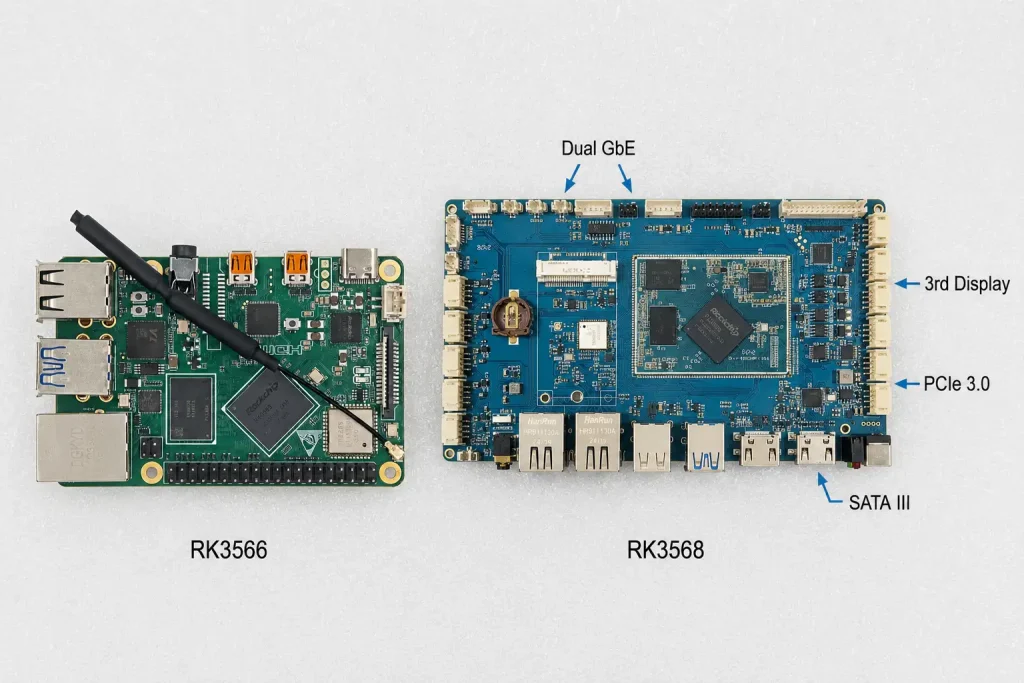
Short answer: The RK3566 vs RK3568 decision comes down to three hardware gaps. RK3568 adds a third independent display output, a second Gigabit Ethernet port, and PCIe 3.0 with two lanes. RK3566 stops at two displays, one Ethernet port, and PCIe 2.1 with one lane. CPU, GPU, and video decode are nearly identical. If your project needs any of those three RK3568-exclusive features, step up. If it doesn't, save 20-30% on the board and buy RK3566.
The RK3566 vs RK3568 comparison is the most practical decision in the Rockchip product family. Both chips are quad-core Cortex-A55 SoCs on 22nm. They share the same Mali-G52 GPU and the same 4K video pipeline. The NPU is nearly identical too. What changes is a small set of I/O pins. But those I/O differences can be the deciding factor for your product.
This guide maps each hardware difference to a real use case. It gives you a clear answer for each scenario: RK3566 or RK3568, and why.
Key Takeaways
- RK3566 vs RK3568 CPU/GPU performance is nearly identical — real-world difference is under 5% in most workloads
- RK3568 supports three independent displays; RK3566 supports two — often the single deciding factor
- RK3568 has dual Gigabit Ethernet; RK3566 has one — critical for LAN/WAN gateway designs
- RK3568 uses PCIe 3.0 ×2; RK3566 uses PCIe 2.1 ×1 — affects NVMe speed and multi-device expansion
- RK3568 adds SATA III and CAN bus; RK3566 has neither by default
- Both support Android and Linux, 4K decode, and the same NPU toolchain (RKNN)
- RK3566 boards typically cost 20-30% less at the same memory configuration
- If your project uses only one display and one network connection, RK3566 is almost always the right call
RK3566 vs RK3568: Full Specification Comparison
The table below covers every meaningful spec in the RK3566 vs RK3568 comparison. Rows marked as identical can be ignored for your decision. Focus on the rows where they differ.
| Spec | RK3566 | RK3568 |
|---|---|---|
| CPU | Quad-core Cortex-A55 @ up to 2.0GHz — identical | |
| GPU | Mali-G52 2EE, OpenGL ES 3.2, Vulkan 1.1 — identical | |
| NPU | 0.8–1.0 TOPS (RKNN) — identical | |
| Process node | 22nm — identical | |
| Video decode | 4K@60fps H.265/H.264/VP9 — identical | |
| Video encode | 1080p@100fps — identical | |
| Memory | Up to 8GB LPDDR4 — identical | |
| OS support | Android, Debian, Ubuntu, Buildroot — identical | |
| Display outputs ⚡ | 2 independent | 3 independent |
| Ethernet ⚡ | 1× GbE | 2× GbE (independent MACs) |
| PCIe ⚡ | PCIe 2.1 ×1 | PCIe 3.0 ×2 |
| SATA ⚡ | None | SATA III |
| CAN bus ⚡ | None | CAN 2.0 ×2 |
| Pin compatibility ⚡ | Not pin-compatible — separate carrier board designs required | |
| Typical board cost ⚡ | $60–$100 | $80–$130 |
⚡ = rows where RK3566 and RK3568 differ. All other specs are effectively identical.
One critical note from CNX Software's original datasheet analysis: RK3566 and RK3568 are not pin-compatible. You cannot swap one chip for the other on the same carrier board design. If you prototype on RK3566 and later decide to move to RK3568, that's a new PCB revision. Choose your chip before you commit to a schematic.
RK3566 vs RK3568: Scenario-by-Scenario Decision Guide
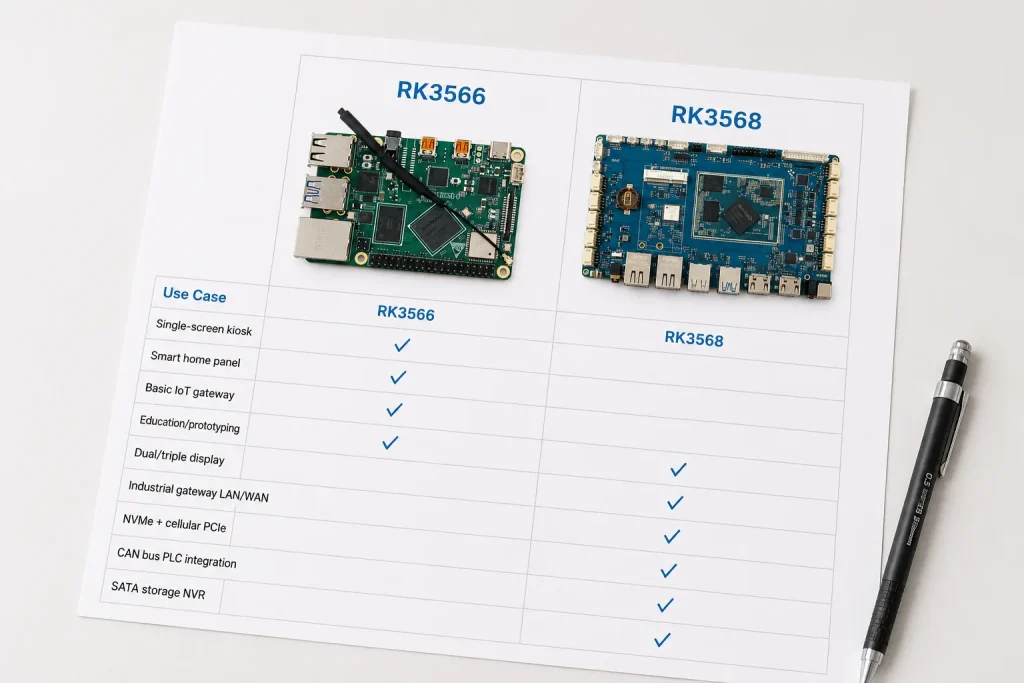
The right way to use this comparison is to work through your project's actual requirements. For each scenario below, the answer is clear-cut.
Scenario 1: Single-Screen Kiosk or Smart Panel
Smart home panels, POS terminals, and single-screen interactive kiosks all fit this profile. The Mali-G52 GPU handles smooth Android or Qt UI rendering at any panel size up to 10 inches without strain. RK3568's extra display ports go unused.
Scenario 2: Dual-Screen or Triple-Screen Display System
A drive-through menu board with three panels, a control room setup with a main display plus a secondary alarm screen plus a supervisor monitor — these need three outputs. RK3566 stops at two. Adding a third display means a second board and extra complexity.
Scenario 3: Basic IoT Gateway — No LAN/WAN Separation
A gateway connecting to sensors via RS485 and forwarding to the cloud via cellular or a single Ethernet WAN connection doesn't need dual MACs. RK3566 covers this scenario cleanly at lower cost.
Scenario 4: Industrial Gateway — Separate Field and Cloud Networks
Connecting field devices on one subnet and a corporate uplink on another needs two physical Ethernet interfaces with independent MAC addresses. RK3568 provides this natively. For the full IoT gateway deployment architecture on RK3568, see our RK3568 industrial IoT gateway guide.
Scenario 5: NVMe SSD Storage or Cellular Modem via PCIe
A data historian gateway that needs an NVMe SSD for local storage plus an M.2 cellular modem for connectivity needs two PCIe slots. RK3568 covers this. RK3566 forces a choice between the two, or requires moving the cellular modem to USB (which works, but adds latency and loses PCIe bandwidth).
Scenario 6: PLC or Vehicle Bus Integration via CAN
Applications talking to PLCs, actuators, or vehicle subsystems via CAN protocol need native CAN controllers. RK3566 would require a USB-CAN adapter — functional, but a reliability and latency risk in production.
Scenario 7: SATA-Based Local Storage
NVR systems that need a 2.5-inch SSD for local video recording require SATA III. RK3566 cannot support this configuration without a PCIe-to-SATA bridge — adding cost, complexity, and a potential failure point.
Scenario 8: Education, Prototyping, or Hobby Projects
For learning, testing, and projects where I/O requirements aren't yet fixed, RK3566's lower price reduces the cost of experimenting. Performance is identical for software development purposes.
From the Factory Floor: How One Dual-Screen Requirement Changed a Platform Decision
About six months ago, a retail technology company in Thailand came to us for an RK3566-based self-checkout terminal. Their product needed a 15.6-inch customer-facing touch display and a small 7-inch operator confirmation display. Two screens. We reviewed the ieeker RK3566 board with them. It supports two independent outputs. At first glance, it looked like an easy match.
The issue surfaced during interface mapping. Their carrier board design called for the customer display on HDMI and the operator display on LVDS. That's two outputs — within RK3566's capability. But they also needed a barcode scanner interface on USB 3.0, a printer on USB 2.0, a receipt cutter on RS232, and a cash drawer trigger via GPIO. When we mapped all of those against RK3566's interface set, everything fit.
Then their technical lead added one more requirement: they needed an ethernet port for the in-store payment network and a second ethernet port for a cellular failover router for cloud reporting. That's two independent ethernet connections. RK3566 has one.
We recommended switching to our RK3568 development board. The dual-MAC ethernet coverage was required. The per-unit cost difference was $11. At their forecast of 1,500 units in year one, that's $16,500 more — real money, but unavoidable given the network architecture. They approved the switch without pushback because the reason was concrete and the alternative was a USB ethernet dongle they didn't want in a production retail terminal.
The lesson is consistent: the RK3566 vs RK3568 decision doesn't get made at the start of a project on gut feel about "needing the better chip." It gets made during interface mapping, when real peripheral counts meet real I/O availability. Do that mapping early. It prevents surprises after PCB layout.
What's Actually Identical Between RK3566 and RK3568
Most comparison articles focus on the differences. It's equally useful to know what you're not giving up when you choose RK3566.
CPU performance. PassMark benchmarks show RK3566 within 5% of RK3568 in multi-thread workloads when both run at comparable clock speeds. In real applications — UI rendering, protocol handling, MQTT publishing — the difference is imperceptible. You will not feel it.
GPU performance. Both use the Mali-G52 2EE. Both support OpenGL ES 3.2, Vulkan 1.1, and OpenCL 2.0. Qt Quick applications run identically. Android UI performance is the same. Frame rates on equivalent workloads are equal.
4K video decode. Both chips decode H.265, H.264, and VP9 at 4K@60fps using the same VPU. Playing 4K content on a signage display is identical on either chip.
NPU and AI inference. Both use the RKNN architecture and the same RKNN-Toolkit2 toolchain. A model quantized and validated on RK3566 deploys directly to RK3568 without reconversion. They're not identical in raw TOPS figures across all documentation, but for the workloads they're both suited to — face detection, classification, anomaly scoring — performance is equivalent in practice.
OS ecosystem. Both support Android 11/12, Debian, Ubuntu, and Buildroot. Both have comparable BSP maintenance histories from Rockchip. Both are pin-incompatible with each other but share the same software toolchain.
RK3566 vs RK3568: ieeker's Boards for Each
ieeker manufactures both chips on separate, purpose-built boards. Each is specified to the chip's strengths without forcing trade-offs across both platforms.
- RK3566 development board : Single-display focus, compact form factor, full GPIO access, validated Android and Linux images. Best for smart home panels, single-screen kiosks, and educational use. Available from single-unit quantities.
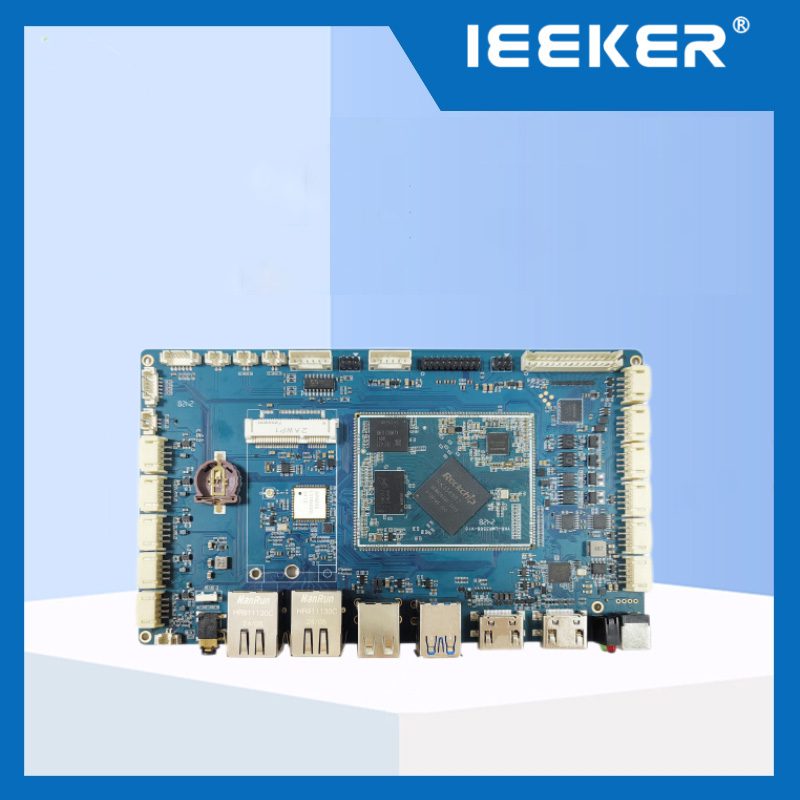
- RK3568 development board: Dual GbE, triple display, PCIe 3.0, SATA III, CAN bus. Full industrial I/O without compromise. Best for IoT gateways, industrial HMI, and NVR applications.
For a deeper look at the RK3568 application scenarios — including the IoT gateway stack and HMI display interface selection — see our dedicated guides for each:
- RK3568 Industrial IoT Gateway: Architecture, Software & Deployment Guide
- RK3568 Development Board for Qt HMI Panels
Not sure whether you need RK3566 or RK3568?
Share your display count, network interfaces, and storage requirements. We'll tell you which chip fits, along with pricing for your volume.
Get a Board Recommendation →Frequently Asked Questions
Is RK3568 significantly faster than RK3566?
No. CPU benchmarks put them within about 5% of each other. GPU performance is identical. The speed difference is not meaningful for any typical embedded application. Choose between them based on I/O, not performance.
Can I design one carrier board that works with both RK3566 and RK3568?
No. The two chips are not pin-compatible. A carrier board designed for RK3566 cannot be populated with RK3568. Choosing between them is a schematic-level decision. Make it before PCB layout.
Which chip is better for a Modbus IoT gateway?
It depends on your network architecture. If you only need one Ethernet connection, RK3566 is fine and cheaper. If you need separate field-device LAN and cloud WAN interfaces, RK3568's dual GbE is required. Modbus RTU polling over RS485 UART works identically on both chips.
Does RK3566 have SATA support?
No. SATA III is exclusive to RK3568 in this family. RK3566 can use eMMC and microSD for local storage, and supports one PCIe 2.1 lane for an M.2 NVMe drive if needed. For applications requiring 2.5-inch SSD storage — NVR systems, large local historians — RK3568 is the correct choice.
Is there an industrial-grade version of RK3566?
Yes. As with RK3568J, there is an RK3566 industrial-grade variant validated for extended temperature operation. Ask your board vendor specifically for the J-grade SoC if your deployment environment runs above 50°C ambient or below 0°C. Consumer-grade RK3566 is rated 0°C to 70°C junction temperature.