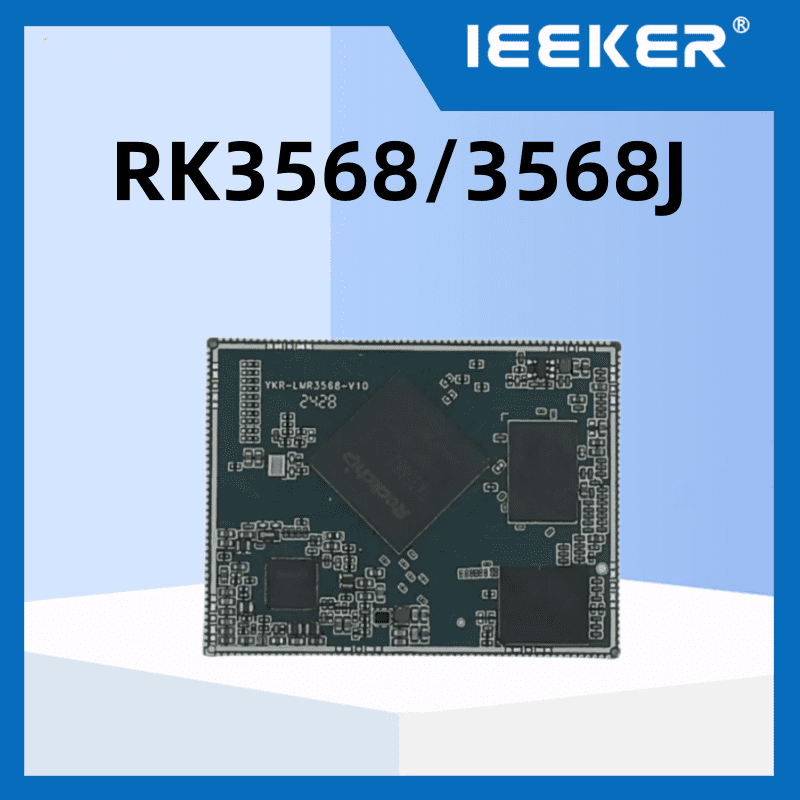
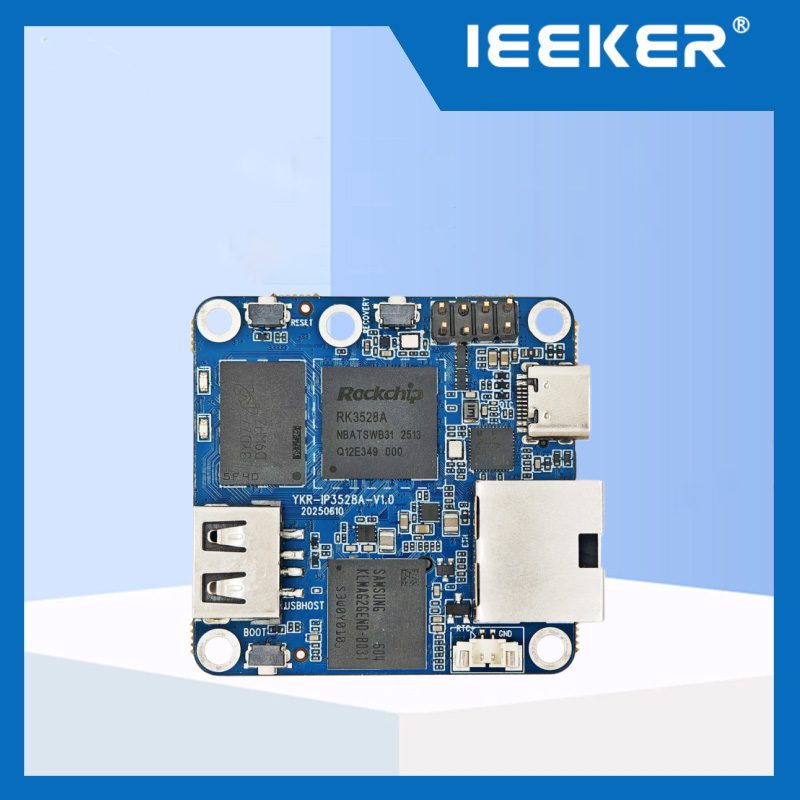
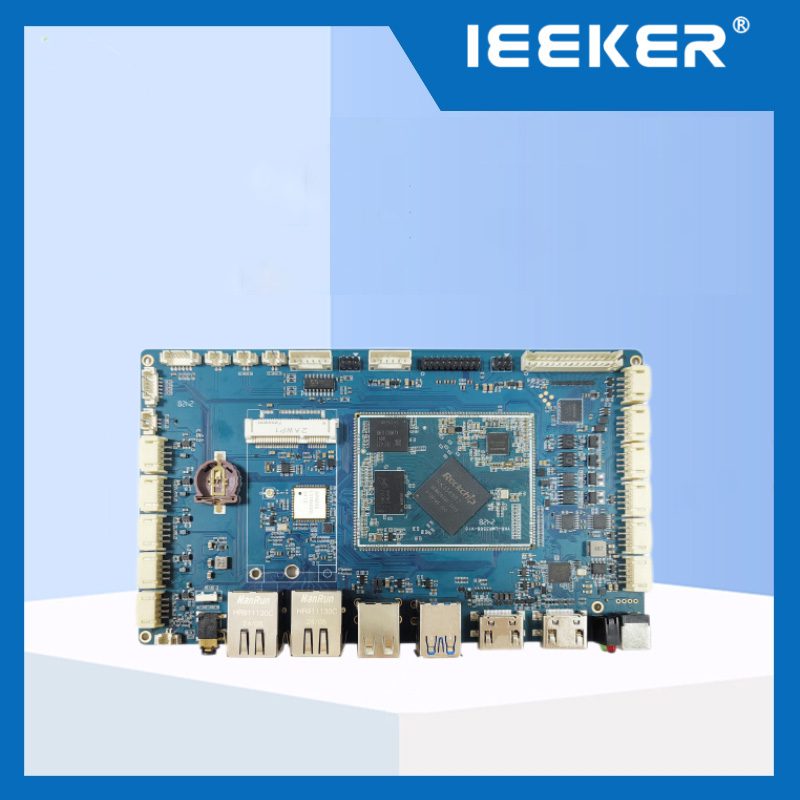
Geliştirme kartı, üzerine önceden lehimlenmiş bir mikrodenetleyici veya mikroişlemci ile temel bileşenlerin yer aldığı bir baskılı devre kartıdır (PCB); bu sayede geliştiriciler, devreyi sıfırdan kurmaya gerek kalmadan kod yazabilir ve donanımı test edebilir. 2024 itibarıyla yalnızca Raspberry Pi’nin 60 milyondan fazla adedi satılmış olup, bu durum öğrenme ve prototip oluşturma alanlarında yaygın olarak benimsendiğini göstermektedir. 2025 yılında popüler seçenekler arasında Arduino, Raspberry Pi Pico ve ESP32 yer almaktadır; her biri hızlı proje geliştirme için GPIO pinleri, güç düzenleme ve doğrudan donanım kontrolü sunmaktadır.
Bu kılavuz, muhtemelen aklınıza gelen şu soruyu yanıtlamayı amaçlamaktadır: Geliştirme kartları, tek kartlı bilgisayarlardan ne açıdan farklıdır?
Bilmeniz gereken temel bileşenler nelerdir? Projeniz için bir kart seçerken hangi teknik özellikler gerçekten önemlidir? Ve 2025 ile 2026 yıllarına doğru ilerleyen makerlar için en iyi seçenekler hangi kartlardır?
Önemli Noktalar
Geliştirme kartları, hızlı donanım prototipleme amacıyla bir işlemci ve G/Ç pinlerini bir arada barındırır.
Doğrudan donanım kontrolüne öncelik vermeleriyle tek kartlı bilgisayarlardan ayrılırlar.
Temel bileşenler arasında MCU, GPIO pinleri ve güç düzenleme devreleri yer almaktadır.
İşlemci türüne, G/Ç ihtiyaçlarına ve kullanıcı topluluğunun desteğine göre anakart seçin.
2025 yılının en popüler seçenekleri arasında Arduino, Raspberry Pi Pico ve ESP32 modelleri yer alıyor.
Geliştirme kartı nedir ve maker’ların projelerini hayata geçirmelerine nasıl yardımcı olur?
Geliştirme kartı, temel olarak prototip oluşturma ve öğrenme amacıyla tasarlanmış, kullanıma hazır bir elektronik devre kartıdır. Bu kart, “beyin” görevi gören bir mikrodenetleyici veya mikroişlemciyle birlikte, ihtiyacınız olan tüm destekleyici elektronik bileşenleri içerir. Bu sayede, sıfırdan özel bir baskılı devre kartı tasarlamak zorunda kalmadan, hemen kod yazabilir ve donanım fikirlerinizi test edebilirsiniz. İşte bu nedenle, maker'lar ve yeni başlayanlar karmaşık projeleri hayata geçirebiliyor. Örneğin, Raspberry Pi ve Arduino ekosistemleri toplamda 60 milyondan fazla adet satmış ve sırasıyla 30 milyon aktif kullanıcıya hizmet vermektedir; bu da elektronik dünyasına erişilebilir bir giriş kapısı olarak oynadıkları rolü açıkça kanıtlamaktadır.
Burada “kalkınma” terimi aslında ne anlama geliyor?
Bu bağlamda “geliştirme”, esasen daha büyük bir cihaza entegre edilmiş küçük bir bilgisayar olan gömülü sistemler için yazılım ve donanım oluşturma ve test etme sürecini ifade eder. Bu, “gelişimsel” büyüme aşamaları ya da benzeri bir şey ile ilgili değildir. Bu kart, nihai bir ürün veya çalışan bir prototip geliştirmek için atölyeniz görevi görür. Bunu, duvarları, sıhhi tesisatı ve elektrik kanalları zaten hazır olan prefabrik bir ev iskeleti gibi düşünün. Temeli dökmek ve her duvarı kendiniz dikmek yerine, iç tasarıma ve özelleştirmeye odaklanabilirsiniz.
Bu yaklaşım neden mühendis olmayanlara yöneliktir?
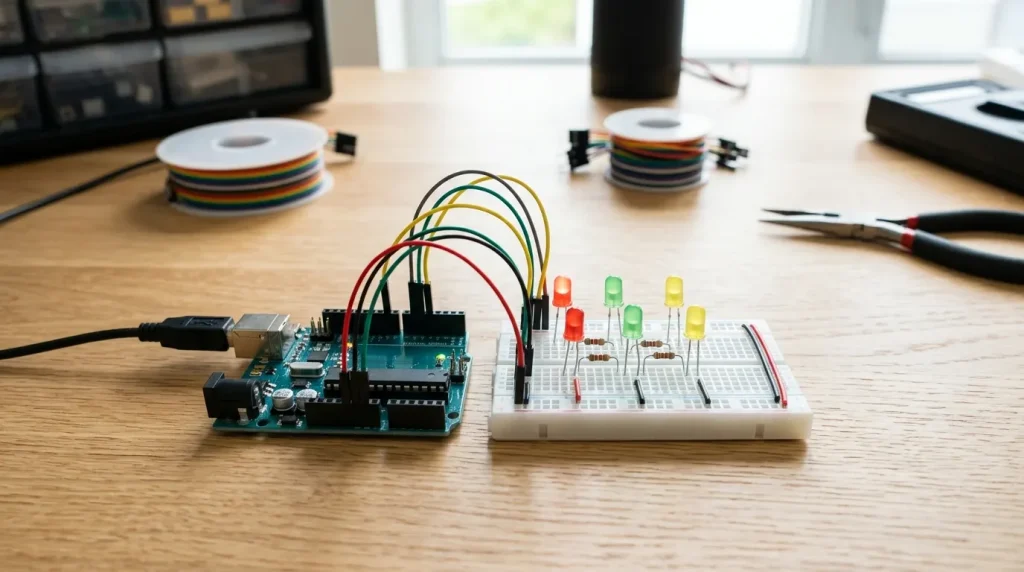
Bir geliştirme kartının temel amacı, mikrodenetleyici programlamasını herkes için erişilebilir hale getirmektir. Geleneksel olarak, özel bir devre oluşturmak için elektrik mühendisliği konusunda derin bilgi ve pahalı üretim süreçleri gerekiyordu. Bir geliştirme kartı, CPU, flash bellek, RAM, saat devresi ve güç düzenleme devresini tek bir uygun fiyatlı baskılı devre kartı üzerinde bir araya getirerek tüm bunları ortadan kaldırır. Kurulumun ne kadar basit hale geldiğini de hesaba kattığınızda, bir hobi meraklısı temel atlama kabloları kullanarak sensörleri ve motorları bağlayabilir ve MicroPython veya Arduino’nun C++ lehçesi gibi yeni başlayanlar için uygun dillerde kod yazmaya odaklanabilir.
Sonuç olarak, o ilk yanıp sönen ışığı elde etmek için gereken maliyet ve sürede gerçekten önemli bir düşüş yaşanıyor. Giriş seviyesi devre kartlarının fiyatı genellikle bir pizzadan daha ucuzdur; bu da herhangi bir mali risk almadan denemeler yapmanıza olanak tanır. Bu erişilebilirlik, projelerin ve sorun giderme kılavuzlarının serbestçe paylaşıldığı küresel bir topluluğun oluşmasını da teşvik ederek, öğrenme sürecinizi yirmi yıl önce mümkün olandan çok daha hızlı bir şekilde hızlandırıyor.
Her geliştirme kartında bulunan temel bileşenler nelerdir?
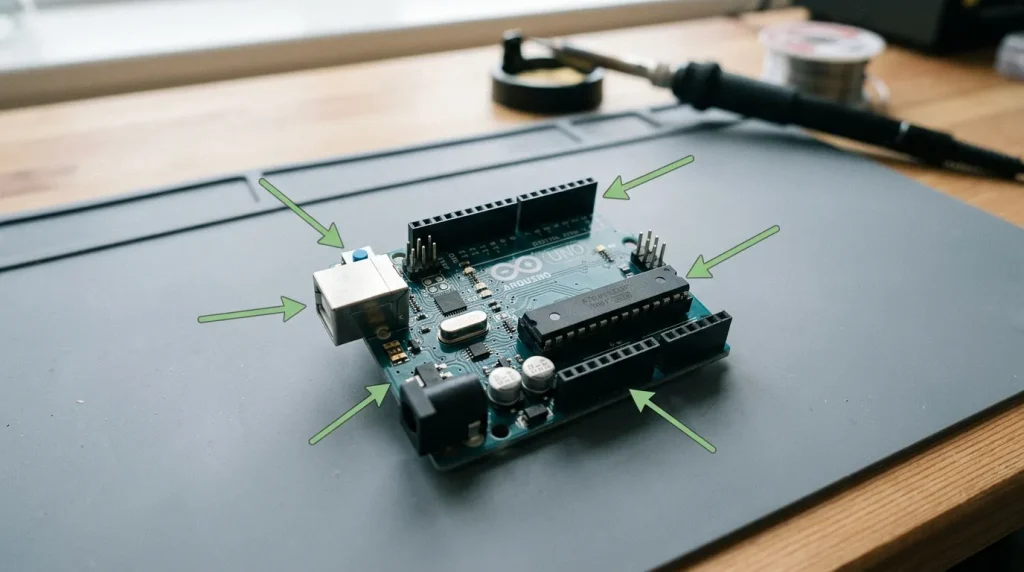
Piyasadaki her geliştirme kartında, mutlaka bilmeniz gereken en az altı temel bileşen bulunur: bir mikrodenetleyici birimi (genellikle MCU olarak adlandırılır), GPIO pinleri, bir USB arabirimi, bir voltaj regülatörü, bir saat osilatörü ve bir sıfırlama düğmesi. 2023 yılında güncellenen mühendislik kaynakları Tüm bunları bir araya getirip “minimal destek mantığı” olarak adlandırabiliriz; bu, temelde tek bir baskılı devre kartı üzerinde gömülü uygulamaları programlamak, prototip oluşturmak ve hata ayıklamak için ihtiyaç duyduğunuz asgari öğeler kümesidir. Bu bileşenlerden sadece birini bile çıkarırsanız, kart ya açılmaz, ya bilgisayarınızla iletişim kuramaz ya da ona bağladığınız herhangi bir harici donanımla iletişim kuramaz.
Mikrodenetleyici birimi (MCU) aslında ne işe yarar?
MCU, esasen tüm sistemin beyni gibidir; yazdığınız her türlü kodu çalıştırır, belleği yönetir ve kart üzerinde bulunan tüm çevre birimlerini kontrol eder. Tipik bir MCU, bir CPU çekirdeği, güç kesildiğinde bile programınızı saklayan kalıcı bir depolama alanı olan flash bellek ve çalışma zamanı verileri için kullanılan geçici bellek olan SRAM'ı tek bir çipte bir araya getirir. Örneğin, bir Arduino Uno'da ATmega328P MCU 16 MHz hızında çalışır.[1] ve 32 KB flash ile 2 KB SRAM ile donatılmıştır. MCU yanlış voltaj alırsa veya aşırı ısınırsa, kartın tamamı çalışmayı durdurur ve sistemi devam ettirecek bir yedekleme veya yedek sistem bulunmaz.
GPIO pinleri neden diğer tüm özelliklerden daha önemli?
GPIO, Genel Amaçlı Giriş/Çıkış (General-Purpose Input/Output) anlamına gelir ve bu pimler, kartınızın LED’ler, sensörler, motorlar ve ekranlar gibi dış dünyayla iletişim kurmasını sağlar. Her bir pim, 3,3 V veya 5 V voltaj gönderen HIGH durumuna ya da voltajı 0 V’a düşüren LOW durumuna ayarlanabilir.[2], bunların tümü yazılım aracılığıyla kontrol edilir; ayrıca harici cihazlardan gelen sinyalleri almak için bir pini giriş olarak da kullanabilirsiniz. Bir kartın sunduğu GPIO pini sayısı, ekstra çoklayıcı yongaları eklemek zorunda kalmadan aynı anda kaç bileşeni bağlayabileceğinizi doğrudan sınırlar. ESP32, 34 adede kadar GPIO pini sunarken, Arduino Uno ise 14 dijital pin ve 6 analog pin sağlar.
Genellikle kısa devreler veya aşırı voltaj uygulanmasından kaynaklanan hasarlı GPIO pinleri, hobi projelerinde karşılaşılan en yaygın donanım arızaları olmaya devam etmektedir.
Gerilim regülatörü veya saat osilatörü arızalandığında ne olur?
Gerilim regülatörü, genellikle bir USB bağlantısından gelen 5V’luk giriş gücünü alır ve bunu MCU’nun çalışması için gerçekten ihtiyaç duyduğu 3,3V veya 1,8V’a düşürür. Açık konumda arızalanan bir regülatör, kartın hiç açılmayacağı anlamına gelirken, kısa devre konumunda arızalanan bir regülatör, düzenlenmemiş voltajı doğrudan MCU'ya ileterek onu tamamen tahrip edebilir. Kristal osilatör, zamanlama sinyalini sağlayan bileşendir; bunu, her CPU komutunun senkronize kalmasını ve sırayla çalışmasını sağlayan bir kalp atışı olarak düşünün. Osilatörün çalışmaması durumunda kod yürütme kesinlikle gerçekleşmez; hiçbir şey olmaz.
Bu iki bileşen de toplu olarak satın alındığında tanesi $0,50’den daha ucuza mal oluyor, ancak kartın çalışıp çalışmayacağı konusunda kesinlikle hayati öneme sahipler.
Ne tür geliştirme kartları vardır ve her biri en çok kimler için uygundur?
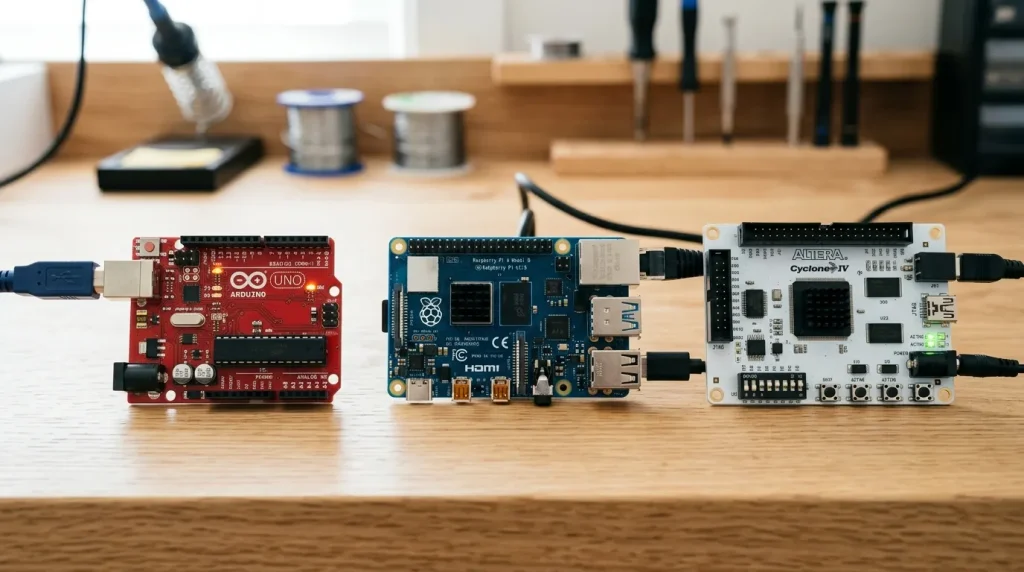
Geliştirme kartları genellikle üç ana kategoriye ayrılır; bu kategoriler, kartların merkezinde bulunan işlemci türü ve hangi işlevleri en iyi şekilde yerine getirmek üzere tasarlandıklarına göre belirlenir. Anlık tepki gerektiren görevleri yerine getiren mikrodenetleyici tabanlı kartlar, Linux gibi tam bir işletim sistemini çalıştırabilen tek kartlı bilgisayarlar ve iç devrelerini fiziksel olarak yeniden kablolamanıza olanak tanıyan FPGA kartları bulunmaktadır. Projeniz için en iyi seçim, aslında işlem gücü, diğer cihazlara bağlanma yöntemleri ve girdilere ne kadar hızlı tepki vermesi gerektiği gibi ihtiyaçlara bağlıdır.
Mikrodenetleyici Kartları: Gerçek Zamanlı Prototiplemenin İş Gücü
Bu kartlar, temel olarak kendi belleğine ve diğer bileşenlere bağlanmak için giriş/çıkışlarına sahip, küçük ve bağımsız bir bilgisayar yongası olan bir mikrodenetleyici kullanır. Bu kartlar, tam bir işletim sistemini çalıştırmanın getirdiği arka plan yükü olmadan çalıştıkları için, sensörden veri okumak, bir motoru kontrol etmek veya bir LED'i yanıp sönmek gibi anında tepki gerektiren özel görevler için mükemmeldir.
32 KB belleğe sahip ATmega328P yongası üzerine tasarlanmış Arduino Uno[3] Kod depolama alanı ve kullanımı kolay bir yazılım ortamı sunan bu platform, hem hobi amaçlı kullanıcılar hem de eğitim ortamları için klasik bir başlangıç noktasıdır. Nesnelerin İnterneti gibi internete bağlanan projeler için ESP32, 2023 itibarıyla her yıl milyonlarca adet satışıyla açık ara en popüler seçenektir.
STM32 yonga ailesi, daha yüksek işlem gücü ve daha gelişmiş yerleşik özellikler sunarak, robotik öğrenen öğrenciler ve gömülü sistemler geliştiren profesyonel mühendisler için yaygın bir tercih haline gelmiştir.
Tek Kartlı Bilgisayarlar: Karmaşık Projeler İçin Minyatür Masaüstü Bilgisayarlar
Tek kartlı bilgisayar, tek bir devre kartı üzerine inşa edilmiş eksiksiz bir bilgisayardır ve Linux gibi tam bir işletim sistemini çalıştırabilir. Bu sayede, basit bir mikrodenetleyici için çok ağır olacak video işleme, web sitelerini barındırma veya makine öğrenimi görevlerini yürütme gibi karmaşık işleri yönetebilir. Raspberry Pi, 2024 yılına kadar 60 milyondan fazla satılan birimle bu alanda açık ara liderdir ve 30 milyondan fazla aktif kullanıcıdan oluşan topluluğu, paylaşılan bilgi ve yardımdan oluşan devasa bir havuz oluşturur. BeagleBone Black ise, tam bir Linux ortamına erişim sağlarken aynı zamanda özel gerçek zamanlı işleme birimlerinin hassasiyetine ihtiyaç duyan mühendisler ve robotik geliştiriciler tarafından özellikle değer verilen bir başka güçlü seçenektir.
FPGA Kartları: Özel Dijital Mantık Tasarımı İçin
Bir Alan Programlanabilir Kapı Dizisi (FPGA) kartı, dijital devrelerin temel yapı taşları olan iç mantık kapılarının kullanıcı tarafından tamamen yeniden yapılandırılabildiği özel bir yonga içerir. Bu, doğrudan donanım üzerinde özel dijital devreler tasarlayıp oluşturabileceğiniz anlamına gelir; bu da yüksek frekanslı finansal işlemler, karmaşık sinyal analizi veya yeni işlemci tasarımlarının test edilmesi gibi özel uygulamalar için olağanüstü bir hız ve birçok işlemi aynı anda yürütme yeteneği sağlar. Bu kartlar genellikle elektrik mühendisliği öğrencileri, akademik araştırmacılar ve dijital devre tasarımı veya belirli donanım işlevlerini hızlandırmaya odaklanan uzman geliştiriciler tarafından kullanılır.
Aşağıdaki tablo, işiniz için hangi türün uygun olduğuna karar vermenize yardımcı olmak amacıyla temel farklılıkları özetlemektedir.
Kart Türü | Temel Fark | Yaygın Örnekler | Fiyat Aralığı (ABD Doları) | İçin En İyisi |
|---|---|---|---|---|
Mikrodenetleyici (MCU) | Gerçek zamanlı kontrolü sağlar, işletim sistemi olmadan çalışır, çok az güç tüketir | Arduino Uno, ESP32, STM32 | $5 – $20 | Hobi meraklıları, IoT geliştiricileri, STEM eğitimcileri |
Tek Kartlı Bilgisayar (SBC) | Linux gibi tam bir işletim sistemini çalıştırır, üst düzey programlamayı destekler | Raspberry Pi 5, BeagleBone Black | $35 – $80 | Medya merkezleri, ev sunucuları, robotik, uçtaki yapay zeka |
FPGA | Donanım yeniden yapılandırılabilir ve özel dijital devre tasarımı yapılmasına olanak tanır | Xilinx Artix-7, Intel Cyclone | $100 – $500+ | Dijital tasarım öğrencileri, donanım mühendisleri, araştırma ve geliştirme |
Projeniz için doğru geliştirme kartını nasıl seçersiniz?
Yapmanız gereken ilk şey, projenizin gerçek gereksinimlerini —giriş/çıkış sayısı, kablosuz bağlantı ihtiyaçları, gereken işlem gücü ve bütçeniz— kartın teknik özellikleriyle karşılaştırmaktır. 2023 itibarıyla büyük distribütörler tarafından listelenen 10.000'den fazla farklı geliştirme kartı SKU'su göz önüne alındığında, doğru seçim sadece katalogları gözden geçirmekle değil, bu gereksinimleri net bir şekilde belirlemekle başlar.
Her proje türü için hangi teknik özellikler önemlidir?
Kart seçiminde 90% modelini belirleyen dört faktör vardır: GPIO pin sayısı, kablosuz protokol, CPU hızı ve güç tüketimi. Aşağıdaki tabloda bu faktörler, dört yaygın maker projesiyle eşleştirilmiştir.
Proje | Temel Gereklilik | Önerilen Forum | Neden Uygun? |
|---|---|---|---|
Hava istasyonu | Düşük güç tüketimi + WiFi | ESP32 | Derin uyku modu yaklaşık 10 µA akım tüketir; dahili Wi-Fi, ek modül gerektirmeden veri gönderir |
Ev otomasyon rölesi | WiFi + 1 dijital pin | ESP8266 | ~$3'te en ucuz WiFi seçeneği[4]–5; bir GPIO, bir röleyi doğrudan çalıştırır |
Robot araba | PWM motor kontrolü + sensörler | Arduino Uno | 6 adet donanım PWM pini; 5 V'a dayanıklı G/Ç, çoğu motor sürücü kalkanıyla uyumludur |
LED sanat enstalasyonu | Hızlı veri çıkışı + çok sayıda LED | ESP32 | 240 MHz çift çekirdekli işlemci, 500'den fazla LED için WS2812B zamanlamasını yönetir; WiFi sayesinde uzaktan kontrol imkanı sunar |
Aşırı veya yetersiz tanımlamadan nasıl kaçınırsınız?
En zorlu gereksinimden başlayın. Kamera tabanlı engel algılama özelliğine sahip bir robot araba için Raspberry Pi gereklidir; Arduino, gerçek zamanlı görüntü işlemeyi gerçekleştiremez. Ancak kızılötesi sensörlere sahip bir çizgi takip robotu, maliyetinin yaklaşık beşte biri kadar bir fiyata Arduino Uno üzerinde sorunsuz çalışır. Benzer şekilde, buluta yükleme yapmadan yalnızca bir SD karta kayıt yapan bir hava durumu istasyonu, Arduino Nano ile gerçekleştirilebilir; bu da hem güçten hem de paradan tasarruf sağlar.
Pin sayısı ikinci kontrol noktasıdır. Bağlamayı planladığınız her sensörü, aktüatörü ve ekranı sayın, ardından hata ayıklama başlıkları ve gelecekteki genişletmeler için yaklaşık 20%'lik bir yedek kapasite ekleyin. Şu markanın giriş seviyesi kartları: ESP32 ailesi $5 ile $20 arasında perakende satış yapıldığından, nihai tasarıma karar vermeden önce çeşitli seçeneklerin prototiplerini hazırlamak, dışarıda yediğiniz tek bir öğle yemeğinden daha ucuza mal olur.
Çoğu kişi geliştirme kartlarını kullanırken hangi başlangıç hatalarına düşer ve bunları nasıl önleyebilirsiniz?
Herhangi bir kodlama hatasından çok daha fazla sayıda acemi geliştirme kartını bozan altı kablolama ve satın alma hatası vardır. 3,3 V için tasarlanmış bir pime 5 V beslemek, akım sınırlayıcı dirençleri takmamak ve kart çalışır durumdayken sensörleri çalışırken takmak, anında donanım arızasına yol açan hatalardır. Sahte yongalar kullanan ucuz USB-seri dönüştürücü klonları, hızlı bir kurulum olması gereken sürece saatlerce süren sürücü hata ayıklama sürecini ekleyebilir. İyi haber ise, her hatanın sadece birkaç saniye süren basit bir çözümü olmasıdır.
3,3 V ile 5 V’yi karıştırmak neden devre kartını anında yakar?
3,3 V[5] Mikrodenetleyicinin GPIO pini, dahili silikon bağlantı noktaları bozulmadan önce en fazla yaklaşık 3,6 V’a dayanabilir. 5 V’luk bir sinyali doğrudan bağladığınızda, pinin nominal değerinden yaklaşık 40% daha fazla gerilim uyguluyorsunuz ve bu da girişi milisaniyeler içinde tahrip eder.
Herhangi bir şey bağlamadan önce mutlaka veri sayfasında kartınızın mantık seviyesini kontrol etmelisiniz. Sensörünüz 5V çıkış veriyorsa ve kartınız 3,3V’ta çalışıyorsa[6], $0,10'dan daha ucuza mal olan iki dirençten oluşan basit bir gerilim bölücü ya da çift yönlü seviye dönüştürücü kullanabilirsiniz.
Akım sınırlayıcı dirençleri atladığınızda veya GPIO pinlerini aşırı yüklediğinizde ne olur?
Bir direnç kullanılmadan doğrudan bir GPIO pinine bağlanan bir LED, pinin sağlayabileceği nominal akımdan çok daha fazla akım çekecektir. Çoğu mikrodenetleyici pini, maksimum 20 mA akım sağlayabilir; mutlak üst sınır ise yaklaşık 40 mA’dır. Bu akım değerini aşarsanız, pin sürücüsünü kalıcı olarak yakarsınız ve genellikle pin yanıt vermemeye başlayana kadar gözle görülür bir hasar olmaz. Standart bir LED ile seri olarak 220Ω'luk bir direnç bağlamak, akımı yaklaşık 15 mA ile sınırlar; bu, güvenli ve yine de oldukça parlak bir ışık sağlar. Motorları veya röleleri çalıştırmak için asla GPIO üzerinden doğrudan akım çekmemelisiniz; bunun yerine anahtar olarak bir transistör veya MOSFET kullanmalısınız.
Ucuz klon kartlar neden saatlerce süren bir sinir bozukluğuna neden oluyor?
$5'in altında satılan uygun fiyatlı kartlarda genellikle sahte USB-seri dönüştürücü yongaları kullanılır; bunlar çoğunlukla CH340 türevleridir ve manuel sürücü yüklemesi gerektirir, ayrıca resmi sürücülerle çakışabilir. 2024 yılına kadar 60 milyondan fazla Raspberry Pi satışı gerçekleştirildi (Vikipedi, Raspberry Pi), ekosistem o kadar olgunlaştı ki, yetkili satıcılardan alınan orijinal kartların fiyatı, taklit ürünlerden sadece $3,5 daha pahalı. Bu, bağlantının kesilmesi ve aralıklı yükleme hatalarını önlemek için ödenmesi gereken küçük bir bedeldir.
Yeni başlayanların defalarca düştüğü iki son tuzak vardır. İlk olarak, güç verilmiş bir deneme kartına sensörleri veya bağlantı kablolarını takmak, mikrodenetleyicinin kilitlenmesine neden olabilecek voltaj dalgalanmalarına yol açabilir; bu nedenle, kablolamayı yeniden yapmadan önce daima gücü kapatmalısınız. İkincisi, her GPIO pini PWM’yi desteklemez; PWM, darbe genişlik modülasyonu anlamına gelir ve dijital sinyali hızla açıp kapatarak analog çıkışı simüle eder. Arduino Uno’da yalnızca 3, 5, 6, 9, 10 ve 11 numaralı pimler donanım PWM’si sağlar. Eğer
analogWrite()
Diğer pinlerde ise, karartma veya hız kontrolü olmaksızın ya sabit HIGH ya da sabit LOW sinyali alacaksınız.
Geliştirme kartlarıyla geliştirmeye başlamak gerçekte ne kadara mal olur?
$20’nin altında bir maliyetle başlayabilirsiniz, ancak yeni başlayanların çoğu sonunda yaklaşık $50 civarında bir harcama yapar.[7] temel çevre birimlerini edindikten sonra. 2024 itibarıyla, büyük çevrimiçi elektronik mağazalarında giriş seviyesi Arduino ve ESP32 kartlarının fiyatları, şuna göre $5 ile $20 arasında değişmektedir: SparkFun’un kataloğu. Aslında kartın kendisi en ucuz parçadır. Kablolar, deneme kartı ve en az bir sensör, bütçenizin geri kalanını oldukça çabuk tüketecektir.
Her bir bütçe kademesi aslında neleri içeriyor?
Bileşen | Asgari Seviye (~$20) | Rahat Başlangıç Seviyesi (~$50) | Tam Maker Tezgahı (~$120) |
|---|---|---|---|
Geliştirme kartı | Arduino Nano klonu (yaklaşık $5) | ESP32 DevKit (yaklaşık $8) | Raspberry Pi 5 4 GB ($60) |
Deney tahtası + bağlantı kabloları | 400 puanlık tahta + Dupont seti ($6)[8]) | 830 noktalı kart + kaliteli kablolar ($10) | 2 adet tam boy kart + birinci sınıf kablolar ($15) |
Sensör başlangıç kiti | - | Temel set: LED'ler, dirençler, DHT11, ultrasonik sensör ($15) | 37'si bir arada sensör kiti ($20) |
USB kablosu | Çoğu anakartla birlikte verilir ($0[9]) | USB-C veri kablosu ($4) | USB-C + mikro-USB seti ($6) |
Multimetre | - | - | Temel dijital multimetre ($12) |
Lehim havyası | - | - | Sıcaklık kontrollü ütü + lehim ($15) |
Gizli maliyetler nereden ortaya çıkıyor?
Kargo ücreti $3 olarak eklenecektir[10] Farklı satıcılardan satın almanız durumunda sipariş başına $8'e kadar çıkabilir. Tek bir tedarikçiden toplu sipariş vermek bu tutarı yaklaşık olarak yarıya indirir, bu da gerçekten çok yardımcı olur. Güç kaynakları nadiren pakete dahil edilir ve 5V/2A'lık bir USB adaptörünün fiyatı yaklaşık $5 civarındadır. Projeniz USB ile çalıştırma modunda çok fazla güç gerektirmeye başladığında buna ihtiyacınız olacak. AliExpress’te $1’in altında fiyatlandırılan sensörlerin teslimatı iki ila dört hafta sürerken, yurt içi satıcılar her biri için $2 ile $4 arasında ücret alırlar ancak teslimatı sadece birkaç gün içinde gerçekleştirirler.
Asıl bütçe tuzağı, bir projeyi henüz tamamlamadan her şeyi tek seferde satın almaktır. En temel seviyeden başlayın, tek bir çalışan devreyi tamamlayın, ardından yalnızca bir sonraki projeniz için gerçekten gerekli olan bileşenleri yükseltin. Bu yaklaşım, çekmecede durup yer kaplayacak parçalara para harcamamanızı sağlar.
Geliştirme kartınızın yanı sıra hangi yazılım ve araçlara ihtiyacınız var?
En azından bir kod düzenleyici, birkaç USB sürücüsü, bir seri monitör aracı ve bir multimetreye ihtiyacınız var. Arduino IDE genellikle insanların ilk olarak başvurduğu yerdir ve bunun 30 milyon kişilik küresel topluluk Bu, neredeyse tüm başlangıç kılavuzlarının ve kod kütüphanelerinin, bunu kullandığınız varsayımıyla yazıldığı anlamına gelir. Oysa PlatformIO, kod bağımlılıklarını yönetme ve birden fazla farklı kart kullanan projeleri idare etme konusunda size çok daha fazla kontrol sağlar; bu da, Arduino IDE’nin “her seferinde tek proje” çalışma tarzının sınırlarını aştığınızda gerçekten çok yararlı olur.
Arduino IDE, PlatformIO ve Thonny — Hangi editörü seçmelisiniz?
VS Code ile aynı çerçeve üzerine inşa edilmiş en yeni Arduino IDE 2.x sürümü, tek bir tıklamayla kodunuzu derlemenize ve herhangi bir Arduino uyumlu kartına yüklemenize olanak tanır. PlatformIO, VS Code içinde bir uzantı olarak çalışır ve projenizin ihtiyaç duyduğu tüm kod kütüphanelerinin doğru sürümlerini otomatik olarak belirleyip indirebilir; bu, ondan fazla farklı kütüphane kullandığınızda çok önemlidir.
Thonny, ESP32 ve Raspberry Pi Pico gibi kartlarda MicroPython yazmak için tasarlanmıştır; yerleşik bir komut satırı ortamı ve değişkenlerinizi izleme özelliği içerir, böylece programın tamamını yüklemeye gerek kalmadan küçük kod parçalarını satır satır test edebilirsiniz. Temel olarak, hızlı testler için Arduino IDE'yi, daha karmaşık çoklu kart çalışmalarında PlatformIO'yu ve MicroPython yazıyorsanız Thonny'yi tercih edersiniz.
Peki ya USB sürücüleri ve seri monitör?
Satın alabileceğiniz daha ucuz klon kartların çoğu, USB bağlantısını yönetmek için CH340 adlı yaygın bir yonga kullanır. Windows’ta bu yonga için sürücü önceden yüklü değildir; bu nedenle kartı takmadan önce sürücüyü üreticinin web sitesinden indirmeniz gerekir; aksi takdirde kod düzenleyiciniz doğru bağlantı noktasını bulamadığını bildirir. Bağlantı kurulduktan sonra, tüm bu editörlerde yerleşik olarak bulunan bir araç olan seri monitör, kodunuz çalışırken sensörlerden gelen verileri ve diğer hata ayıklama mesajlarını, genellikle 115200'e varan hızlarda görüntülemenizi sağlar.
Donanım satın almadan pratik yapabilir misiniz?
Evet, yapabilirsiniz. Wokwi, Arduino, ESP32 ve Raspberry Pi Pico için devreleri tamamen web tarayıcınızın içinde oluşturup test etmenize olanak tanıyan bir web sitesidir; sanal bileşenleri birbirine bağlayabilir, kodunuzu çalıştırabilir ve gerçek bir geliştirme kartına zarar verme riski olmadan sonuçları izleyebilirsiniz. Tinkercad Circuits ise, kabloları ve bileşenleri sürükleyip bırakabileceğiniz, Arduino Uno projeleri için benzer bir güvenli deneme alanı sunar.
Ne zaman fiziksel araçlara ihtiyaç duyarsınız?
Yaklaşık on beş dolara alabileceğiniz basit bir dijital multimetre, bağlantıların doğru yapılıp yapılmadığını kontrol etmenizi ve voltajı ölçmenizi sağlar; yeni bir devreyi çalıştırmadan önce her bir güç kablosunda bunu mutlaka yapmalısınız. On ila yirmi dolar arasında bir fiyata satılan küçük bir cihaz olan mantık analizörü, yongaların birbirleriyle neden doğru şekilde iletişim kurmadığını, gönderdikleri elektrik sinyallerini göstererek anlamanıza yardımcı olur. Projenizi geçici bir deneme kartından çıkarıp kalıcı hale getirmek istediğinizde veya metal pimleri çıplak bir devre kartına takmanız gerektiğinde bir lehim istasyonu gerekli hale gelir.
Geliştirme kartları hakkında sık sorulan sorular
"Development" kelimesi, bir geliştirme kartı için doğru yazım mıdır?
Evet, “development” elektronik sektöründe yaygın olarak kullanılan doğru ve standart yazım şeklidir. Üreticilerin teknik veriler sayfalarına, Arrow Electronics gibi distribütör kataloglarına veya topluluk forumlarına bakarsanız, bu yazımın tutarlı bir şekilde kullanıldığını göreceksiniz. “Developement” gibi yanlış yazımlar çevrimiçi aramalarda sıkça karşımıza çıksa da, bunlar aynı tür donanımı ifade etmektedir.
Geliştirme kartı ile mikrodenetleyici yongası arasındaki fark nedir?
Mikrodenetleyici yongası, basitçe bir sistemin beyni görevi gören entegre devre (IC)dir. Öte yandan, bir geliştirme kartı, bu yongayı ve çalışması için ihtiyaç duyduğu destek bileşenlerini barındıran eksiksiz bir baskılı devre kartıdır (PCB). Bu bileşenler arasında voltaj regülatörleri (elektrik gücünü yöneten), saat osilatörleri (zamanlamayı sabit tutan), USB arayüzleri (bilgisayara bağlanmak için) ve pin başlıkları (kabloları taktığınız metal konektörler) gibi bileşenleri barındıran eksiksiz bir baskılı devre kartıdır (PCB). Çipi nihai bir ürüne entegre etmeyi planlıyorsanız çip satın alırsınız. Öncelikle o çip için kodunuzun prototipini oluşturup test etmek istiyorsanız geliştirme kartı satın alırsınız.
Raspberry Pi, Arduino'nun yerini alabilir mi?
Her ikisi de farklı sorunları çözdüğü için, birinin diğerinin yerini alması nadiren görülür. Raspberry Pi, Linux gibi tam bir işletim sistemini çalıştıran tek kartlı bir bilgisayardır (SBC); bu özelliği sayesinde ağ hizmetleri, video işleme veya karmaşık yazılım gerektiren projeler için son derece uygundur. Arduino ise, bir programı doğrudan donanımı üzerinde çalıştıran bir mikrodenetleyici kartıdır; bu sayede motorlar, sensörler ve LED'ler üzerinde daha basit ve daha güvenilir zamanlama ile gerçek zamanlı kontrol sağlar. Aslında birçok gelişmiş projede bu iki cihaz birlikte kullanılır; Pi, üst düzey mantık ve ağ işlemlerini üstlenirken, Arduino fiziksel giriş ve çıkışları yönetir.
Bir geliştirme kartının ömrü ne kadardır?
Sabit bir son kullanma tarihi yoktur; çünkü bir devre kartının ömrü, onu nasıl kullandığınıza ve nerede sakladığınıza bağlıdır. Kart üzerindeki kondansatörler ve voltaj regülatörleri gibi elektronik bileşenler, normal koşullar altında genellikle binlerce saat çalışır. Bir kartın arızalanmasının en yaygın nedenleri, kısa devre gibi yanlış kablolamadan kaynaklanan fiziksel hasarlar veya nem ve toz gibi çevresel sorunlardır. Dikkatli kullanım ve uygun saklama koşulları sağlandığında, Arduino Uno gibi bir kart on yıl veya daha uzun süre çalışır durumda kalabilir.
Bir geliştirme kartını kullanmak için programlama bilmem gerekiyor mu?
Geleneksel kodlama bilgisi olmadan da bu işe başlayabilirsiniz. Arduino ve micro:bit gibi platformlar, Scratch’e benzer şekilde çalışan, mantık bloklarını sürükleyip bırakarak programlar oluşturabileceğiniz grafiksel, blok tabanlı programlama arayüzleri sunar. Bununla birlikte, herhangi bir geliştirme kartının sunduğu olanaklardan tam olarak yararlanmak ve daha gelişmiş projelere girişmek için Arduino için C/C++ veya Raspberry Pi için Python gibi metin tabanlı bir dil öğrenmek önem kazanır. Öğrenme süreci oldukça kolaydır ve aşağıda gösterildiği gibi milyonlarca yeni başlayan kişi tam da bu yolla bu alana adım atmıştır: 30 milyondan fazla kullanıcıdan oluşan küresel Arduino topluluğu.
Geliştirme kartlarını bugün kullanmaya başlamak için atmanız gereken sonraki adımlar
Bu hafta bir geliştirme kartıyla çalışmaya başlayabilirsiniz ve açıkçası en zor kısmı sadece ilk adımı atmaktır. Önemli olan, maliyetleri düşük tutan ve bunalmışlık hissini azaltan net ve sıralı bir plan izleyerek okumaktan uygulamaya geçmektir. Yalnızca Arduino topluluğunda 30 milyondan fazla aktif kullanıcı olduğu için, takıldığınızda yararlanabileceğiniz devasa bir destek ağına sahipsiniz.
Öncelikle, tek ve net bir proje hedefi belirleyin.
İlk olarak bir devre kartı satın almayın. Öncelikle, “Bir düğmeyle LED’i yanıp sönmesini sağlamak”, “Oda sıcaklığını okumak ve ekrana yansıtmak” veya “Bir potansiyometre ile servo motoru kontrol etmek” gibi basit bir hedefi yazın. Bu hedef, daha sonra yapacağınız her donanım ve yazılım seçimini belirler; çünkü tam olarak hangi giriş ve çıkışlara ihtiyacınız olduğunu size gösterir. Odaklanmış bir hedef, gerektirmeyen basit bir görev için gereksiz yere güçlü bir kart satın alma gibi yaygın bir hatayı da önler.
İkinci olarak, karar matrisini kullanarak bu hedefe uygun bir tahtayı seçin.
Proje gereksinimlerine bir göz atın: Wi-Fi’ye, çok sayıda pime mi yoksa sadece temel giriş ve çıkışlara mı ihtiyaç var? İlk projeniz için bir Arduino Uno veya ESP32 tabanlı bir kart, çoğu başlangıç seviyesindeki senaryoyu sorunsuz bir şekilde karşılar. Arduino gibi geniş bir topluluğa sahip bir platformdan bir kart seçmek, kullanmak istediğiniz hemen hemen her sensör veya modül için sorun giderme yardımı ve kod örnekleri bulmanızı sağlar. Bu tür kolayca erişilebilir destek, bir şeyi ilk kez kablolarken gerçekten fark yaratır.
Üçüncüsü, sadece çıplak bir devre kartı değil, bir başlangıç seti satın alın.
Başlangıç kiti, $20-$50 için geliştirme kartını LED’ler, dirençler, sensörler ve kablolar gibi temel bileşenlerle bir arada sunar. Bu, parçaları tek tek temin etmekten daha ucuz ve hızlıdır; ayrıca hangi direnç değerine ihtiyacınız olduğunu bulmaya çalışmanın getirdiği baş ağrısından da kurtulursunuz. Giriş seviyesi kartların perakende fiyatları $5 ile $20 arasında değişir, ancak bir kit, ilk günden itibaren kablolama hatalarını önlemek için ihtiyacınız olan adım adım kılavuzları ve parça listesini sağlar. Bunu, her şeyi tek bir kutuda elde etmek olarak düşünün; böylece alışveriş yapmak yerine öğrenmeye odaklanabilirsiniz.
Dördüncüsü, Arduino IDE ile yazılım ortamınızı kurun.
Ücretsiz Arduino Entegre Geliştirme Ortamı’nı (IDE) indirin. Basit arayüzü, “Blink” gibi yerleşik kod örnekleri ve tek tıklamayla yükleme düğmesi, kod yazıp kartınıza yüklemek için en kolay öğrenme sürecini sunar. İşlere alıştıktan ve daha fazla özellik istediğinizde, daha sonra PlatformIO gibi daha gelişmiş araçlara geçebilirsiniz. Ancak başlangıç için Arduino IDE, gerçekten de mevcut en erişilebilir seçenektir.
Harekete geçirici çağrı: Bu makaleden, sıcaklık monitörü gibi bir proje fikri seçin. Seçtiğiniz kart için önerilen başlangıç setini sipariş edin. Ardından, ilk yedi gün içinde o kart için hazırlanan resmi “Başlangıç” eğitimini tamamlayın. Bu tek adımla bir okuyucudan bir yapımcıya dönüşeceksiniz ve ilk LED'in kodunuza tepki verdiğini gördüğünüzde, neden bu kadar çok kişinin bu alana bağlı kaldığını anlayacaksınız.
Arduino platformu ve topluluğu hakkında daha fazla bilgi edinin.
Kaynaklar
[1]en.wikipedia.org — destekler: 2024 yılında, Raspberry Pi tek kartlı bilgisayarlar ve geliştirme kartları toplamda…’yi aşacak
[2]sparkfun.com — destekler: 2024 yılında, Raspberry Pi tek kartlı bilgisayarlar ve geliştirme kartları toplamda…’yi aşacak
[3]pishop.us — destekler: 2024 yılında, Raspberry Pi tek kartlı bilgisayarlar ve geliştirme kartları toplamda…’yi aşacak
[4]arrow.com — destekler: 2024 itibarıyla Arduino, dünya çapında 30 milyondan fazla aktif kullanıcıdan oluşan bir topluluğa sahip olduğunu bildiriyor; bu durum…
[5]arduino.cc — destekler: 2024 itibarıyla Arduino, dünya çapında 30 milyondan fazla aktif kullanıcıdan oluşan bir topluluğa sahip olduğunu bildiriyor; bu durum…
[6]sciencedirect.com — destekler: Temel mikrodenetleyici geliştirme kartları genellikle en az bir CPU ve kalıcı bellek…
[7]utmel.com — destekler: Temel mikrodenetleyici geliştirme kartları genellikle en az bir CPU ve kalıcı bellek…
[8]mikroe.com — destekler: 2023 yılına kadar, Arrow gibi büyük elektronik dağıtım şirketleri 10.000'den fazla farklı d…
[9]dfrobot.com — destekler: 2023 yılına kadar, Arrow gibi büyük elektronik dağıtım şirketleri 10.000'den fazla farklı d…
[10]adafruit.com — destekler: 2023 yılında, ESP32 tabanlı Wi-Fi/Bluetooth geliştirme kartları, Arduino dışındaki en popüler…
Satın alma incelemesi için eksiksiz sertifika belgelerine mi ihtiyacınız var?
Herhangi bir ieeker kartı için, test raporları da dahil olmak üzere eksiksiz sertifikasyon paketimizi (CE DoC, FCC SDoC, RoHS beyanı ve ISO 9001 sertifikası) talep edin.
Sertifika Belgelerini Talep Et →