
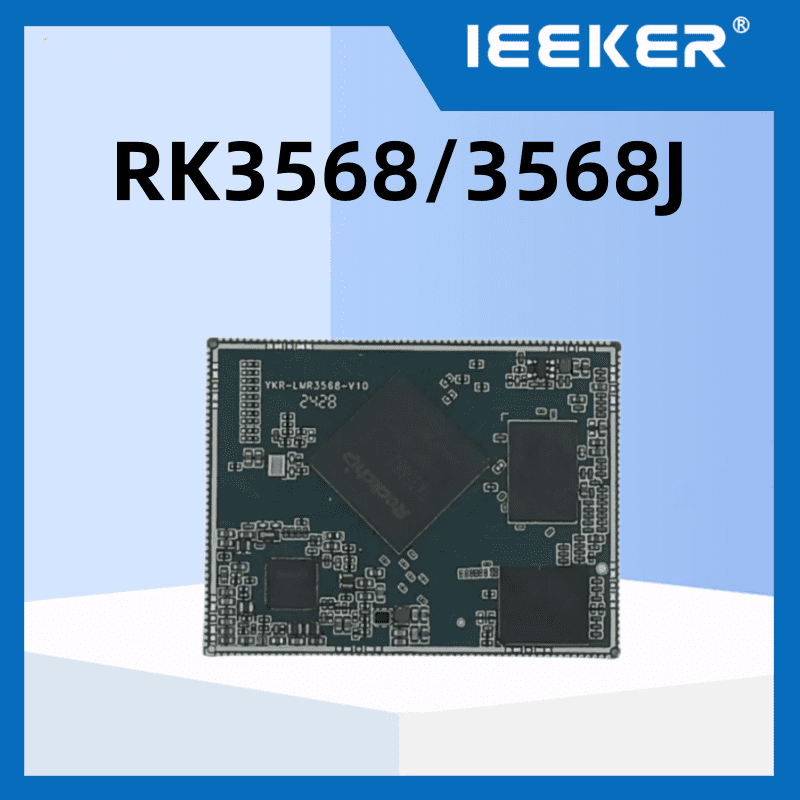
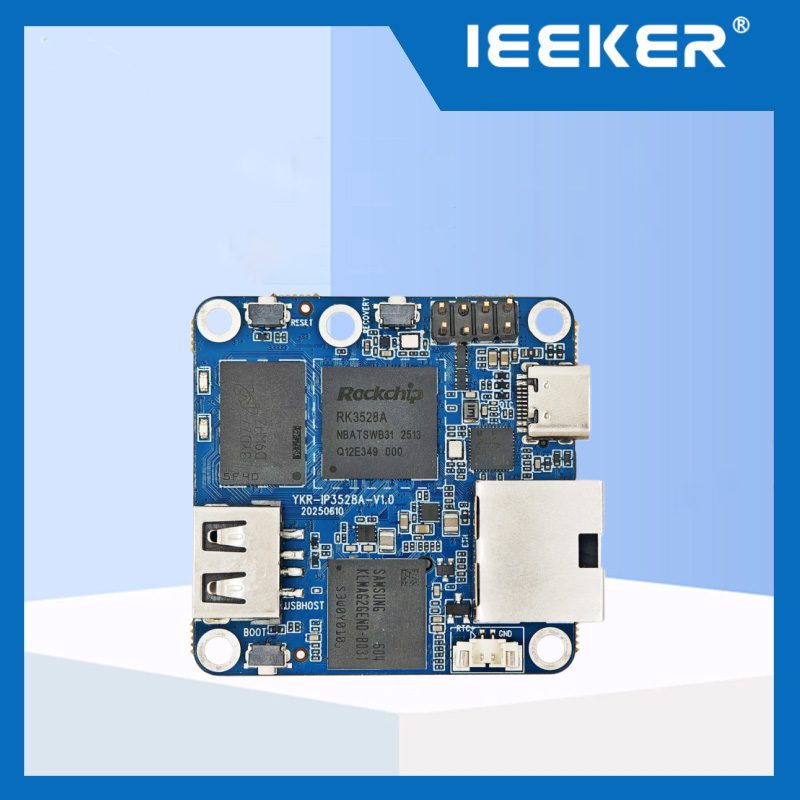
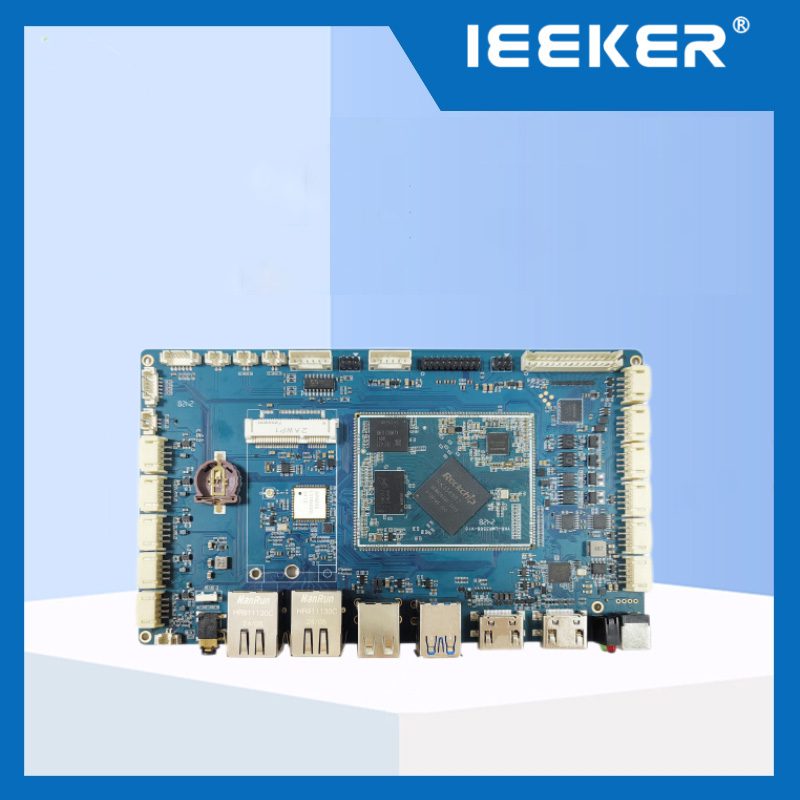
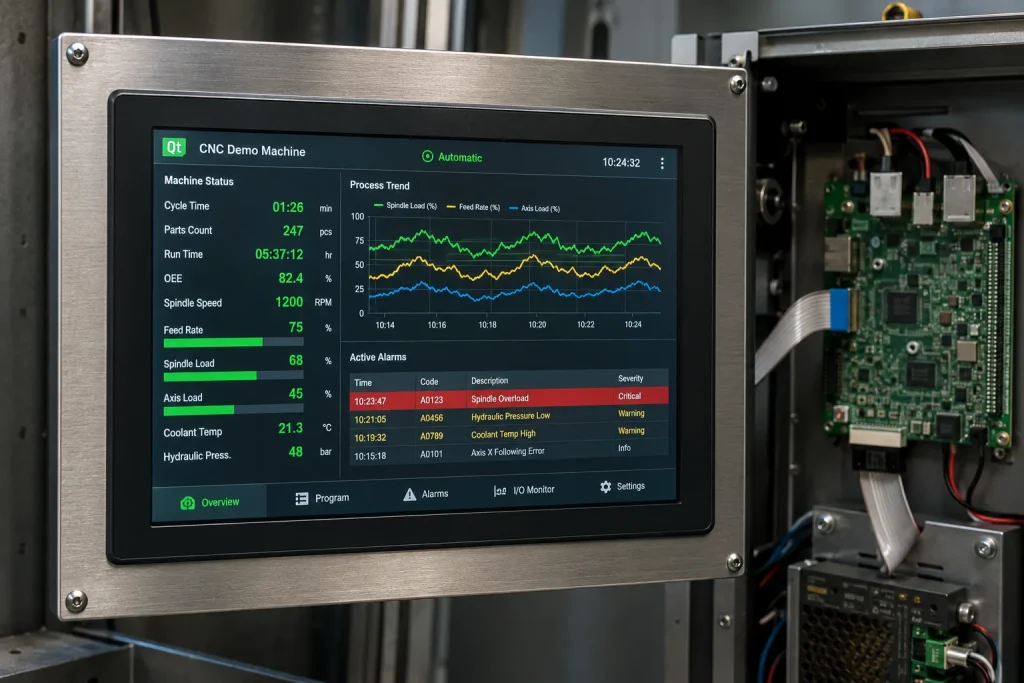
Ответ: Плата разработки RK3568 является ведущей платформой для создания промышленных панелей HMI диагональю 7–15,6 дюйма — её графический процессор Mali-G52 обеспечивает рендеринг Qt5/Qt6 со скоростью 60 кадров в секунду без задержек в работе композитора, а четыре выхода для одновременного вывода изображения (MIPI DSI, два LVDS, eDP, HDMI) охватывают все промышленные стандарты интерфейсов панелей, а четырехъядерный процессор Cortex-A55 оставляет достаточно резерва производительности для сбора данных по протоколам Modbus/MQTT, работающих параллельно с потоком пользовательского интерфейса. В результате получается одноплатное решение, которое заменяет комбинацию специализированного контроллера дисплея и коммуникационного процессора при снижении стоимости комплектующих примерно на 40%.
Промышленные панели человеко-машинного интерфейса стремительно развиваются. 4-дюймовый монохромный сенсорный ЖК-экран под управлением проприетарной операционной системы реального времени (RTOS), который был стандартом десять лет назад, заменяется мультитач-панелями с цветным дисплеем под управлением Linux или Android, с пользовательскими интерфейсами на базе Qt, которые одновременно отображают данные технологического процесса в реальном времени, графики трендов и управление аварийными сигналами. Инженерная задача заключается в поиске встраиваемого процессора, способного обрабатывать такую графическую нагрузку и одновременно управлять связью с ПЛК, опросом полевых шин и регистрацией данных — без затрат и энергопотребления, характерных для полноценного промышленного ПК.
В данном руководстве освещены все аспекты, необходимые инженеру по встраиваемым системам или менеджеру по продукту для оценки чипа RK3568 в рамках проекта по созданию промышленной панели HMI: логика выбора интерфейса дисплея (MIPI DSI, LVDS или eDP), вопросы производительности и развертывания фреймворков Qt5/Qt6, интеграцию сенсорного контроллера, выбор ОС (Linux или Android) для панельных приложений, а также решения по аппаратной архитектуре, которые позволяют отличить надёжную панель HMI, готовую к эксплуатации в полевых условиях, от прототипа, который выходит из строя в условиях серийного производства.
Основные выводы
- Графический процессор RK3568 Mali-G52 поддерживает OpenGL ES 3.2, OpenCL 2.0 и Vulkan 1.1 — все эти стандарты необходимы для плавной анимации Qt Quick / Qt6 со скоростью 60 кадров в секунду на экранах с разрешением 1080p
- LVDS — это оптимальный интерфейс для дисплеев с диагональю ≥7 дюймов в промышленных условиях с высоким уровнем помех; MIPI DSI — для компактных конструкций с диагональю ≤7 дюймов или несущих плат на базе SoM
- Qt 5.15 LTS (Long-Term Support) остается версией Qt, безопасной для использования в производственной среде при развертывании Linux на RK3568 до 2025–2026 годов; для Qt 6 требуется ядро версии 5.15 или выше и проверка на совместимость с GLES3
- Емкостный мультитач (PCAP) через интерфейс I²C является стандартным способом управления сенсорным экраном для RK3568; резистивный сенсорный экран через АЦП используется только при работе в перчатках или в условиях сильного загрязнения
- Android — это самый быстрый путь к созданию рабочего сенсорного интерфейса; Linux + Qt обеспечивают полный контроль над интеграцией данных в режиме реального времени и являются оптимальным решением для промышленного применения в случае HMI, подключенных к ПЛК
- Интерфейс eDP позволяет использовать панели с высоким разрешением (1920×1200, 2560×1600) в медицинских целях, при проведении осмотров и в диспетчерских, где пропускная способность LVDS оказывается недостаточной
- RK3568 изначально поддерживает вывод сигнала на два независимых дисплея (например, панель оператора по интерфейсу LVDS + монитор контролера по интерфейсу HDMI) без использования внешнего аппаратного разветвителя сигнала
- Для панелей, устанавливаемых в помещениях без климат-контроля, таких как уличные киоски, производственные цеха и шкафы станков, требуется микроконтроллер RK3568J промышленного класса (от -40 °C до +85 °C)
Почему RK3568 занимает лидирующие позиции в сфере разработки промышленных панелей HMI
Промышленные панели HMI предъявляют особые требования к вычислительной мощности, которые находятся в сложной зоне пересечения: им требуется достаточная производительность графического процессора (GPU) для плавного отображения информационно насыщенных сенсорных интерфейсов, но при этом панель должна работать круглосуточно, функционировать в широком диапазоне температур, обеспечивать связь по промышленной шине параллельно с отображением информации на экране и стоить значительно дешевле, чем промышленный ПК. Платформы SoC для потребительского рынка (Snapdragon, MediaTek) обладают необходимой производительностью графического процессора, но не соответствуют промышленным температурным требованиям и не имеют гарантий долгосрочных поставок. Промышленные SoC высокого класса (Intel Atom, NXP i.MX8) соответствуют температурным требованиям, но стоят в три–пять раз дороже.
RK3568 занимает оптимальную позицию в этом пространстве компромиссов. Именно благодаря своим аппаратным возможностям он является стандартным выбором для промышленная панель HMI проекты в категории дисплеев с диагональю 7–15,6 дюйма:
| Возможности | Технические характеристики RK3568 | Актуальность HMI |
|---|---|---|
| GPU | Mali-G52 2EE, OpenGL ES 3.2, Vulkan 1.1, OpenCL 2.0 | Аппаратное ускорение Qt Quick, плавная анимация со скоростью 60 кадров в секунду, рендеринг SVG без переключения на процессор |
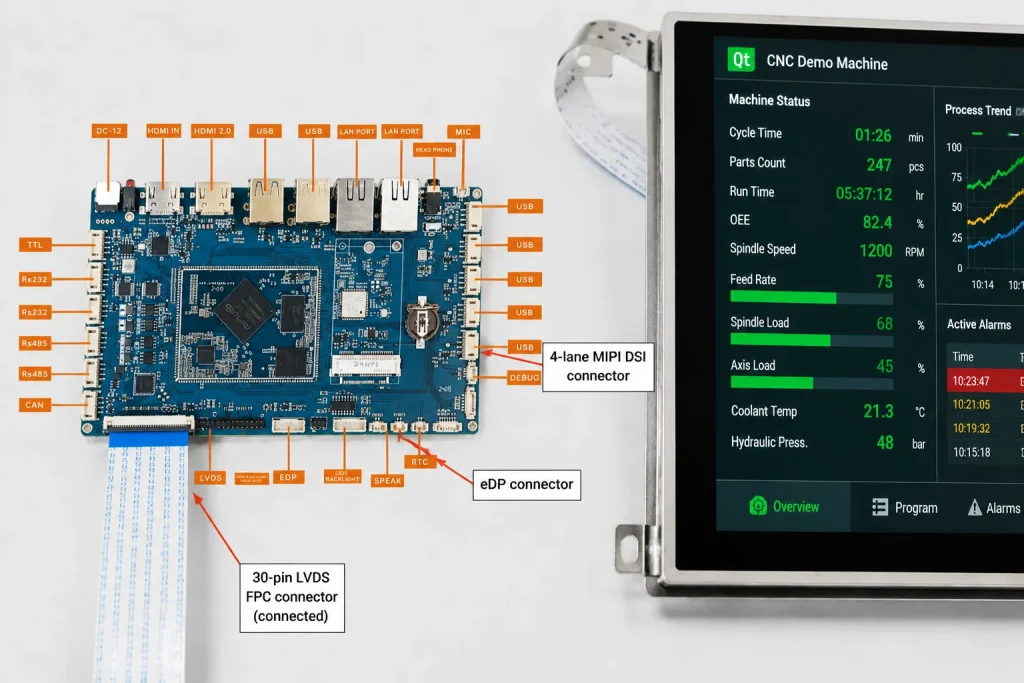
| Выводы дисплея | MIPI DSI × 1, Dual LVDS × 1, eDP × 1, HDMI 2.0 × 1 (до 4 одновременно) | Одна плата обеспечивает поддержку всех промышленных интерфейсов панелей без использования внешних мостовых микросхем |
| VPU | Декодирование 4K H.265/H.264, кодирование 1080P | Видеопотоки в HMI (интеграция камер видеонаблюдения, предварительный просмотр данных машинного зрения) без нагрузки на графический процессор |
| CPU | Четырёхъядерный процессор Cortex-A55 с тактовой частотой 2,0 ГГц | Отображение пользовательского интерфейса на 2 ядрах, Modbus/MQTT на 1 ядре, системные службы на 1 ядре — конфликтов доступа нет |
| Сенсорный интерфейс | I²C × 3, SPI × 3 (для контроллеров сенсорных экранов типа PCAP/резистивных) | Прямое подключение к контроллерам Goodix GT9xx, FT5x06 или ILITEK PCAP |
| Промышленные системы связи | Два порта GbE, 2 шины CAN, 3 порта UART (RS-485), PCIe 3.0 | Интерфейс HMI и функция шлюза на одной плате — не требуется второй микроконтроллер для связи по полевой шине |
| Диапазон температур | RK3568J: от -40 °C до +85 °C (температура перехода) | Производственный цех, уличный киоск, эксплуатация шкафа для станков без активного охлаждения в большинстве случаев |
Особого внимания при проектировании интерфейса человека-машины (HMI) заслуживает возможность вывода изображения на два дисплея. Во многих промышленных приложениях требуется сенсорная панель, ориентированная на оператора, а также отдельный дисплей для руководителя или специалиста по техническому обслуживанию. RK3568 управляет обоими дисплеями независимо друг от друга — например, 10-дюймовой панелью LVDS для оператора оборудования и монитором HDMI с разрешением 1080p для инженера по техническому обслуживанию — без использования какого-либо внешнего мультиплексора дисплеев. Это упрощает конструкцию, что положительно сказывается на стоимости комплектующих и надёжности системы.
Чтобы узнать, как RK3568 сравнивается с RK3588 в вычислительно-емких приложениях, включая рабочие нагрузки HMI с обработкой видео, ознакомьтесь с нашей Сравнение промышленных моделей RK3568 и RK3588. Для большинства панелей HMI, не поддерживающих видеоанализ в реальном времени, графического процессора RK3568 вполне достаточно, а его энергопотребление значительно ниже.
Выбор интерфейса дисплея: MIPI DSI, LVDS и eDP для промышленных систем HMI
Выбор интерфейса дисплея — это первое необратимое решение, касающееся аппаратного обеспечения, которое необходимо принять при разработке панели HMI. В отличие от изменений в программном обеспечении, смена интерфейса дисплея после завершения компоновки печатной платы требует внесения изменений в версию платы. Чтобы принять правильное решение на самом начальном этапе, необходимо понимать, для каких задач оптимизирован каждый из интерфейсов — и в чем заключаются их недостатки.
Как отмечают инженеры-специалисты по дисплеям в этой отрасли: На протяжении двух десятилетий LVDS остается доминирующим интерфейсом для промышленных панельных ПК и интерфейсов человека-машины (HMI), в то время как стандарт MIPI DSI набирает популярность в компактных конструкциях на базе модулей SoM, а eDP предназначен для приложений с высоким разрешением, в которых пропускная способность LVDS оказывается недостаточной. Ниже приведена схема принятия решений:
LVDS — промышленный стандарт (панели размером 7–21 дюйм)
Технология низковольтной дифференциальной передачи сигналов (LVDS) уже более 20 лет является доминирующим стандартом для подключения промышленных дисплеев HMI, поскольку она была разработана именно для таких условий эксплуатации: высокий уровень электрических помех, длинные внутренние кабельные трассы (до 1 метра внутри шкафа оборудования) и стабильная целостность сигнала без строгих требований к согласованию импеданса. Для любой промышленной панели диагональю от 7 до 21 дюйма с разрешением до 1920×1200 LVDS является правильным выбором по умолчанию.
RK3568 поддерживает двухканальный интерфейс LVDS, который обеспечивает достаточную пропускную способность для разрешения 1080p при частоте 60 Гц с запасом. Конфигурация с двумя каналами LVDS также обеспечивает резервирование сигнальных тракт — если одна пара LVDS выходит из строя из-за износа разъема, дисплей продолжает работать по оставшемуся каналу, что важно для устройств, эксплуатируемых в условиях сильной вибрации.
Важная настройка драйвера LVDS на RK3568: параметры синхронизации дисплея (горизонтальная/вертикальная синхронизация, тактовая частота пикселей, активная область) должны быть определены в файле Device Tree Source (DTS) в соответствии с техническим описанием вашей конкретной панели. Распространённой ошибкой является копирование параметров синхронизации LVDS с аналогичной панели без проверки допуска тактовой частоты пикселей — даже панели с одинаковым разрешением могут иметь отклонения тактовой частоты пикселей 5–10%, что приводит к нестабильности синхронизации дисплея.
MIPI DSI — компактные конструкции и несущие платы на базе SoM (3,5–10 дюймов)
Стандарт MIPI DSI использует высокоскоростные дифференциальные последовательные линии (до 4,5 Гбит/с на каждую линию) с значительно меньшим количеством контактов по сравнению с LVDS, что позволяет создавать компактные макеты несущих плат, которые были бы невозможны при использовании разъема LVDS с более чем 30 контактами. Как отмечает технический директор компании Riverdi: «MIPI DSI становится стандартным интерфейсом для встроенных дисплеев, созданных на базе современных модулей SoM — он позволяет сократить количество выводов, обеспечивает пропускную способность, необходимую для более высоких разрешений, и соответствует современным подходам к проектированию прикладных процессоров».
Для проектов HMI на базе RK3568, в которых наш модуль SoM используется на нестандартной несущей плате, предпочтительным интерфейсом является MIPI DSI: разъем MIPI входит в распиновку модуля SoM, что позволяет свести к минимуму сложность прокладки трасс на несущей плате. Практическое ограничение: длина кабеля MIPI DSI внутри корпуса не должна превышать 150 мм. Для панелей, в которых дисплей физически отделен от вычислительной платы на расстояние более 20 см, интерфейс LVDS остается более надёжным благодаря меньшей чувствительности к изменениям импеданса кабеля.
eDP — Приложения с высоким разрешением (1920×1200 и выше)
Embedded DisplayPort (eDP) — это оптимальный интерфейс в тех случаях, когда разрешение панели превышает пределы пропускной способности LVDS — практический потолок для двухканального LVDS составляет примерно 1920×1200 при частоте 60 Гц. Для панелей HMI медицинского класса (требования к дисплеям DICOM часто предусматривают разрешение 2560×1600 или выше), интерфейсов систем контроля или многозонных дисплеев в диспетчерских eDP обеспечивает как необходимую пропускную способность, так и гибкость в масштабировании разрешения. Выход eDP чипа RK3568 поддерживает разрешение до 4K с совместимостью с DisplayPort 1.3, что покрывает весь спектр требований к промышленным панелям с высоким разрешением.
| Интерфейс | Лучшее для | Максимальное разрешение | Прокладка кабеля | Устойчивость к помехам |
|---|---|---|---|---|
| LVDS | Промышленные панели размером 7–21 дюймов, условия эксплуатации с вибрацией | 1920×1200 при 60 Гц | До 1 м | Отлично |
| MIPI DSI | Компактные панели на базе SoM с диагональю 3,5–10 дюймов | 1920×1080 при 60 Гц | <150 мм | Хорошо |
| eDP | Медицинский, инспекционный, диспетчерский с высоким разрешением | 4K при 60 Гц | <500 мм | Хорошо |
| HDMI 2.0 | Монитор внешнего наблюдателя, дисплей для взаимодействия с клиентами | 4K при 60 Гц | До 5 м (пассивный режим) | Умеренный |
Фреймворк Qt на RK3568: Qt5 против Qt6, производительность и настройки развертывания
Qt является доминирующим фреймворком пользовательского интерфейса для промышленных панелей HMI на базе Linux — он предоставляет нативную модель приложений на C++, аппаратную ускоренную визуализацию через OpenGL ES, обширный набор виджетов для промышленных интерфейсов, а также кроссплатформенную систему сборки, которая работает как на рабочих станциях разработчиков, так и на целевой плате на базе ARM. Выбор между Qt5 и Qt6 для проекта HMI на базе RK3568 имеет последствия, выходящие за рамки различий в API — он влияет на требования к BSP, варианты бэкэнда рендеринга и стабильность развертывания.
Qt 5.15 LTS — надежный выбор для большинства проектов, готовый к использованию в производственной среде
Qt 5.15 LTS — это рекомендуемая версия для новых производственных проектов HMI на базе RK3568 в 2025–2026 годах. Причины: она полностью протестирована с BSP Rockchip под Linux 5.10 LTS, модуль Qt Widgets (используемый большинством библиотек виджетов для промышленных HMI) является зрелым и стабильным, а коммерческая поддержка LTS от компании Qt продлевается до 2026 года. Плагин платформы EGLFS (Embedded Linux Framebuffer) отображает сцены Qt Quick непосредственно в фреймбуфере графического процессора без использования композитора — это устраняет накладной слой Wayland/X11 и сокращает сквозную задержку при сенсорном вводе до менее чем 16 мс в большинстве конфигураций.
Конфигурация сборки для Qt 5.15 на RK3568 (кросс-компиляция с хоста x86):
./configure \
  -release \
  -opengl es2 \
  -eglfs \
  -no-xcb \
  -device linux-rockchip-g++ \
  -device-option CROSS_COMPILE=aarch64-linux-gnu- \
  -sysroot /path/to/rk3568-sysroot \
  -prefix /usr/local/qt5 \
  -opensource -confirm-license
Сайт -eglfs Флаг имеет решающее значение. Он выбирает платформенный плагин EGL Fullscreen, который обходит оконный менеджер рабочего стола и позволяет Qt выполнять рендеринг непосредственно на дисплей через интерфейс EGL графического процессора Mali. Это правильный путь рендеринга для специализированного интерфейса HMI — он устраняет накладные расходы композитора Weston/Wayland и обеспечивает приложению Qt эксклюзивный доступ к фреймбуферу дисплея.
Qt6 — когда его использовать и что следует проверить в первую очередь
Qt6 привносит существенные улучшения в разработку пользовательских интерфейсов (HMI): новый модуль Qt Quick 3D позволяет создавать трехмерные элементы пользовательского интерфейса без необходимости запуска отдельного приложения OpenGL, модуль Qt Multimedia был переписан для более эффективной интеграции аппаратного ускорения видео, а система сборки CMake стала более лаконичной для конвейеров кросс-компиляции. Однако Qt6 требует как минимум OpenGL ES 3.0 (Mali-G52 в RK3568 поддерживает ES 3.2, так что это требование выполняется), а некоторые функции Qt Widgets, доступные в Qt5, стали устаревшими.
Практическая рекомендация: используйте Qt6 для новых проектов, в которых пользовательский интерфейс создается исключительно с помощью Qt Quick (на основе QML) и где ваша команда начинает работу с нуля. Переносите существующий код HMI на базе Qt5 и Qt Widgets на Qt6 только при наличии тщательно продуманного плана портирования — различия в API, касающиеся обработки ввода и бэкэндов рендеринга, требуют проверочного тестирования на реальном целевом оборудовании, а не только в симуляторе.
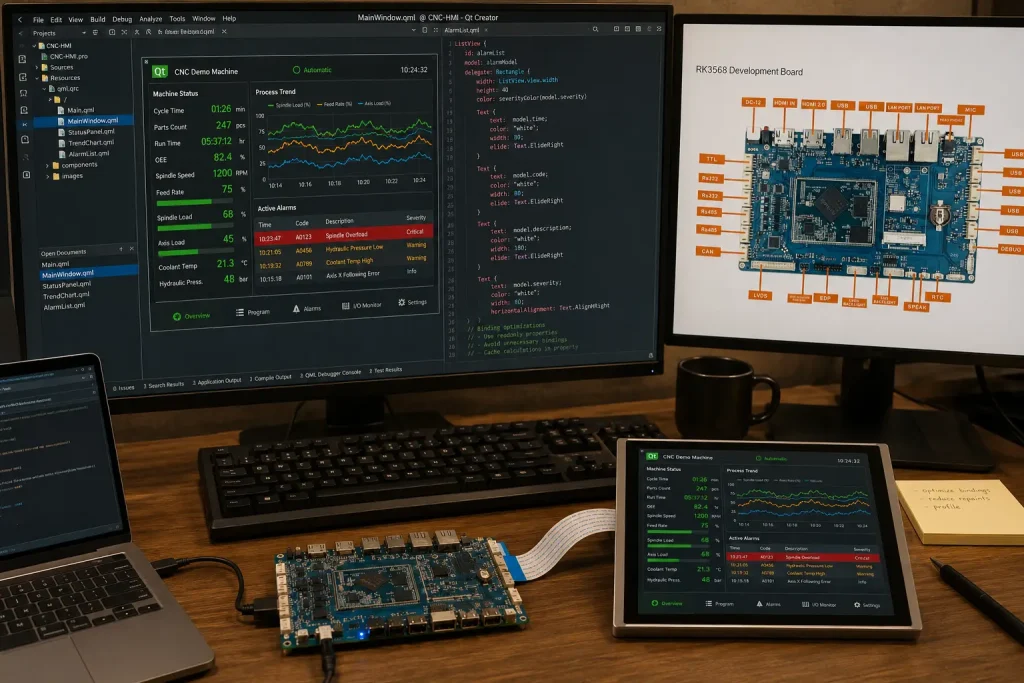
Тесты производительности рендеринга: Qt Quick на RK3568
Справочные данные о производительности приложений Qt Quick на базе Qt 5.15 на платформе RK3568 с дисплеем LVDS с разрешением 1080p, бэкендом EGLFS и 2 ГБ памяти LPDDR4:
- Статический интерфейс пользователя с 8 виджетами, привязанными к данным: Стабильные 60 кадров в секунду, загрузка графического процессора ~18%
- Анимированный график тренда (512 точек данных, обновление с частотой 10 Гц): 58–60 кадров в секунду, загрузка графического процессора ~35%
- Полноэкранная анимация Qt Quick с переходами прозрачности: 55–60 кадров в секунду, загрузка графического процессора ~45%
- 4 компонента ListView, работающих одновременно с динамической привязкой данных: 50–55 кадров в секунду при нагрузке, связанной с обновлением данных — рекомендуется использовать
ListView.cacheBufferи переложить задачу повторного использования на процессор, чтобы поддерживать частоту 60 кадров в секунду - Воспроизведение видео с разрешением 1080P и кодировкой H.265 в элементе VideoOutput библиотеки Qt Multimedia: 60 кадров в секунду с аппаратным декодированием на VPU, загрузка GPU <10% (VPU выполняет декодирование автономно)
С производственного цеха: устранение проблемы с пропуском кадров в Qt в интерфейсе человека-машины (HMI) для фармацевтической упаковки
Около восьми месяцев назад к нам обратился производитель оборудования для упаковки фармацевтической продукции с проблемой, которую его команда разработчиков программного обеспечения пыталась устранить в течение шести недель. Они запускали приложение HMI на базе Qt 5.15 на нашей плате RK3568 — 12,1-дюймовой панели с интерфейсом LVDS, отображающей данные проверки блистерной упаковки в режиме реального времени, включая предварительный просмотр изображения с камеры, счетчик партий и список сигналов тревоги о дефектах. Приложение работало безупречно во время лабораторных испытаний, но после развертывания на производстве частота обновления пользовательского интерфейса периодически падала до примерно 25 кадров в секунду на 3–5 секунд, что приводило к визуальной задержке интерфейса в периоды высокой нагрузки.
Падения частоты кадров совпадали со срабатыванием сигналов тревоги — в частности, когда одновременно срабатывали несколько дефектов и список сигналов тревоги требовал оперативного обновления. Изначально предполагалось, что причиной является перегрузка графического процессора, однако профилирование с помощью Qt Quick Profiler показали, что загрузка графического процессора во время сбоев составляла всего 38%. Фактическим узким местом оказалась модель привязки данных QML: список сигналов тревоги использовал ListModel заполняется из C++ QAbstractListModel подкласс, в котором уведомления об изменении свойств срабатывают при каждом обновлении сигнала тревоги — включая поля, которые в данный момент не отображались в видимой части пользовательского интерфейса.
Исправление состояло из трёх изменений: (1) реализация пакетных обновлений в модели на C++ с использованием beginResetModel() / endResetModel() вместо того, чтобы по строкам dataChanged() сигналы во время периодов импульсной сигнализации, (2) добавление ListView.cacheBuffer: 200 объявление о предварительном рендеринге делегатов списка сигналов тревоги за пределами видимой области просмотра, а также (3) перенос обработки кадров камеры из основного потока QML в выделенный QThread с связью «сигнал-слот» для событий готовности кадра.
После этих изменений приложение поддерживало частоту 58–60 кадров в секунду во всех протестированных сценариях серийных сигналов тревоги, включая наихудший случай — 14 одновременных сигналов о неисправностях при активном предварительном просмотре с камеры. Вывод: проблемы с производительностью Qt на RK3568 практически никогда не ограничиваются возможностями графического процессора — Mali-G52 обладает достаточным запасом производительности для промышленных задач HMI. Узкие места неизменно возникают в модели привязки данных QML или при смешивании ресурсоемкой обработки данных в основном потоке рендеринга. Наша команда по разработке BSP задокументировала эту закономерность и добавила её в примечания к приложению RK3568 SDK.
Выбор ОС для панелей HMI на базе RK3568: Linux против Android
Выбор операционной системы для панели HMI на базе RK3568 определяет доступные фреймворки пользовательского интерфейса, сложность интеграции связи с ПЛК, уровень безопасности и трудоемкость обслуживания в долгосрочной перспективе. Универсального правильного ответа нет — правильный выбор зависит от конкретных требований вашего приложения. Ниже приведена схема принятия решения.
Linux + Qt: оптимальный выбор для производственных систем HMI, подключенных к ПЛК
Для панелей HMI, взаимодействующих с ПЛК, системами полевых шин или устройствами Modbus — а это большинство промышленных приложений HMI — Linux является оптимальной операционной системой. Причины носят практический характер:
- Прямой доступ к аппаратному обеспечению: Linux предоставляет приложению прямой доступ к UART (RS-485 Modbus), шине CAN (SocketCAN) и Ethernet (Modbus TCP, OPC UA) без использования уровней абстракции, которые приводят к задержкам или требуют лицензирования SDK от поставщиков.
- Планирование в режиме реального времени: С
SCHED_FIFOилиSCHED_RRБлагодаря политике планирования, применяемой в потоке опроса Modbus, в Linux обеспечивается детерминированная синхронизация обмена данными — что имеет решающее значение для ПЛК со строгими требованиями к циклу опроса. - Минимальная занимаемая площадь: Образ Linux на базе Buildroot для HMI на базе RK3568 может занимать менее 200 МБ, а его загрузка и вывод на экран занимает менее 6 секунд. Минимальное время загрузки Android на RK3568 обычно составляет 12–18 секунд — это недопустимо для устройств, где требуется быстрый запуск.
- Отсутствие зависимости от Google Play Services: В промышленных образах Android необходимо удалить Play Services, чтобы обеспечить соответствие требованиям промышленной сертификации и предотвратить нежелательную фоновую сетевую активность в сетях OT.
Android: более быстрый путь для приложений, предназначенных для потребительских киосков и дисплеев
Android — это оптимальный выбор в тех случаях, когда HMI представляет собой в первую очередь дисплей и интерфейс взаимодействия без глубокой интеграции с промышленными сетями — например, в розничных киосках, терминалах управления посетителями, цифровых вывесках с сенсорным управлением и «умных» торговых автоматах. Преимущества Android в данном контексте: экосистема разработки пользовательского интерфейса (Android Studio, Jetpack Compose) более обширна и содержит больше готовых компонентов интерфейса, чем Qt; обработка сенсорных жестов изначально более проработана; а инфраструктура управления контентом (MDM, обновления OTA, удаленное управление) более зрелая для решений, ориентированных на конечных пользователей.
Плата ieeker RK3568 поставляется с проверенными образами Android 11 и Android 12, из которых для промышленного внедрения удалены службы Google Play. Подробный анализ компромиссов между Linux и Android на платформах Rockchip, включая время загрузки, производительность в режиме реального времени и вопросы безопасности, см. в нашей специальной статье Linux против Android для промышленных встраиваемых систем руководство.
| Фактор | Linux + Qt | Android |
|---|---|---|
| Время загрузки до появления пользовательского интерфейса | 4–7 секунд (Buildroot) | 12–20 секунд |
| Интеграция Modbus / CAN | Встроенный, с низкой задержкой | Сложно (требуется мост JNI) |
| Скорость разработки пользовательского интерфейса | Умеренный (Qt/QML) | Fast (Jetpack Compose) |
| Инфраструктура обновлений OTA | Пользовательские (SWUpdate, Mender) | Встроенный (разделы A/B) |
| Поверхность безопасности | Небольшой (минимальный набор услуг) | Больший размер (требует закалки) |
| Оптимальный вариант использования | Промышленный интерфейс человека-машины (HMI) с подключением к ПЛК | Киоски и информационные табло для потребителей |
Интеграция сенсорных контроллеров на базе RK3568: особенности использования сенсорных панелей PCAP, резистивных и промышленного класса
Контроллер сенсорного ввода служит интерфейсом между пальцем оператора и циклом событий Qt — однако он также является одним из наиболее распространенных источников проблем интеграции в проектах панелей HMI. Симптомы всегда одинаковы: панель работает в лабораторных условиях, но выходит из строя в полевых условиях. Основная причина почти всегда заключается в одном из следующих трех факторов: конфликт адресов I²C контроллеров, неверная настройка прерываний GPIO в DTS или сенсорный контроллер, не рассчитанный на работу в перчатках в конкретной среде.
Сенсорный экран PCAP (Projected Capacitive) — стандарт для большинства промышленных интерфейсов человека-машины (HMI)
Проекционно-емкостная (PCAP) сенсорная технология является оптимальным выбором по умолчанию для промышленных панелей HMI, используемых в условиях, когда руки оператора не сильно загрязнены проводящими веществами (охлаждающая жидкость для металлообработки, технический углерод, некоторые химические растворители) и толщина перчаток не превышает 1 мм. Преимущества технологии PCAP хорошо известны: поддержка мультитач-жестов (что крайне важно для масштабирования с помощью сжатия пальцев на графиках трендов и картах), герметичная конструкция со стеклянным покрытием (соответствие стандартам IP65/IP67 без мембранного покрытия) и время отклика на сенсорные события Qt менее 5 мс через подсистему ввода Linux.
Основные микросхемы контроллеров PCAP для панелей RK3568: Goodix GT9271 (10-точечный сенсор, I²C, протестирован на Linux 5.10 с goodix (драйвер встроен в ядро), FocalTech FT5726 (10-точечный, I²C, хорошая работа при низких температурах до -20 °C) и ILITEK ILI2511 (10-точечный, I²C, поддерживает обновление прошивки по интерфейсу I²C для калибровки в полевых условиях). Все три датчика поддерживаются драйверами основной ветки Linux в ядре версии 5.10, для которых требуется лишь настройка DTS для IRQ GPIO и адреса I²C — патчирование драйверов вне основной ветки не требуется.
Резистивный сенсорный экран — только для нишевых моделей
Резистивные сенсорные экраны по-прежнему актуальны для применений, где оператор носит толстые химические перчатки (нефтехимия, лакокрасочная промышленность, гальваника), где панелью можно управлять с помощью стилуса или где в окружающей среде присутствуют проводящие загрязнения, вызывающие ложные срабатывания датчиков PCAP. Недостатки этого решения существенны: резистивные панели поддерживают только одно касание, требуют периодической калибровки и со временем изнашиваются из-за повторяющегося давления на одну и ту же область. При разработке новых проектов следует сначала рассмотреть варианты PCAP, совместимые с перчатками (многие современные контроллеры PCAP имеют настраиваемую чувствительность для латексных и нитриловых перчаток толщиной до 2 мм), прежде чем прибегать к резистивным панелям.
Пример реализации проекта: Замена устаревшего интерфейса человека-машины (HMI) Siemens TP1200 в рамках программы по производству текстильного оборудования
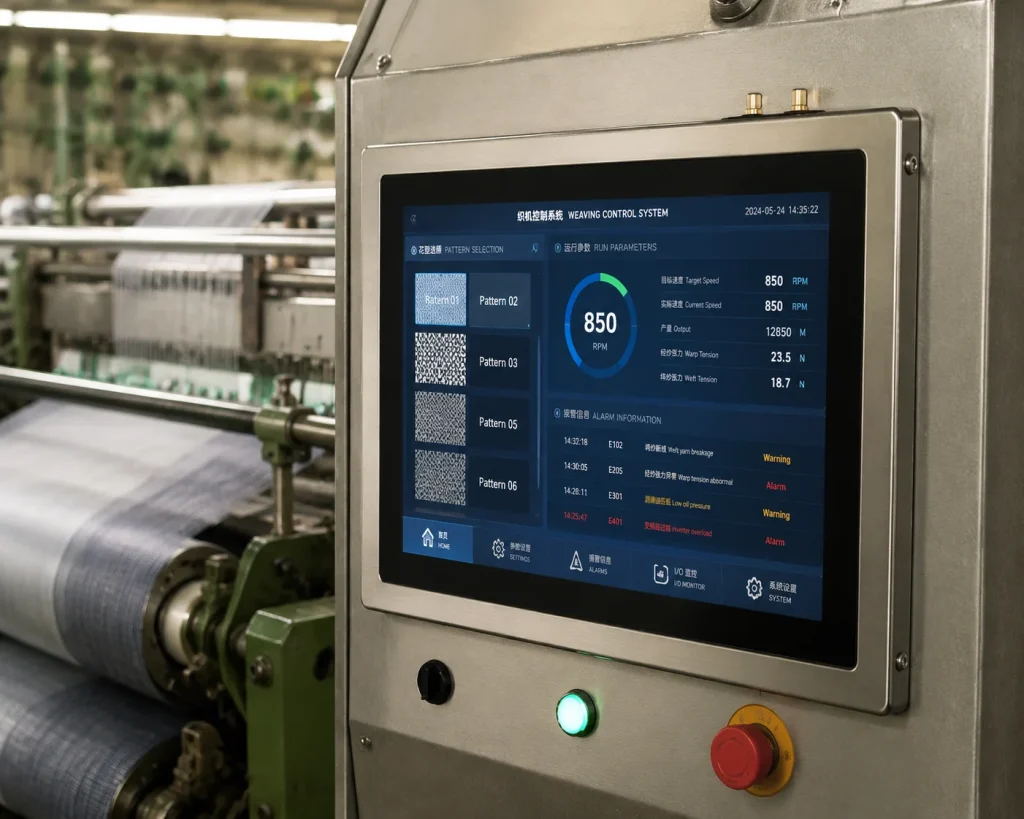
Одним из наиболее значимых с коммерческой точки зрения проектов по внедрению интерфейсов человека-машины (HMI), которые мы реализовали за последние два года, стал проект для производителя текстильного оборудования из провинции Чжэцзян. Более десяти лет они использовали панели Siemens TP1200 Comfort в качестве HMI для своих высокоскоростных ткацких станков — надежное оборудование, но по цене примерно $1 800 долларов США за единицу и со сроком поставки из Европы от трех до четырех недель, это создавало как финансовую нагрузку, так и риски в цепочке поставок по мере расширения производства.
Целью было создание индивидуальной панели HMI, способной заменить TP1200 в новых моделях станков при сохранении тех же функций интерфейса оператора (12,1-дюймовый дисплей, связь по PROFIBUS DP с ПЛК ткацкого станка, управление рецептами для более чем 2 000 узоров ткани, журнал аварийных сигналов с возможностью удаленного экспорта). Целевой бюджет составлял менее $400 за единицу при годовом объеме производства в 200 единиц.
Мы разработали специальную несущую плату для нашего модуля RK3568J SoM, оснащенную: 12,1-дюймовым промышленным дисплеем с разрешением 1024×768 и интерфейсом LVDS (с химически стойким передним стеклом для работы в условиях, где присутствуют текстильные ворсинки), сенсорным экраном Goodix GT9271 PCAP, платой интерфейса PROFIBUS DP, подключаемой через PCIe, слотом CompactFlash для хранения базы данных рецептов, а также алюминиевым литым корпусом с классом защиты IP54. В качестве программного обеспечения использовалась система Buildroot Linux 5.10 с Qt5.15, специализированное приложение HMI на базе Qt Widgets, воспроизводящее макет интерфейса TP1200 для минимизации затрат на переобучение операторов, а также библиотека связи PROFIBUS, портированная из существующего кода интеграции S7 заказчика.
Результаты через 18 месяцев эксплуатации 180 установленных панелей: нулевой уровень отказов аппаратного обеспечения дисплея, два обновления BSP, установленных с помощью USB-накопителя (без привлечения инженера на место). Стоимость единицы при объеме производства 200 штук: $387, включая корпус и дисплей. С тех пор заказчик удвоил свой годовой объём заказа до 400 единиц для расширенной производственной линии. Проект разработки — от проектирования SoM и несущей платы до утверждённой производственной прошивки — занял 14 недель, включая четырёхнедельное полевое испытание на трёх машинах.
Варианты аппаратного обеспечения панели HMI IEEKER RK3568
Компания ieeker предлагает два аппаратных решения на базе RK3568 для разработки и производства промышленных панелей HMI:
- Плата промышленного развития RK3568 (SBC): Поставляется с активными выходами LVDS, MIPI DSI, eDP и HDMI; поддержка сенсорного контроллера Goodix GT9xx PCAP предварительно проверена в BSP; в комплект входит документация по инструментальному комплексу Qt5.15 и Qt6. Доступно от одной единицы для разработки и пилотных партий. См. Страница продукта — промышленная плата RK3568 Чтобы ознакомиться с полными техническими характеристиками и скачать SDK.
- SoM на базе RK3568 + нестандартная несущая плата: Для панелей HMI, выпускаемых по заказу (OEM), которым требуется определённый форм-фактор, конфигурация промышленных разъёмов или интеграция в корпус с определённым классом защиты IP. Услуга по проектированию несущей платы включает в себя проверку синхронизации дисплея, настройку DTS сенсорного контроллера и проверку производительности рендеринга Qt на вашей конкретной панели. Срок изготовления прототипов несущих плат на заказ: 6–8 недель. Серийное производство — от 50 единиц. Узнайте больше на нашем сайте Руководство по проектированию заказных плат.
Что касается проектов, в которых на одной плате сочетаются функции дисплея HMI и шлюза IoT — что является типичным требованием для панелей HMI, встроенных в оборудование и передающих данные о технологическом процессе в облачную систему SCADA, — ознакомьтесь с нашим Руководство по промышленному шлюзу IoT на базе RK3568 для архитектуры стека связи, работающего параллельно с пользовательским интерфейсом Qt.
Создание промышленной панели HMI на базе RK3568?
Сообщите нам размер вашего дисплея, требования к интерфейсу и предпочтительную ОС — в течение 24 часов мы предоставим вам рекомендации по выбору оборудования и документацию по Qt BSP.
→ Получить техническую поддержку по RK3568 HMI →Часто задаваемые вопросы
Какую версию Qt лучше использовать для нового проекта HMI на базе RK3568?
Qt 5.15 LTS — для проектов, использующих Qt Widgets (традиционные промышленные пользовательские интерфейсы на основе виджетов), или для команд, имеющих существующую кодовую базу на Qt 5. Qt 6 — для новых проектов, полностью построенных на Qt Quick / QML, в которых у команды нет устаревшего кода на Qt 5, требующего поддержки. Обе версии протестированы на BSP RK3568 с бэкендом рендеринга EGLFS. Коммерческая поддержка Qt5.15 LTS действует до 2026 года; поддержка Qt6.5 LTS действует до 2026 года и далее.
Может ли RK3568 одновременно управлять двумя независимыми сенсорными экранами?
Да. Чип RK3568 поддерживает до четырёх одновременных выходов на дисплей. При подключении двух сенсорных контроллеров PCAP к отдельным шинам I²C система Linux определяет два независимых /dev/input/eventX сенсорные устройства. Поддержка нескольких экранов в EGLFS от Qt (включается с помощью QT_QPA_EGLFS_KMS_ATOMIC (переменная среды) позволяет управлять каждым экраном независимо. Наиболее распространённая конфигурация в производственных условиях включает одну сенсорную панель LVDS для оператора и один несенсорный монитор HDMI для руководителя или для отображения информации по техническому обслуживанию.
В чём заключается разница между интерфейсами MIPI DSI и LVDS для 10-дюймовой промышленной панели HMI?
Для 10-дюймовой панели с разрешением 1280×800 или 1920×1200 в промышленных условиях, как правило, предпочтительнее использовать LVDS: этот интерфейс более устойчив к большим длинам кабеля, электрическим помехам от расположенных поблизости двигателей или инверторов, а также износу разъемов в течение всего срока службы панели. MIPI DSI предпочтительнее, если компоновка несущей платы очень компактна (конструкция на базе SoM), а дисплей установлен в непосредственной близости (длина кабеля менее 100 мм). Если панель будет подвергаться значительной вибрации или длина кабеля превышает 150 мм, правильным выбором будет LVDS, независимо от предпочтений в компоновке платы.
Как настроить синхронизацию LVDS-дисплея для пользовательской панели на RK3568 под Linux?
Параметры синхронизации дисплея настраиваются в источнике дерева устройств (DTS) в разделе панель-LVDS узел. Необходимые параметры соответствуют техническому описанию вашей панели: тактовая частота пикселей (в кГц), длительность активной фазы/переднего и заднего спуска/синхронизации по горизонтали, длительность активной фазы/переднего и заднего спуска/синхронизации по вертикали, а также конфигурация канала LVDS (один или два канала, формат JEIDA или VESA). SDK RK3568 от ieeker включает примеры DTS для 10 распространённых разрешений панелей. Для панелей, не указанных в списке, наша служба поддержки BSP предоставляет настройки DTS в рамках обязательств по поддержке после покупки.
Может ли HMI на базе RK3568 взаимодействовать с ПЛК Siemens S7 по сети PROFINET?
Да, через Snap7 — библиотека открытого исходного кода для связи с S7, который работает под управлением Linux ARM и обеспечивает доступ на чтение/запись к ПЛК Siemens S7-300/400/1200/1500 по сети Ethernet. Snap7 интегрируется с приложениями Qt через оберточный класс на C++. Для PROFIBUS DP (не PROFINET) на несущей плате требуется установленная через PCIe карта-мастер PROFIBUS — это дополнение на аппаратном уровне к базовой конструкции платы RK3568, которое мы можем включить в индивидуальные проекты несущих плат.
Какой класс защиты по стандарту IP может обеспечить панель HMI на базе RK3568?
Сайт Класс защиты IP (Ingress Protection) определяется герметичностью корпуса и передней панели дисплея, а не SoC или печатной платой. При использовании надлежащим образом уплотненной прокладки передней панели и заднего корпуса с классом защиты IP65 (что характерно для конструкций корпусов для монтажа на DIN-рейку и на панель) панели HMI на базе RK3568 обычно достигают классов защиты от IP54 до IP69K. Степени защиты IP67 и IP69K достигаются за счет использования герметичных разъемов и прошедших испытания на погружение прокладок — что необходимо для пищевой, фармацевтической промышленности и сред с необходимостью промывки. Услуги компании ieeker по разработке нестандартных несущих плат включают анализ технических характеристик корпуса и проверку конструкции герметизации на соответствие требованиям IP.
Источники и ссылки
- Выбор интерфейсов для промышленных панельных ПК и дисплеев HMI — Estone Technology
- Дисплеи MIPI DSI для встраиваемых систем — Riverdi
- Интерфейсы дисплеев: LVDS, MIPI, eDP и HDMI — дисплеи IPS
- Код IP (класс защиты от проникновения) — Википедия
- Snap7 — библиотека связи для Siemens S7 с открытым исходным кодом — SourceForge
- Разработка пользовательского драйвера панели MIPI DSI для Linux — Toradex