In the realm of embedded system design, selecting the right hardware architecture is a critical decision that dictates performance ceilings, development flexibility, and long-term maintenance costs. Engineers today primarily weigh two main approaches: the highly integrated All-in-One Single Board Computer (SBC) and the modular System-on-Module (SoM) + Carrier Board combination.
This guide provides a professional engineering perspective, backed by real-world market data, to help you choose the optimal solution for your next project, whether it’s for industrial automation, IoT devices, or edge computing.
Keywords: SoM vs SBC, embedded hardware selection, industrial SoM, carrier board design, RK3568 solutions, long-lifecycle embedded board
1. Architecture and Integration: Single Board vs. Module
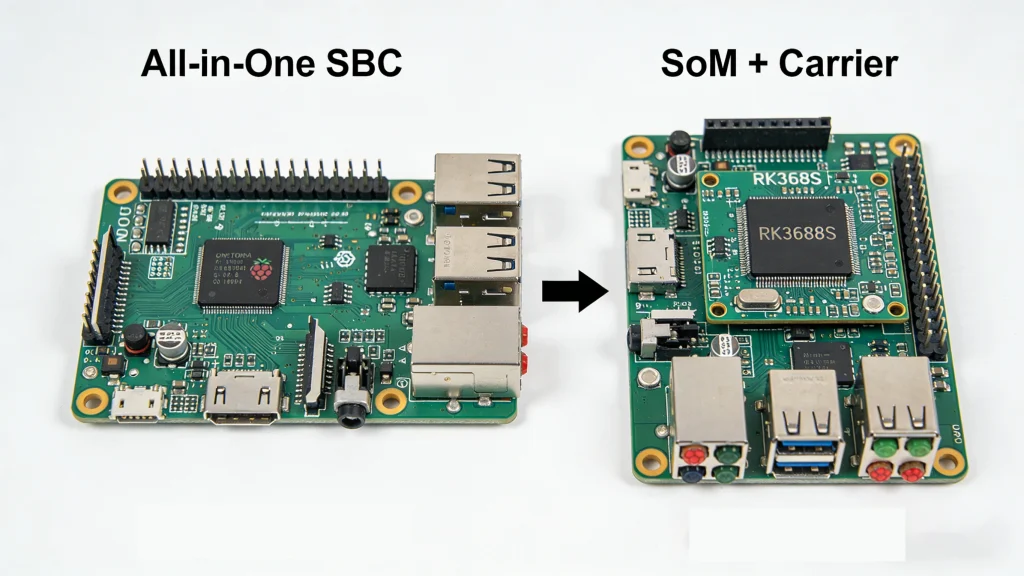
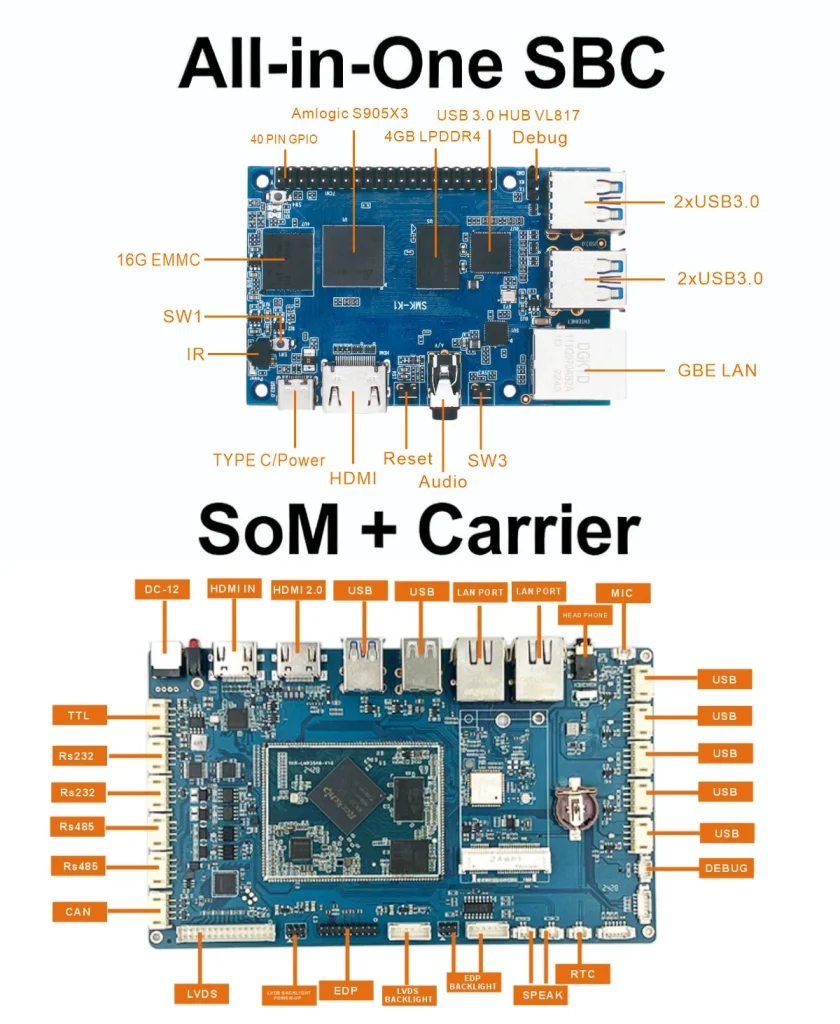
The fundamental difference between the two solutions lies in their physical form and integration level. An All-in-One board consolidates all functions onto a single PCB, while an SoM solution isolates the core computing functions.
| Feature | All-in-One Single Board Computer (SBC) | System-on-Module (SoM) + Carrier Board |
|---|---|---|
| Hardware Integration | Highly Integrated: CPU/SoC, DDR memory, eMMC storage, Power Management IC (PMIC), and all external interfaces (USB, HDMI, Ethernet) are soldered onto a single motherboard. | Decoupled Design: The SoM integrates the core CPU, memory, and power management. The carrier board is responsible for breaking out interfaces (e.g., MIPI-CSI, industrial CAN ports, specific sensors). |
| PCB Design Complexity | Very High: Typically requires 6-layer or even 10+ layer HDI boards to ensure signal integrity between the CPU and memory. | Moderate: The SoM validates all high-speed signals. The carrier board is often a simpler 2-4 layer design, primarily handling lower-speed interfaces, significantly lowering the overall design barrier. |
| Physical Size | Fixed and Compact: Ideal for consumer products with extreme size constraints. | Flexible: The SoM itself is compact, but the carrier board can be scaled up or down to fit industrial chassis mounting holes or accommodate a rich set of interfaces. |
2. Development Flexibility and Lifecycle Management
This is often the most critical consideration for B2B industrial projects. How long does your product need to be sold and supported—5 years or 10 years? This directly influences the optimal choice.
| Feature | All-in-One Single Board Computer (SBC) | System-on-Module (SoM) + Carrier Board |
|---|---|---|
| Hardware Expandability | Limited: Interfaces are fixed. If a specific interface (like dual Ethernet or dedicated GPIOs) is missing, workarounds like USB adapters are needed, often compromising stability and cost. | Very High: The carrier board is your “private custom design.” You can design any interface based on front-end requirements, while the standardized SoM guarantees the stability of the core computing. |
| Software Compatibility | Tightly Coupled: Hardware upgrades (e.g., moving from an RK3399 to an RK3588) usually require a complete board layout redesign and full BSP software adaptation. | Decoupled: Write software once, reuse hardware across multiple projects. When upgrading to a newer, more powerful SoM module, the carrier board often requires no changes, and software needs only minor adjustments. This drastically shortens product iteration cycles. |
| Product Lifecycle | Shorter: Tied to the lifecycle of all components on the single board. If the main chip is EOL’d (End-of-Life), the entire board needs redesigning. | Very Long: SoM vendors manage the long-term supply of the core module. Even if the main processor is EOL’d, vendors can provide pin-to-pin compatible upgrades, allowing the carrier board design to remain usable for 5-10 years. |
Expert Insight:
When designing a carrier board, special attention must be paid to connector selection (e.g., the vibration resistance of board-to-board connectors) and impedance matching for high-speed signal traces. We provide standard carrier board reference designs to help customers navigate these challenges successfully.
3. Cost and Maintenance: Short-Term Savings vs. Long-Term Value
Many projects initially choose an SBC to save a few dollars, only to spend multiples of that cost later on maintenance and redesign. Let’s examine the Total Cost of Ownership (TCO) .
| Feature | All-in-One Single Board Computer (SBC) | System-on-Module (SoM) + Carrier Board |
|---|---|---|
| Hardware BOM Cost | Low to Medium: At very high volumes (>10k units), SBCs can have a cost advantage. | Higher Upfront: The SoM module itself integrates expensive DDR and CPU, costing more than bare chips, but it eliminates the engineering costs associated with high-speed PCB design. |
| Engineering & NRE Cost | Low: Ready to use out-of-the-box; ideal for prototyping. | Medium to High: Requires engineering effort to design the carrier board. However, the complex high-speed signals on the SoM are already validated, significantly reducing technical risk. |
| Maintenance & Rework Cost | Very High: If a single capacitor or connector fails, the entire board often needs replacement, leading to high after-sales costs. | Very Low: For field service, if the SoM fails, replace only the SoM. If a power connector is damaged, replace only the inexpensive carrier board. Maintenance costs are drastically reduced. |
| Supply Chain Risk | Single Vendor Dependency: Relies entirely on one board vendor, limiting negotiation power. | Modular Sourcing: SoM and carrier board can be sourced through different channels, mitigating supply disruption risks. |
4. Ideal Applications and Selection Guide
Based on the analysis above, a clear decision matrix emerges.
| Application Area | Recommended Architecture | Core Rationale & Engineering Considerations |
|---|---|---|
| Consumer Electronics / Smart Home | All-in-One Board | Cost-sensitive, requires minimal size, fixed functionality (e.g., smart speaker mainboard), no need for secondary development. |
| IoT Sensors / Portable Devices | All-in-One Board / Stamp-Sized SoM | Low power consumption is critical, functionality is singular. Often uses a stamp-hole module, but technically a compact SoM form. |
| Industrial Automation / PLC | SoM + Carrier Board | Requires rich industrial interfaces (RS485, CAN, isolated I/O) and demands -40℃ to 85℃ wide temperature operation. SoM allows for custom carrier boards meeting stringent industrial standards. |
| Medical Devices | SoM + Carrier Board | Medical device certification cycles are long. An SoM allows locking down the core module during certification; even if peripheral interfaces need minor adjustments, re-certification of the core may be avoided. |
| AI Edge Computing / Data Centers | SoM + Carrier Board | Demands high AI算力 (NPU performance) and multiple video inputs (MIPI-CSI or GMSL). SoM facilitates seamless future upgrades to higher-performance modules without a full system redesign. |
5. Real-World Case Studies
Case A: Smart Warehouse Barcode Scanner (Originally used SBC)
A client initially used a popular open-source SBC for their prototype. During early production, they needed to add an industrial camera trigger interface, but the SBC lacked the necessary port. They resorted to a USB-to-TTL adapter, which caused trigger delays in the electromagnetically noisy warehouse environment, severely impacting read rates.
Solution: Switched to an RK3568 SoM + Custom Carrier Board. We designed a carrier board with an opto-isolated I/O interface directly onboard. Signal stability was restored, and the read rate improved from 95% to 99.9%.
Case B: In-Vehicle Infotainment System (Lifecycle Management)
A commercial vehicle dashboard required an 8-year supply guarantee. Using a standard SBC posed a high risk: if the main chip were discontinued in year two, a costly and time-consuming board redesign would be necessary.
Solution: Adopted the Rockchip RK3588S SoM. Even if the main processor is upgraded in year five, only the SoM module needs replacement. The complex, automotive-grade carrier board (which passed extensive vibration and EMC testing) remains unchanged, saving millions in potential re-testing and re-certification costs.
Related Product Recommendations:
High-Performance Computing: RK3588S High-Performance Core Board — Ideal for AI Servers and Edge Computing.
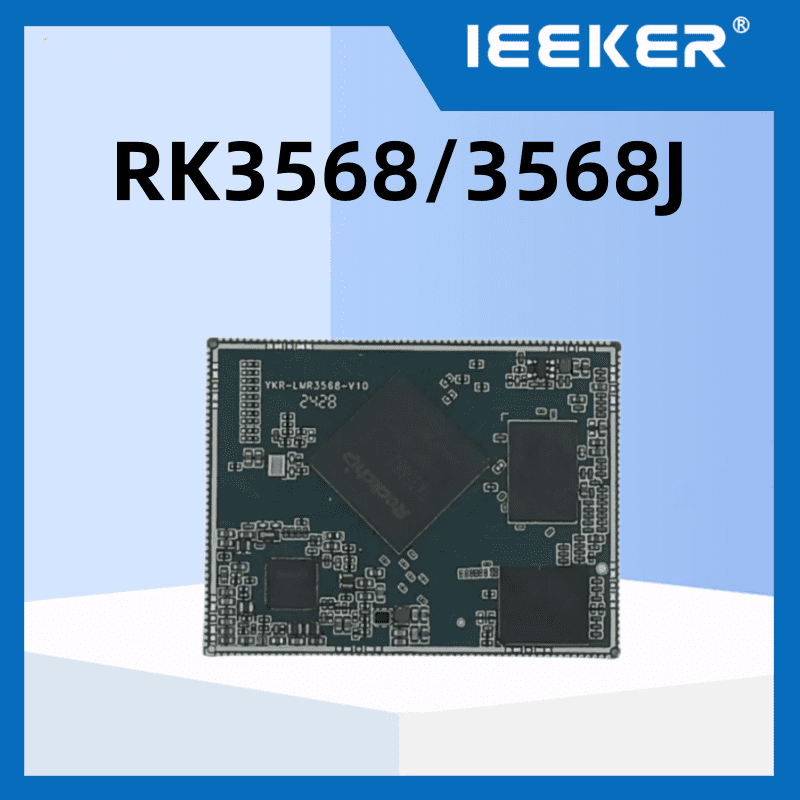
Industrial Control: RK3568 Embedded Core Board — Features dual Ethernet and triple CAN interfaces, designed for industrial base stations.
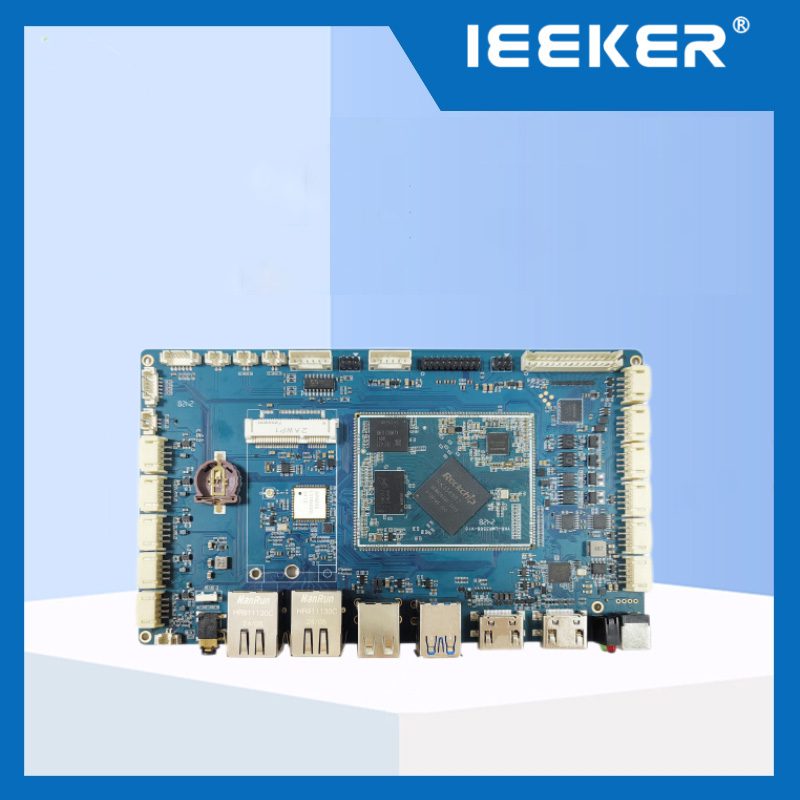
Development Platform: YKR-IPX3-V2 Embedded Development Board — For prototyping and design evaluation.
6. Frequently Asked Questions (FAQ)
Q1: What is an SoM (System-on-Module)? How is it different from a CPU?
A: A CPU is just a chip. An SoM is a small PCB module that includes the CPU, RAM (DDR), storage (eMMC), and power management ICs. It’s like the “brain” of a computer in a compact, pre-validated package. You attach it to a carrier board (which provides the specific connectors and interfaces you need) to make it functional.
A key advantage of using an SoM is long-term scalability. Reputable SoM vendors ensure that even if the main processor is discontinued, they can provide a pin-to-pin compatible upgrade module, allowing your existing carrier board design to remain usable for 5-10 years without modification.
Q2: Is the Raspberry Pi an All-in-One board? Can it be used like an SoM?
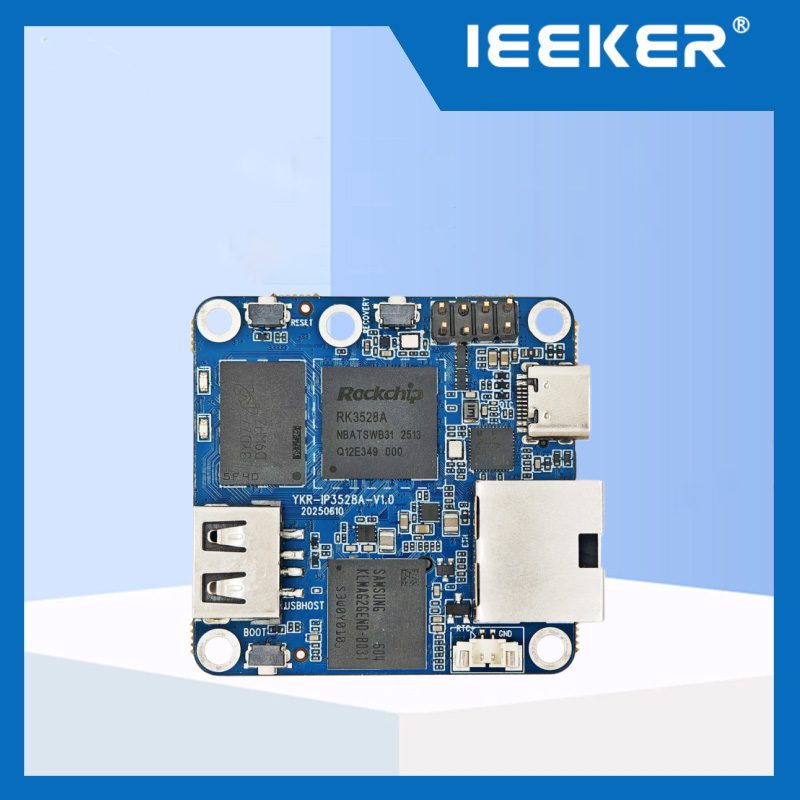
A: Yes, the Raspberry Pi is a classic example of an All-in-One SBC. While it’s excellent for prototyping, it’s generally not suitable for embedding directly into industrial products as an SoM. It lacks the flexibility for custom industrial interfaces and the guaranteed long-term supply required for commercial products.
Q3: Is it difficult to design a carrier board for an SoM?
A: Designing a carrier board for an SoM is significantly easier than designing a custom CPU board from scratch. The SoM handles all the complex high-speed memory routing. You primarily need to focus on power delivery and the lower-speed I/O interfaces you need. A 4-layer PCB is often sufficient. We provide complete carrier board reference designs and guidelines to make the process even smoother.
Q4: Which architecture has lower long-term maintenance costs?
A: Unquestionably, the SoM + Carrier Board architecture. For field service, technicians can carry a few spare SoM modules to replace a faulty unit, rather than lugging around heavy, fully-enclosed devices. For depot repair, swapping an SoM is far easier than diagnosing and reworking a BGA chip on a dense SBC.
Q5: Is an SoM cost-effective for small production runs (e.g., a few hundred units)?
A: Yes, it often is. For low volumes, the Non-Recurring Engineering (NRE) costs for designing and assembling a complex, high-layer-count CPU board can be prohibitive. Purchasing a proven SoM and designing a simple, low-cost carrier board typically results in a lower total NRE cost and faster time-to-market.
7. Conclusion: How to Decide?
Choosing between an All-in-One board and an SoM + Carrier board ultimately comes down to balancing speed and simplicity against stability and flexibility.
Choose an All-in-One Board if:
Your product has fixed functionality and is not planned for revision in the next 3 years.
You are extremely cost-sensitive and anticipate production volumes above 10k units.
Your primary goal is rapid prototyping to validate a market concept.
Choose an SoM + Carrier Board if:
Your product requires a long lifecycle (5+ years) with guaranteed supply.
You need to interface with specialized industrial peripherals not found on standard computer interfaces.
You want to design a carrier board once and be able to upgrade performance simply by swapping the SoM in the future.
You prioritize field serviceability and minimizing long-term after-sales costs.
Whichever path you choose, ensure it delivers stable, reliable value to your end-users. If you are planning your next generation of industrial or AIoT products and need expert hardware selection advice, we are here to help.
Ready to accelerate your product development?
Click here for a free technical consultation and custom solution quote →