
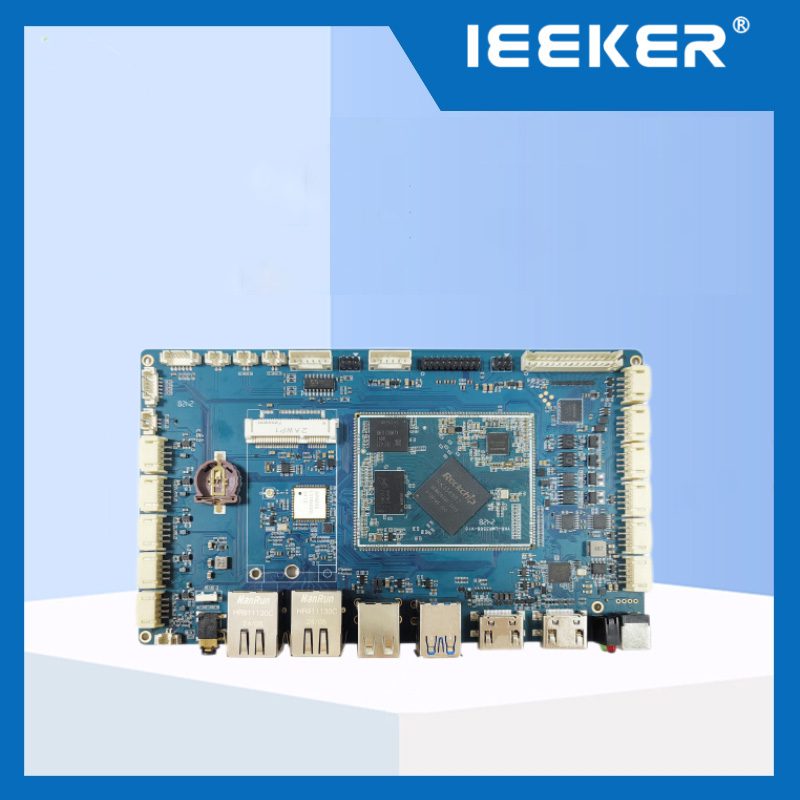
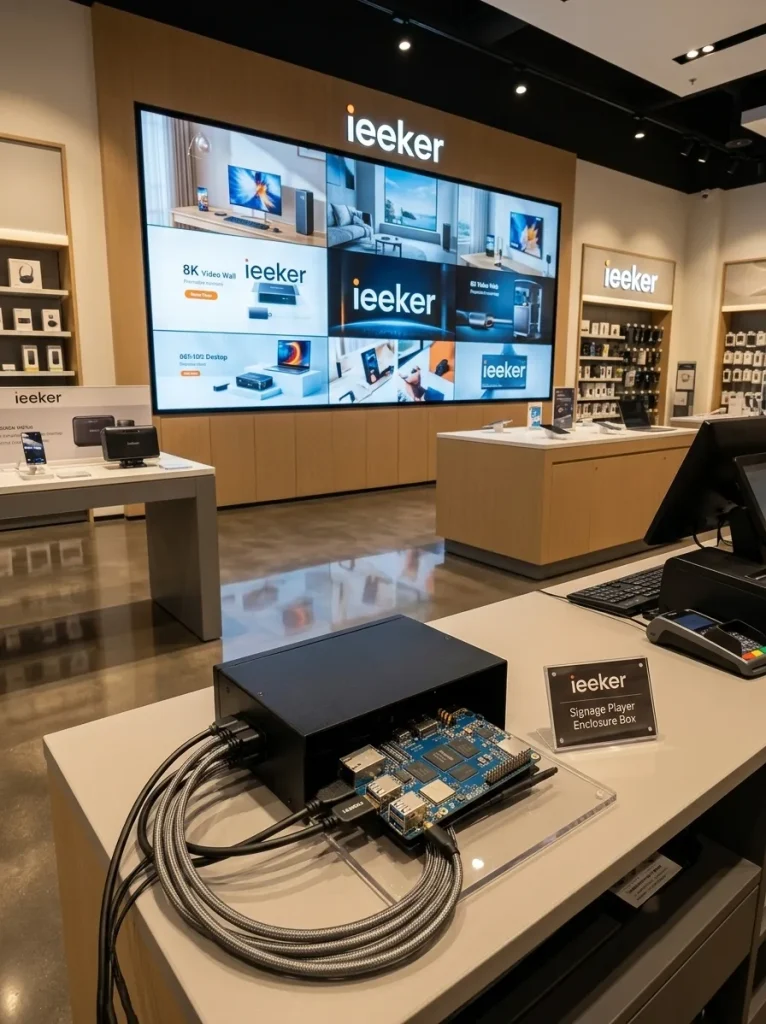
Short answer: RK3588 digital signage deployments benefit from three hardware capabilities no other embedded platform in this price tier matches simultaneously: 8K@60fps hardware video decode, four independent display outputs from a single board, and a 6 TOPS NPU for on-device audience analytics and adaptive content delivery. The ieeker YKR-RK3588 development board brings all three to commercial signage, video wall, and interactive kiosk projects — without the cost and power draw of a dedicated media server or a GPU workstation.
Modern RK3588 digital signage deployments have moved well beyond playing a video on loop. Today's commercial displays run real-time AI analytics, adapt content based on audience demographics, synchronize across multi-panel video walls, and handle 8K HDR content in environments where visual quality directly affects brand perception. The hardware that drives these systems has to be powerful, efficient, and reliable enough to run 24/7 without maintenance.
This guide covers the RK3588's specific capabilities for signage and video wall applications. It addresses the video pipeline, multi-display architecture, AI content features, and the key deployment considerations that determine whether a signage project runs smoothly in the field.
Önemli Çıkarımlar
- RK3588 decodes 8K@60fps H.265, VP9, and AV1 in hardware — no CPU or GPU overhead, leaving full compute available for AI and CMS tasks
- Four independent display outputs (HDMI 2.1 + DP 1.4 + 2× MIPI DSI) drive video walls and multi-panel installations from a single board
- The 6 TOPS NPU runs audience analytics, face detection, and gesture recognition directly on the signage player — no cloud round-trip required
- 8K@30fps H.265 hardware encode enables HDMI-in video capture for live content relay, event overlays, and broadcast signage integration
- Android 12 BSP supports major Digital Signage CMS platforms out of the box; Linux is available for custom signage software stacks
- Watchdog timer and hardware RTC enable scheduled content switching and automatic recovery from software hangs — essential for 24/7 unattended operation
- RK3588 digital signage systems run at 5-8W under typical playback load — passive cooling is achievable in most signage enclosures
- For compact all-in-one signage boxes requiring the same capability in a smaller footprint, the YKR-3588S is the alternative — see our RK3588 vs RK3588S comparison for the trade-off
RK3588 Digital Signage Video Pipeline: What 8K@60fps Hardware Decode Actually Means
The RK3588 includes a dedicated Video Processing Unit (VPU) separate from the CPU and GPU. This is important. RK3588 digital signage systems can decode 8K video without loading either the CPU or the GPU at all.
The VPU specs are:
- Decode: 8K@60fps for H.265/HEVC and VP9; 8K@30fps for H.264; 4K@60fps for AV1
- Encode: 8K@30fps for H.265 and H.264 — relevant for live HDMI-in capture
- Multiple simultaneous streams: The VPU can handle several 4K streams or one 8K stream concurrently
In practice, this means a signage player running 8K content on the main display still has full CPU, GPU, and NPU available for CMS rendering, network sync, and AI analytics. None of those tasks compete for decode resources. The RK3588 board supports 8K@60fps video decoding and encoding, making it ideal for premium digital signage and large-scale video wall installations — and the key word there is "ideal," because the VPU handles media while everything else runs independently.
Supported codecs matter for signage because content comes from many sources. H.265 (HEVC) is the current standard for compressed 8K content. AV1 is increasingly used by streaming platforms. VP9 is the baseline for high-quality web video. RK3588 handles all three without software fallback.
Four Independent Displays from One Board: The Video Wall Architecture
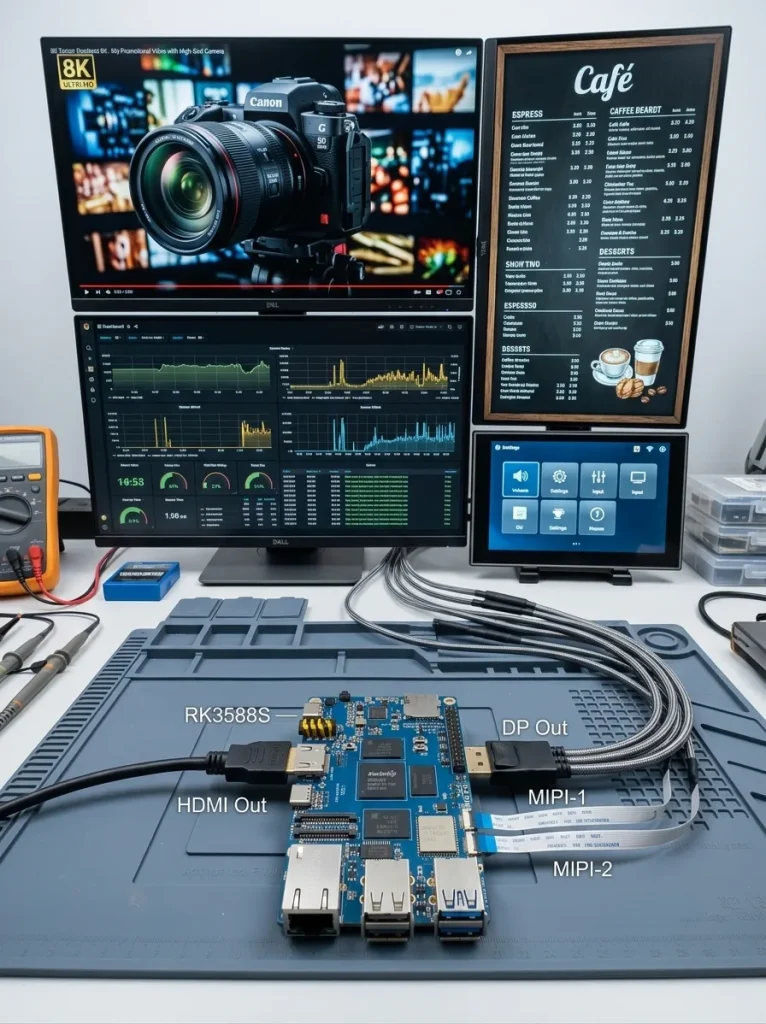
The RK3588 drives up to four independent display outputs simultaneously. Each output is independent. They can run different content, different resolutions, and different orientations at the same time. No external display matrix or video wall controller is required.
The four output paths on the YKR-RK3588 are:
| Output | Max Resolution | İçin En İyisi |
|---|---|---|
| HDMI 2.1 | 8K@60fps | Main video wall display, large-format commercial screen |
| DisplayPort 1.4 | 4K@120fps or 8K@30fps | High-refresh secondary display, wayfinding kiosk |
| MIPI DSI ×2 | 1080p–4K depending on panel | Embedded touch panels, operator displays, secondary info screens |
| eDP 1.3 | 4K@60fps | High-brightness outdoor displays, LVDS-to-eDP panel adapters |
As Geniatech notes in their quad-display signage player launch: the RK3588 supports four independent HDMI outputs and one HDMI input, enabling flexible deployment for video walls, screen splicing, and multi-screen installations from a single compact device. In practice, this means a 4-panel retail video wall runs from one board. A lobby installation with a main 8K display plus two secondary 1080p info screens runs from one board. A restaurant with a menu board, a promotional display, and a kitchen order screen runs from one board.
Each output can display different content. Resolutions don't need to match. One screen can be portrait orientation while another is landscape. This flexibility is managed at the OS display manager level — in Android, each output is addressable as a separate display. In Linux, KMS/DRM manages independent framebuffers per connector.
AI-Driven Signage: What the 6 TOPS NPU Enables On-Device
The NPU is what separates an RK3588 digital signage player from a simple media player. With 6 TOPS of dedicated inference compute, the board can run AI models continuously alongside video playback. No cloud connection needed. No external AI accelerator required.
Practical AI features enabled by the RK3588 NPU in signage deployments:
- Audience counting and demographics: A camera runs person detection and basic age/gender classification at the edge. Foot traffic data populates a local database. Content scheduling adapts based on audience composition. Morning commuter traffic sees different promotions than evening family shoppers.
- Dwell time measurement: Object detection tracks how long viewers stay in front of a display. This metric evaluates content effectiveness. No video leaves the local network. Inference is on-device and privacy-preserving.
- Gesture and touch-free interaction: YOLOv5-class gesture detection models run at 15–20fps on the RK3588 NPU. A customer points at a product. The display zooms in or shows related content. No physical touchscreen is needed. This suits hygiene-sensitive retail or outdoor kiosks.
- Anomaly and empty shelf detection: A shelf-facing camera runs a custom object detection model. It flags empty shelf positions and pushes alerts to the store management system. All processing happens locally. The same board drives the signage display.
The RKNN-Toolkit2 SDK handles model deployment. PyTorch or TensorFlow models convert to RKNN format through quantization. Our RK3588 NPU performans kılavuzu covers the conversion workflow and real-world inference benchmarks in detail.
From the Factory Floor: Building an AI-Enhanced Retail Signage System
About nine months ago, a retail technology integrator in Singapore came to us building a signage system for a cosmetics brand across 22 stores in Southeast Asia. Their requirement was specific: each store needed a 65-inch 4K main display above the counter, a 15-inch secondary display showing product recommendations, and an audience analytics system that would log foot traffic and estimated demographics for each store session.
Their previous system used a dedicated media player for video — an x86-based mini PC. It also used a separate AI analytics box, a Jetson Nano, connected via USB. The hardware cost was around $580 per location. The power draw was over 35W combined. The setup required two enclosures and custom cable routing at each installation.
We proposed a single YKR-RK3588 board per location. It handled both outputs (HDMI for the 65-inch main display, MIPI DSI for the 15-inch panel). The YOLOv5s audience detection model ran continuously on the NPU. Video content played via the VPU. A local SQLite database logged sessions. An MQTT client pushed hourly summaries to their AWS analytics dashboard. Total hardware cost per location: $147. Power draw: 6.8W average under typical operation.
The brand's operations team reported one significant unexpected benefit: the single-board setup reduced installation time at each store from approximately 3.5 hours (running cables to two separate devices, configuring network on both) to about 50 minutes. Across 22 stores, that was roughly 55 hours of installation labour saved.
The system has been running for nine months. No hardware failures. The YOLOv5s NPU inference has logged over 4.2 million person detections across the 22 locations. All data stays on-device until the hourly summary push. The brand's privacy compliance team confirmed this satisfies Singapore's PDPA data residency requirements without any additional middleware.
24/7 Operation: Watchdog, RTC, and Thermal Design for Commercial Signage
Commercial signage runs unattended. No one reboots it manually when it hangs at 2am. Hardware-level reliability features are not optional — they are what separates a development board used in a prototype from a board suitable for a deployed product.
The RK3588 includes three features that directly address this:
Hardware watchdog timer. As CNX Software notes in reviewing RK3588 signage players: a watchdog timer (part of the RK3588 SoC) resets the board in case the software hangs or crashes — this works as digital signage out of the box. The watchdog is a hardware timer in the SoC that restarts the system if the application fails to send a heartbeat signal within the configured timeout. Configure it in software; if the CMS app hangs, the board reboots automatically. No field visit required.
Real-Time Clock (RTC). Commercial signage often runs on a schedule — on at 08:00, off at 22:00, different content playlists at different times. RTC enables this scheduling to survive power cuts. When the store loses power overnight and restores in the morning, the player knows what time it is and what to play. Many development boards omit an RTC. ieeker's YKR-RK3588 includes RTC support — confirm this when ordering if your signage deployment requires scheduled on/off.
Thermal design for continuous operation. The RK3588 draws 5–8W under typical signage playback loads. This is low enough for passive cooling in most commercial enclosures. The RK3588 is optimized for 24/7 stability, reducing downtime in high-demand scenes such as transport hubs and hospitals. For enclosures where ambient temperature may exceed 45°C — outdoor kiosks, machine rooms — specify the RK3588J industrial-grade variant for extended temperature rating.
RK3588 Digital Signage Software: CMS Platforms and OS Options
Hardware capability only matters if the software stack works in your deployment. RK3588 digital signage projects have two primary software paths.
Android 12 — For CMS Platform Integration
Most commercial digital signage CMS platforms have Android apps. OptiSigns, ScreenCloud, Yodeck, Rise Vision, and hundreds of others publish Android APKs. On Android 12 with ieeker's BSP, these apps install and run without modification. The YKR-RK3588 Android image includes:
- Hardware-accelerated video decode via the VPU (Android VideoCodec API)
- Multi-display support through Android Presentation API — apps can push content to secondary displays independently
- Screen orientation lock (portrait/landscape) without custom firmware modification
- Kiosk mode lockdown via Android Device Owner API — disables the home button, prevents app switching, restricts settings access
- OTA update support via standard Android update mechanisms
Linux — For Custom Signage Software Stacks
Some signage deployments use custom software built on Linux. Web-based signage players (Chromium in kiosk mode), custom Electron apps, and specialized video wall controllers running on Wayland all work on the RK3588 Linux BSP. GStreamer with Rockchip hardware decode plugins provides the video pipeline. The Mali-G610 GPU handles OpenGL ES rendering for composited multi-panel layouts.
For signage deployments that also need to connect to industrial systems — reading sensor data for a factory floor information display, pulling live production counts from a SCADA system — Linux is the better path. It provides native access to Modbus, OPC UA, and MQTT alongside the display pipeline. See our RK3568 industrial IoT gateway guide for how to integrate industrial data sources on Rockchip platforms — the same software stack applies to RK3588.
RK3588 or RK3588S for Your Signage Project?
For signage and video wall projects specifically, the RK3588 and RK3588S have identical video decode capability. Both support 8K@60fps. Both support four independent display outputs. The NPU is the same. The GPU is the same.
The difference that matters for signage: the RK3588S has a smaller board footprint and lower cost, but drops PCIe expansion, SATA, and dual Ethernet. For a signage player that only needs video output and a network connection, the RK3588S is often the right choice and saves 15–25% per unit at volume.
Choose the full YKR-RK3588 when your signage deployment also needs: NVMe SSD local storage (for large 8K content libraries), dual Ethernet for separate management and display networks, or PCIe expansion for a 4G/5G cellular modem alongside an SSD. For dedicated signage-only applications without these requirements, the compact YKR-3588S all-in-one SBC is the better value.
For the complete technical decision between these two variants, see our RK3588 vs RK3588S comparison guide. For the full ieeker product lineup across all four Rockchip tiers, see our Rockchip development board buyer's guide.
ieeker YKR-RK3588 for RK3588 Digital Signage Projects
The ieeker YKR-RK3588 development board ships with validated Android 12 and Linux BSP images, RKNN-Toolkit2 SDK documentation, and direct engineering support for display configuration and multi-screen content pipeline setup. For RK3588 digital signage deployments requiring custom enclosure integration, we offer the YKR-RK3588 SoM on a custom carrier board with your specified I/O layout, dimensions, and connector types. See the Özel geliştirme kartı tasarım kılavuzu for the OEM workflow.
Building an RK3588 digital signage or video wall system?
Tell us your display count, content resolution, and AI feature requirements — we'll confirm board fit and quote for your volume.
→ Request YKR-RK3588 Evaluation Board →Sıkça Sorulan Sorular
Can RK3588 output true 8K to a display?
Yes. The HDMI 2.1 output supports 8K@60fps. This requires an 8K-capable HDMI 2.1 display or video wall processor. For most commercial signage, the practical output is 4K per screen (with RK3588 handling two or more 4K displays simultaneously) rather than a single physical 8K panel, which remains expensive at commercial scale.
What CMS software works with RK3588 digital signage boards?
Any CMS platform with an Android APK runs on the Android 12 BSP. Major platforms including OptiSigns, ScreenCloud, Yodeck, Rise Vision, and NoviSign have been tested. For custom CMS built on web technologies, Chromium in kiosk mode on Linux Debian is the alternative. Custom native apps compile directly from standard Android Studio toolchain or Linux ARM cross-compilation.
How does the RK3588 handle HDMI input for live video relay?
The RK3588 includes an HDMI 2.0 RX (input) port alongside its HDMI 2.1 TX output. A camera, broadcast signal, or video source connects via HDMI-in. The VPU captures and encodes the input stream. The application then routes it to the output display — enabling live camera overlay on signage, broadcast relay on event screens, or CCTV passthrough on lobby displays.
Is RK3588 suitable for outdoor digital signage?
The board itself supports operation within its rated temperature range. For outdoor installations, two considerations apply: the RK3588J industrial-grade variant is required for ambient temperatures above 45°C (outdoor enclosures in hot climates can reach this). The display and enclosure must be separately rated for outdoor use — weatherproofing, UV resistance, and high-brightness panel selection are enclosure decisions, not board decisions.
How many video streams can RK3588 decode simultaneously?
Bu VPU handles one 8K stream, or multiple 4K streams simultaneously. In practice, two to four independent 4K@60fps streams is the typical operating range for a multi-screen RK3588 digital signage player. For NVR applications requiring higher channel counts (16–32 channels at 1080p), the VPU supports this tier as well — each 1080p stream uses a fraction of the 8K decode budget.