
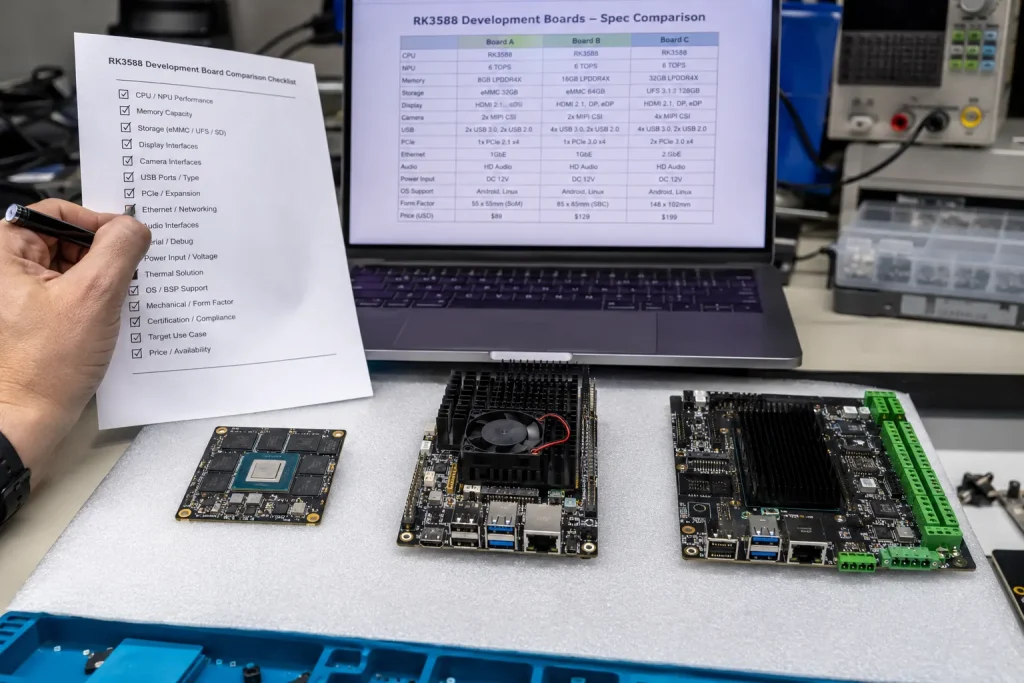
Краткий ответ: Choosing the right Плата разработки RK3588 for an industrial project comes down to eight specifications that consumer buying guides routinely skip: memory type and capacity, storage interface, operating temperature grade, display output configuration, NPU SDK documentation quality, network interface count, BSP/kernel maintenance commitment, and form factor expansion path. Get these eight right and a prototype board becomes a production-ready platform without a redesign. Get them wrong, and a board that worked perfectly on a desk fails six months into a field deployment.
Most "best RK3588 development board" guides are written for hobbyists — comparing Orange Pi, Radxa, and Firefly boards on price, community forum activity, and out-of-box Android experience. None of that is wrong for a maker project, but it is the wrong evaluation framework entirely for an industrial product. An Плата разработки RK3588 destined for a 5-year field deployment in a control cabinet, an outdoor kiosk, or a medical device needs to be evaluated against a completely different set of criteria — and the difference between the right and wrong choice often doesn't show up until the board has been in the field for months.
This guide walks through the eight specifications that actually determine whether an Плата разработки RK3588 will work for your industrial application — with the specific numbers, trade-offs, and questions to ask the manufacturer before you commit to a prototype run.
Основные выводы
- LPDDR4X vs LPDDR5 memory affects NPU inference throughput by 15-20% — verify which your RK3588 development board actually ships with, not just the GB figure
- eMMC-only boards limit local data logging; PCIe 3.0 with M.2 NVMe support is essential for IoT gateways and AI boxes with substantial local storage needs
- "Industrial temperature range" claims require the RK3588J variant — commercial-grade RK3588 throttles above 70°C ambient under sustained NPU load
- Display output count (2 vs 4 simultaneous) determines whether multi-panel HMI or NVR configurations are possible without a second board
- NPU SDK documentation quality (RKNN-Toolkit2 examples, model zoo, community activity) predicts your AI integration timeline more than raw TOPS numbers
- BSP kernel version and update cadence determines whether security patches and new peripheral drivers arrive — check the last commit date, not the marketing claim
- SoM vs full SBC form factor determines your path from prototype to production — verify the manufacturer offers both on the same software platform
- For 95% of industrial applications, the right RK3588 development board has 8GB LPDDR4X, eMMC + M.2 NVMe, RK3588J industrial grade, and 4 display outputs
RK3588 Development Board Spec #1: Memory Type and Capacity
Every Плата разработки RK3588 listing prominently displays RAM capacity — "8GB", "16GB", "32GB" — but the memory type matters as much as the size, and it's frequently buried in the fine print or absent entirely.
The RK3588 supports both LPDDR4X and LPDDR5 memory controllers. LPDDR4X typically runs at 2133MHz with a memory bandwidth around 25.6 GB/s in a dual-channel configuration. LPDDR5 runs significantly faster — up to 6400MHz, delivering bandwidth in the 51-77 GB/s range depending on configuration. For NPU-heavy workloads — running multiple concurrent inference models, or large batch sizes — this bandwidth difference translates to measurable throughput gains, typically in the 15-20% range for memory-bound inference operations.
What to verify: Ask explicitly whether the board uses LPDDR4X or LPDDR5, and at what frequency. For general-purpose industrial applications — HMI panels, gateways, single-stream inference — LPDDR4X at 8GB is sufficient and typically more cost-effective. For multi-stream NVR applications, concurrent multi-model inference, or any workload running close to memory bandwidth limits, LPDDR5 provides meaningful headroom. A board specification listing "8GB RAM" without specifying type should prompt a direct question to the vendor.
RK3588 Development Board Spec #2: Storage Interface — eMMC vs M.2 NVMe
Storage interface determines two things for an industrial deployment: how much local data your device can log, and how fast your application boots and writes data. The cheapest Плата разработки RK3588 options ship with eMMC only — typically 32GB or 64GB soldered flash. This is sufficient for the OS and application binaries but quickly becomes a constraint for any application generating logs, video buffers, or sensor history data.
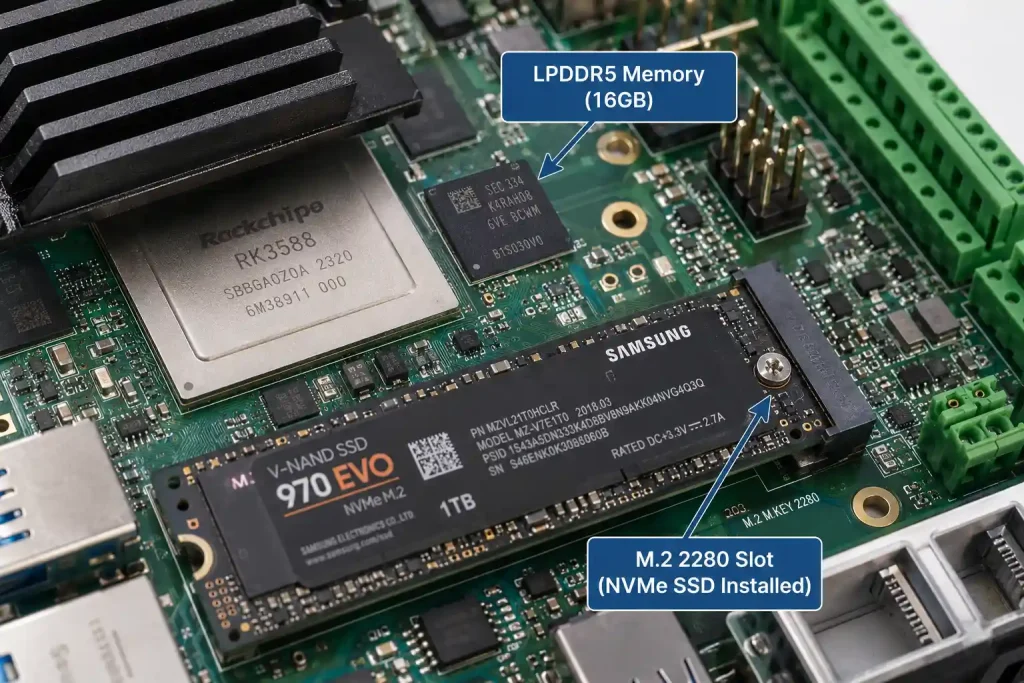
The RK3588's PCIe 3.0 interface enables M.2 NVMe SSD support — sequential read/write speeds in the 1,500-2,000 MB/s range versus eMMC's typical 250-300 MB/s. For applications generating substantial local data — NVR systems storing recorded video, IoT gateways with multi-day data buffers for cellular outage resilience, or edge AI systems logging inference results with images — M.2 NVMe support is not optional. Without it, you're limited to eMMC capacity (often 32-64GB) for everything, including OS, application, and all generated data.
What to verify: Confirm the board has a populated or available M.2 slot connected to the RK3588's PCIe 3.0 lanes (not a USB-bridged M.2 slot, which caps throughput at USB 3.0 speeds — around 1,000 MB/s and adds latency). Also confirm eMMC capacity is sufficient for your OS image plus application — 32GB is tight for a full Debian/Ubuntu image with development tools; 64GB or higher provides comfortable headroom for production OTA update partitions.
RK3588 Development Board Spec #3: Operating Temperature Grade — Why "Industrial" Needs Verification
This is the specification most frequently overstated in marketing material. Many boards advertised as suitable for "industrial applications" use the commercial-grade RK3588, which is rated for 0°C to 70°C operating temperature — adequate for an indoor server room, inadequate for a control cabinet that can reach 60°C ambient with the SoC itself running 15-20°C hotter under sustained NPU load.
The genuinely industrial-grade variant is the RK3588J, rated for -40°C to +85°C junction temperature. This is not a marketing label change — it reflects different silicon binning, validated at the chip level by Rockchip for extended temperature operation. A board listing "RK3588" without the J suffix, even if the board-level marketing says "industrial," is using the commercial-grade chip.
What to verify: Ask the manufacturer to confirm whether the board uses RK3588 or RK3588J, and request thermal test data — specifically, sustained NPU utilization (70%+) at the maximum rated ambient temperature, with junction temperature logged over at least 30 minutes. A board that throttles CPU/NPU clocks under sustained load at 50°C ambient is not suitable for a sealed industrial enclosure regardless of what the product page claims. For a detailed look at how thermal design affects RK3588 NPU performance in industrial enclosures, see our Руководство по производительности NPU RK3588.
From the Factory Floor: A $40,000 Lesson About RK3588 Thermal Specs
About a year ago, a smart agriculture company in Spain came to us after a difficult field deployment. They had built 60 units of an outdoor irrigation controller using an RK3588 development board from a different supplier — a board that ran a YOLOv8 model continuously to detect irrigation valve positions via camera, controlling water flow based on the detected state. The board's product page listed "industrial grade, -40°C to 85°C" prominently.
During their summer field trial in southern Spain, with enclosure internal temperatures regularly reaching 55-58°C in direct sun, units began randomly rebooting after 2-4 hours of continuous operation. Their initial assumption was a power supply issue — they spent three weeks testing power delivery, adding capacitors, and checking for brownouts. The actual cause, discovered after we reviewed their board's datasheet at their request, was thermal throttling triggering a watchdog reset: the board used a standard commercial-grade RK3588, not the RK3588J. The "-40°C to 85°C" claim on the product page referred to the board's PCB and connector temperature rating, not the SoC's junction temperature rating — a distinction the product page did not clarify, and one their hardware team had not known to ask about.
At 58°C ambient with continuous NPU inference, the commercial RK3588's junction temperature was exceeding 95°C within 2-3 hours — triggering the SoC's thermal protection shutdown, which their watchdog interpreted as a crash and rebooted the system. The 60 deployed units, plus a planned 200-unit expansion order, were all affected.
We supplied YKR-RK3588 evaluation boards using the RK3588J variant with the same enclosure design. Thermal testing at 58°C ambient with continuous YOLOv8 inference showed junction temperature stabilizing at 79°C after 90 minutes — eight degrees below the RK3588J's rated maximum, with no throttling observed over a 6-hour continuous test. The customer redesigned their board around the RK3588J, validated the new design over a two-week field trial, and proceeded with their 200-unit expansion order on the corrected platform.
Total cost of the original mistake: approximately $40,000, combining the 60 units requiring board replacement, three weeks of misdirected debugging time, and a two-month delay to their expansion order. The lesson, which now shapes how we present thermal specs to every customer: "industrial grade" on a product page is marketing language until you've seen the SoC part number and thermal test data at your specific ambient temperature.
RK3588 Development Board Spec #4: Display Output Configuration
The RK3588 supports up to four simultaneous display outputs (combinations of HDMI 2.1, DisplayPort 1.4, MIPI DSI, and eDP), but most consumer-oriented boards expose only one or two — typically a single HDMI port. For applications requiring multi-display configurations — dual-operator HMI panels, NVR systems with a local monitor plus a remote display, or control room video walls — the difference between a board exposing 1 output and one exposing 4 is the difference between needing one board or two.
What to verify: Count the actual exposed display connectors on the board, not the SoC's theoretical maximum. Many boards route only one or two of the RK3588's display controllers to physical connectors to save board space and cost. If your application needs LVDS for an industrial panel, confirm the board has an LVDS connector or LVDS-capable MIPI DSI-to-LVDS bridge — this is not standard on consumer boards. For LVDS, MIPI DSI, and eDP selection logic for industrial HMI design, see our industrial HMI panel display guide (the same interface selection principles apply to RK3588).
RK3588 Development Board Spec #5: NPU SDK Documentation and Model Zoo Quality
Every RK3588 board ships with the same 6 TOPS NPU silicon — but the quality of NPU integration support varies enormously between vendors, and this difference determines whether your AI deployment takes days or months.
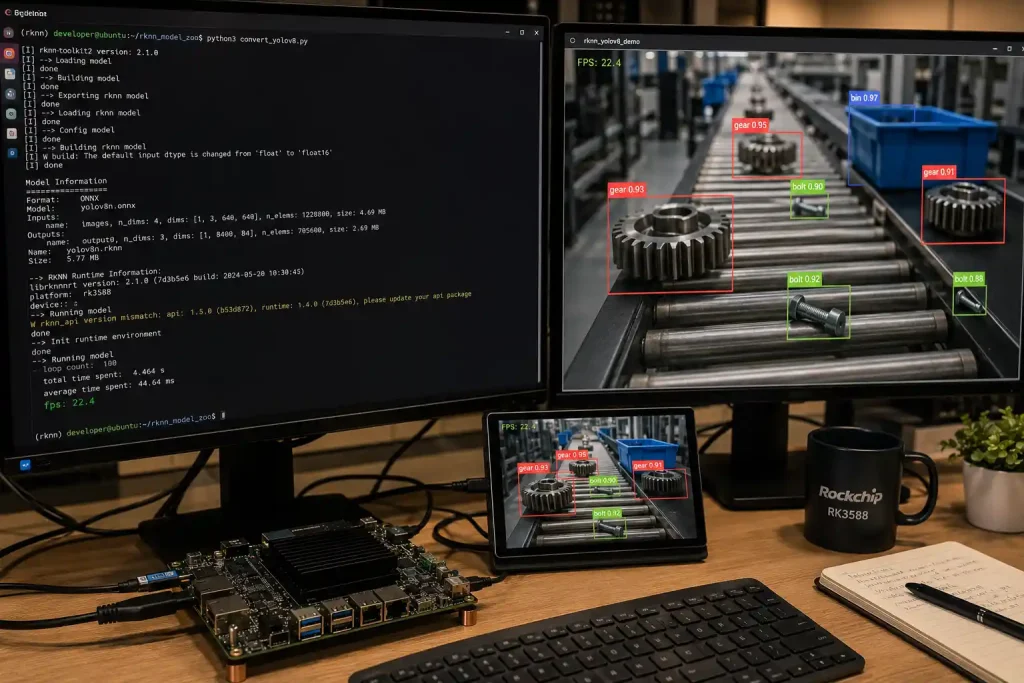
RKNN-Toolkit2 is the standard conversion toolkit across all RK3588 vendors — it's Rockchip's official SDK, not vendor-specific. But what varies is: whether the vendor provides a validated, tested kernel with NPU drivers that actually work out of the box (a surprising number of budget boards ship with NPU drivers that require manual compilation or patching), whether example projects and a model zoo are provided for common architectures (YOLOv5/v8, ResNet, MobileNet), and whether the vendor's BSP team can answer integration questions when your specific model hits an unsupported operator.
What to verify: Before purchasing, ask the vendor for their RKNN model zoo — a set of pre-converted, benchmarked models for common architectures with documented fps numbers on their specific board. A vendor who can immediately provide this has done the integration work; a vendor who cannot has likely not validated NPU functionality beyond a basic demo. Also ask about their typical response time for NPU integration questions — this single question often reveals more about support quality than any other criterion.
RK3588 Development Board Spec #6: Network Interface Count and Type
Network interfaces are easy to compare on paper but easy to misread in practice. The RK3588 supports multiple Gigabit/2.5G Ethernet MACs, but board implementations vary — some expose a single Ethernet port plus Wi-Fi, others expose dual Ethernet with independent MACs suitable for LAN/WAN gateway separation.
What to verify: For gateway applications, confirm whether dual Ethernet ports use independent MACs (allowing separate subnets/firewall rules) or a single MAC with an internal switch (which doesn't provide true network isolation). For applications requiring PoE (Power over Ethernet) for simplified installation, confirm whether the board supports PoE input directly or requires an external PoE splitter — this affects enclosure design and cabling significantly. Also check Wi-Fi/Bluetooth module — some boards use modules requiring regulatory certification (FCC/CE) separate from the main board certification, which can complicate your end-product certification process.
RK3588 Development Board Spec #7: BSP Kernel Version and Update Cadence
The Board Support Package determines whether your Плата разработки RK3588 remains secure and functional over a multi-year deployment, or becomes a frozen snapshot of whatever kernel version was current when the board launched.
What to verify: Ask which Linux kernel version the board ships with — Rockchip's RK3588 BSP is based on kernel 5.10 LTS, which receives security patches through 2026 and beyond. A board still shipping kernel 5.4 or earlier (common on older RK3588 board designs) is running an EOL kernel branch with no further security updates from the upstream maintainers. Check the vendor's SDK repository (GitHub or similar) for commit history — recent commits within the last 3-6 months indicate active maintenance; a repository with no commits in over a year suggests the BSP is effectively frozen. For a complete framework on evaluating BSP maintenance commitment as part of supplier selection, see our Руководство по оценке производителей встраиваемых плат.
RK3588 Development Board Spec #8: Form Factor and Prototype-to-Production Path
The final specification to evaluate is less about the board itself and more about what happens after your prototype works: can you scale to production on the same platform, or does success mean a redesign?
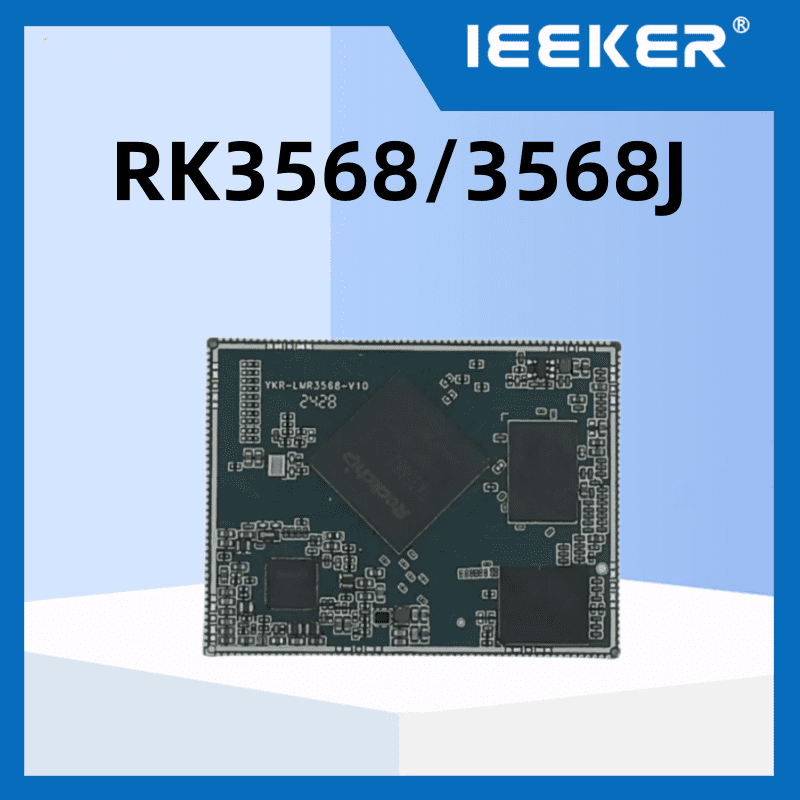
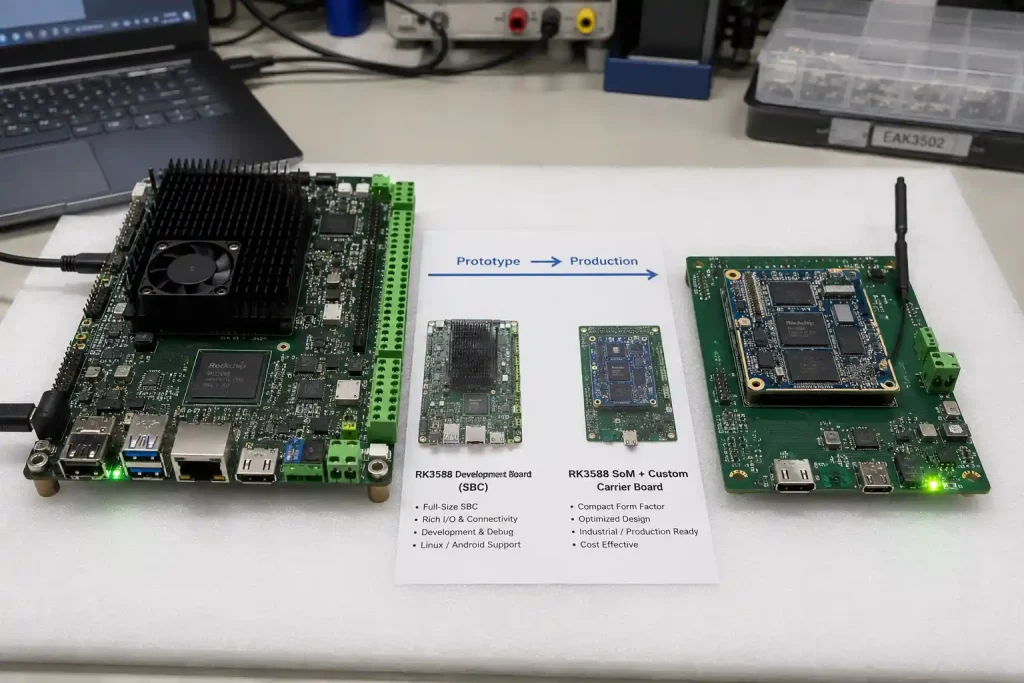
Full SBC form factor Платы разработки RK3588 are ready to use immediately — connect power, peripherals, and start developing. This is the right starting point for almost every project. The question is what happens at production scale: does the vendor offer a SoM (System-on-Module) version of the same RK3588 configuration, allowing a custom carrier board design that integrates your specific connectors and form factor while reusing the validated SoM and its BSP? Or does scaling mean either continuing to use the full SBC (often oversized and cost-inefficient at volume) or starting a board design from scratch with a different vendor's SoM (requiring BSP re-validation)?
What to verify: Ask whether the vendor offers both an SBC for prototyping and a SoM with the identical RK3588 configuration (same memory type/capacity, same eMMC) for production. This allows your software development — OS image, application, NPU model deployment — to transfer directly from prototype to production carrier board without BSP changes. For the complete decision framework on SoM vs SBC selection and the cost crossover point for custom carrier boards, see our Руководство по проектированию заказных плат.
The 8-Spec Checklist Summary
| Характеристики | Industrial Baseline | Красный флаг | |
|---|---|---|---|
| 1 | Memory type | 8GB LPDDR4X minimum, LPDDR5 for multi-stream | RAM size listed without type specified |
| 2 | Storage interface | eMMC 64GB+ AND M.2 NVMe (PCIe-direct) | eMMC-only, or M.2 bridged via USB |
| 3 | Temperature grade | RK3588J confirmed + thermal test data at your ambient | "Industrial" claim without SoC part number confirmation |
| 4 | Выводы дисплея | Match actual exposed connectors to your panel count | Only 1 HDMI exposed despite SoC supporting 4 |
| 5 | NPU SDK quality | Vendor provides RKNN model zoo with benchmarked fps | "NPU supported" with no examples or benchmarks |
| 6 | Network interfaces | Independent dual GbE MACs for gateway designs | Single MAC + internal switch marketed as "dual Ethernet" |
| 7 | BSP/kernel | Kernel 5.10 LTS, commits within last 3-6 months | Kernel ≤5.4, repo inactive 12+ months |
| 8 | Form factor path | SBC + matching SoM available from same vendor | SBC-only, no production scaling path |
How the ieeker YKR-RK3588 Development Board Addresses Each Spec
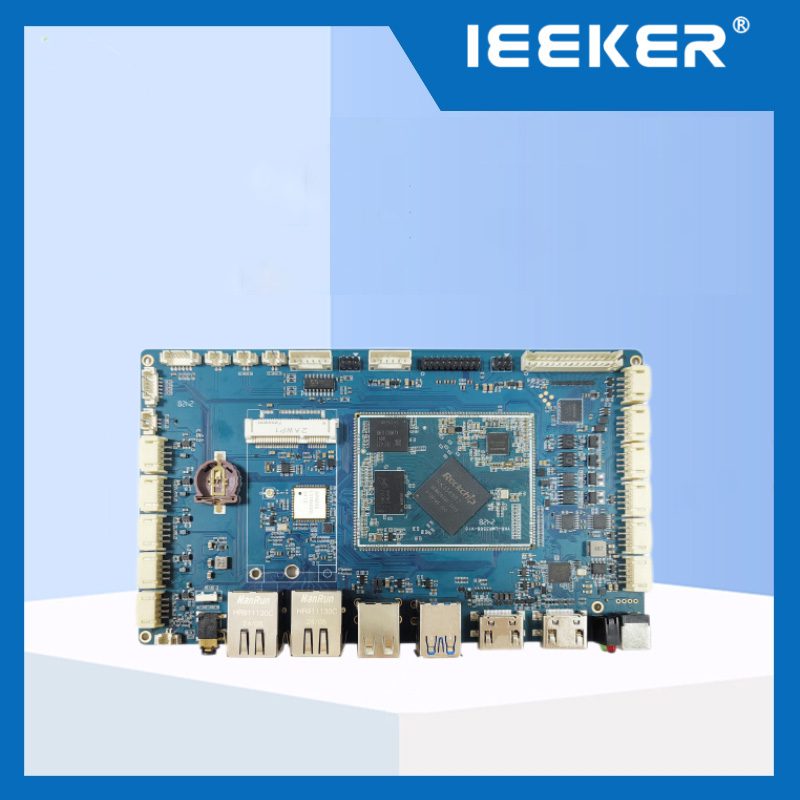
Иикер Плата разработки YKR-RK3588 was specified against exactly this checklist: 8GB/16GB LPDDR4X configurations (LPDDR5 available on request), eMMC 64GB plus M.2 PCIe 3.0 NVMe slot, RK3588J industrial-grade SoC with thermal test data available at -40°C to 85°C ambient, up to 4 simultaneous display outputs (HDMI 2.1, DP, dual MIPI DSI), validated RKNN-Toolkit2 SDK with a documented model zoo for YOLOv5/v8 and common classification models, dual independent Gigabit Ethernet MACs, kernel 5.10 LTS BSP with active maintenance, and a matching RK3588 SoM available for production scaling with custom carrier board design.
We supply single-unit evaluation boards with full SDK access — including the RKNN model zoo and thermal test reports — so you can verify each of these eight specifications yourself before committing to a prototype run.
Ready to evaluate the YKR-RK3588 against this checklist?
Request an evaluation board with full SDK, RKNN model zoo, and thermal test data — verify all 8 specs yourself before your prototype run.
→ Заказать оценочную плату YKR-RK3588 →Часто задаваемые вопросы
What is the difference between RK3588 and RK3588J?
RK3588J is Rockchip's industrial-grade variant of the RK3588, validated and binned for -40°C to +85°C junction temperature operation, versus the commercial RK3588's 0°C to +70°C rating. The functional specifications (CPU, GPU, NPU) are identical — the difference is in silicon validation for extended temperature and typically longer production availability commitments. Any RK3588 development board marketed for industrial/outdoor deployment should use the J variant, and this should be verifiable via the SoC part number.
Is 8GB RAM enough for an RK3588 development board?
For most industrial applications — single-stream AI inference, HMI panels, IoT gateways — 8GB is sufficient, provided it's LPDDR4X or LPDDR5 (not slower legacy types). 16GB or higher becomes relevant for multi-stream NVR applications (4+ camera feeds with concurrent inference), running multiple containerized services alongside AI inference, or development workflows involving large model training/fine-tuning on-device. For most production deployments, 8GB with efficient INT8-quantized models via RKNN-Toolkit2 is adequate.
Do all RK3588 development boards support the same NPU performance?
The NPU silicon (6 TOPS) is identical across all RK3588-based boards — it's part of the SoC, not board-specific. What varies is whether the board's BSP has validated, working NPU drivers out of the box, whether the vendor provides example models and conversion documentation, and whether the board's thermal design allows the NPU to sustain high utilization without throttling. Two boards with "identical" RK3588 NPU specs can deliver very different real-world inference throughput depending on these factors.
Should I buy a full SBC or a SoM for my first RK3588 development board?
Start with a full SBC for prototyping regardless of your eventual production form factor — it's ready to use immediately with all interfaces accessible for development and testing. Once your application is validated, evaluate whether production volume (typically 300-600+ units/year) justifies a custom carrier board around a matching SoM. For a detailed cost crossover analysis, see our SoM vs SBC selection guide.
How do I verify an RK3588 development board's thermal performance before buying?
Request thermal test data from the vendor: junction temperature logged over at least 30 minutes of continuous operation at a defined ambient temperature and NPU utilization level (ideally 70%+ utilization, representative of real inference workloads). If the vendor cannot provide this data, request a single-unit evaluation board and run your own test — a thermocouple or thermal camera on the SoC package during a sustained RKNN inference benchmark, inside your target enclosure at your target ambient temperature, will reveal throttling behavior that datasheet specs alone cannot predict.