Short answer: The RK3588 vs RK3588S question confuses more buyers than any other Rockchip decision, because the two chips share nearly identical CPU, GPU, and NPU performance — the real difference is package size, memory ceiling, and I/O count. RK3588S uses a smaller 17×17mm BGA package, caps at 16GB LPDDR4X, and drops PCIe lanes and SATA — making it the right choice for compact all-in-one boards like the ieeker YKR-3588S. The standard RK3588 uses a larger package with full PCIe 3.0, SATA III, up to 32GB LPDDR4X/LPDDR5, and more display/camera lanes — the right choice for I/O-heavy applications like NVR systems and multi-camera machine vision, available on the ieeker YKR-RK3588 development board.
The RK3588 vs RK3588S comparison trips up more buyers than any other Rockchip decision because the product naming makes them sound like a major-vs-minor version difference — when in fact, both chips deliver essentially the same CPU, GPU, and NPU performance. The “S” doesn’t mean “slower.” It means “smaller package, fewer pins, lower cost” — a packaging and I/O decision, not a performance downgrade.
This guide breaks down exactly what changes between RK3588 and RK3588S — package size, memory ceiling, PCIe/SATA availability, display and camera lanes — and gives a clear framework for which chip (and which ieeker board) fits your project.
Основные выводы
- RK3588 vs RK3588S CPU/GPU/NPU performance is nearly identical — both use 4×Cortex-A76 + 4×Cortex-A55, Mali-G610 MP4 GPU, and a 6 TOPS NPU
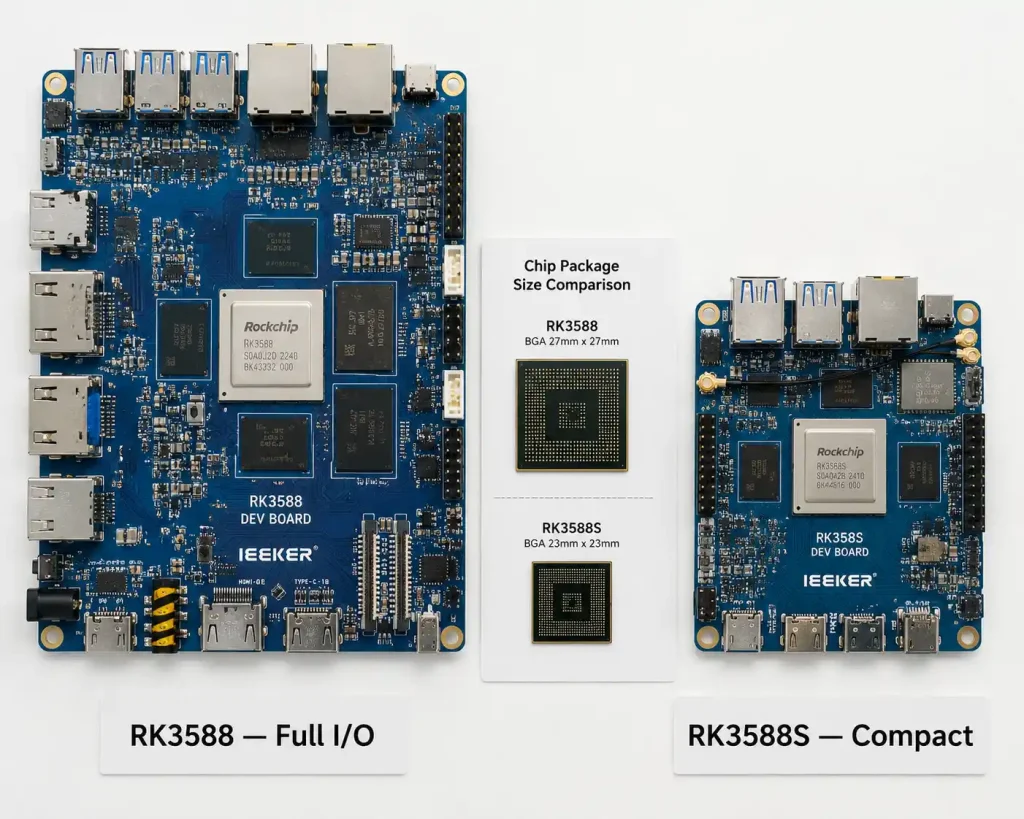
- RK3588S package is 17×17mm vs RK3588’s larger package — the size difference that makes RK3588S suitable for compact all-in-one boards and tablets
- RK3588S memory caps at 16GB LPDDR4X; RK3588 supports up to 32GB and adds LPDDR5 option for higher bandwidth
- RK3588S has no independent PCIe 3.0 expansion lane and reduced SATA — RK3588 keeps full PCIe 3.0 + SATA III for NVMe SSD and storage expansion
- Both chips support 8K video decode and near-identical multimedia throughput — display/camera lane count differs, not codec capability
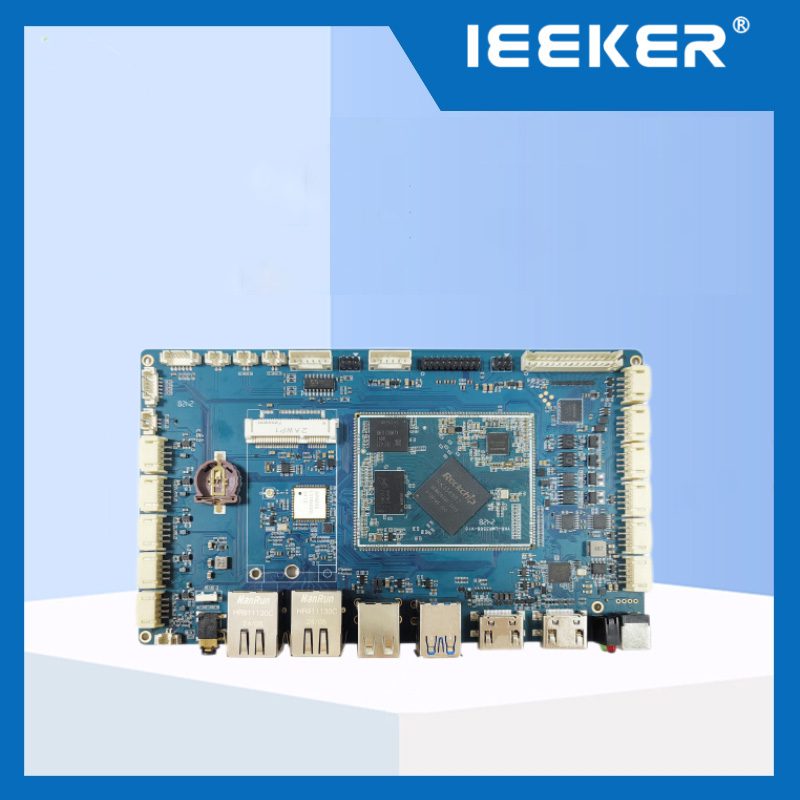
- RK3588S is the right choice for the ieeker YKR-3588S all-in-one SBC; RK3588 is the right choice for the ieeker YKR-RK3588 development board with full I/O
- You can sometimes swap RK3588S for RK3588 on the same carrier design if the schematic avoids RK3588-exclusive pins — but this requires Rockchip’s official pin compatibility matrix, not assumption
- For NVR, multi-camera vision, and storage-heavy applications: RK3588. For compact tablets, signage players, and single-display kiosks: RK3588S
RK3588 vs RK3588S: Full Specification Comparison
Here is the complete side-by-side breakdown for the RK3588 vs RK3588S comparison. Both chips are built on the same 8nm process and share the same core compute architecture — the differences are concentrated in packaging, memory ceiling, and expansion I/O.
| Параметр | RK3588 (ieeker YKR-RK3588) | RK3588S (ieeker YKR-3588S) |
|---|---|---|
| CPU | Identical: 4× Cortex-A76 @ 2.4GHz + 4× Cortex-A55 @ 1.8GHz | |
| GPU | Identical: Mali-G610 MP4, OpenGL ES 3.2, Vulkan 1.2 | |
| НПУ | Identical: 6 TOPS (RKNN, 3-core architecture) | |
| Технологический узел | Identical: 8 нм | |
| Package size | Larger BGA (more balls/pins) | 17×17mm — compact |
| Память | До 32 ГБ, LPDDR4/4X/5 | Up to 16GB, LPDDR4/4X only |
| PCIe | PCIe 3.0 × 2 (independent lanes) | No independent PCIe expansion |
| SATA | SATA III | Reduced / none on most boards |
| USB | More Type-C/USB 3.1 ports | Reduced Type-C count |
| Ethernet | Dual 2.5GbE | Reduced Ethernet port count |
| MIPI CSI (camera) | More lanes (multi-camera capable) | Fewer CSI lanes |
| Выводы дисплея | Up to 4 independent | Up to 4 independent (same engine, fewer physical outputs typical) |
| Video decode/encode | Identical: 8K@60fps decode, 8K@30fps encode | |
| Typical use case | NVR, multi-camera vision, storage-heavy AI box | All-in-one tablet, signage player, compact kiosk |
As one detailed technical comparison summarizes: RK3588 supports both LPDDR4/4X and LPDDR5 up to 32GB while RK3588S is limited to LPDDR4/4X with a 16GB ceiling, and RK3588 provides more flexible NVMe storage options through its expanded PCIe implementation. The video encode/decode engines themselves remain consistent across both variants, so multimedia-heavy applications see no meaningful difference there.
Why "RK3588S" Sounds Like a Downgrade But Mostly Isn't
The naming convention is the root of most RK3588 vs RK3588S confusion. In consumer electronics, an “S” suffix usually implies a cut-down, cheaper, slower variant — think of how phone naming sometimes works. Rockchip’s “S” doesn’t follow that pattern in the way buyers expect.
Both chips run the identical CPU configuration — 4 Cortex-A76 performance cores at 2.4GHz plus 4 Cortex-A55 efficiency cores at 1.8GHz — the same Mali-G610 MP4 GPU, and the same 6 TOPS NPU built from three independent cores. As one industrial comparison puts it plainly: the primary distinction is market positioning — RK3588 targets premium I/O-heavy industrial applications while RK3588S focuses on cost efficiency and streamlined connectivity for power-efficient deployments. If your workload is CPU, GPU, or NPU bound, you will see essentially no difference running it on RK3588S versus RK3588.
Where the difference becomes real is the package itself: RK3588S uses a significantly smaller 17×17mm BGA package versus RK3588’s larger footprint with more solder balls — because RK3588S genuinely has fewer pins, reflecting the removed PCIe lanes, reduced SATA, and lower memory bus width. This is a packaging and I/O engineering trade-off, not a performance compromise. Rockchip designed RK3588S specifically to let manufacturers build compact, single-board “all-in-one” devices — tablets, signage players, compact industrial panels — without paying for I/O capacity those products don’t use.
From the Factory Floor: A Customer Who Almost Over-Bought on RK3588 vs RK3588S
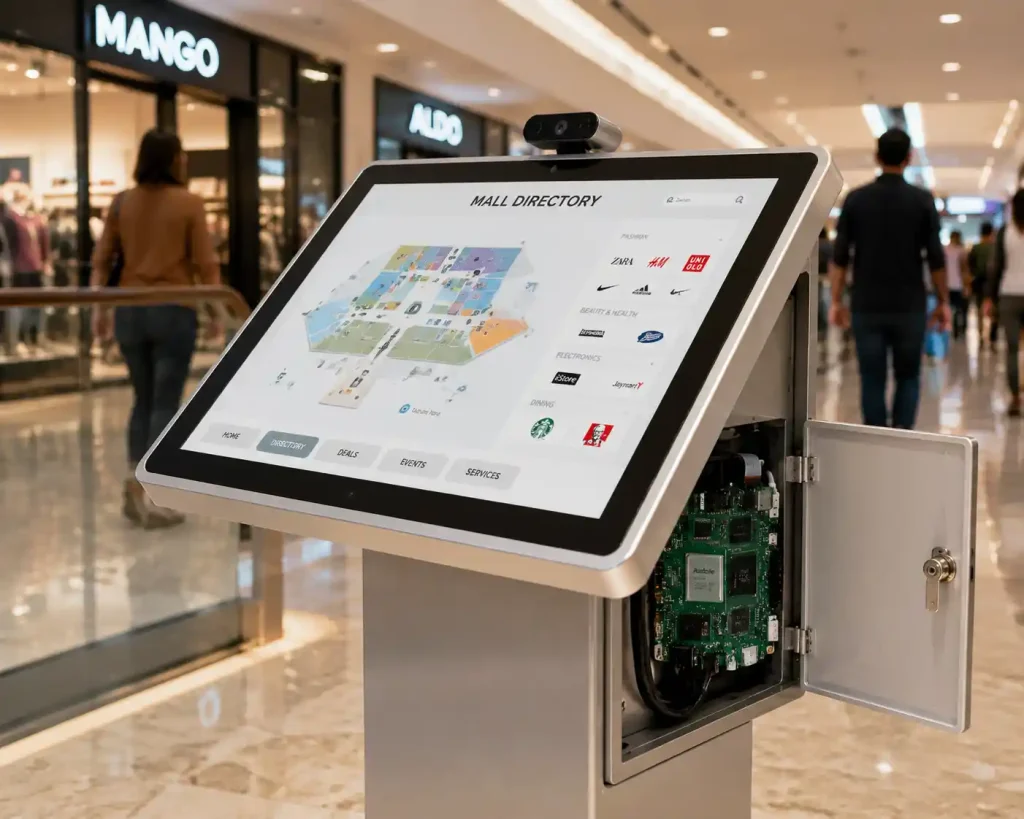
About seven months ago, a digital signage integrator in the UAE contacted us about building a fleet of 11-inch interactive kiosks for shopping mall directories — single touchscreen display, a single camera for basic occupancy sensing, Wi-Fi connectivity, and a content management app running locally with periodic cloud sync. Their RFQ specified the standard RK3588 development board, because that’s what their previous vendor had quoted and they assumed more capability was always the safer choice.
When we reviewed their actual requirements, none of them touched RK3588’s specific advantages over RK3588S: no NVMe SSD requirement (their content was under 8GB and fit comfortably on eMMC), no multi-camera vision pipeline (a single occupancy sensor camera, not a multi-stream NVR), and no need for 32GB RAM (their app’s memory footprint was under 3GB even with the browser-based UI framework they were using). Every functional requirement they had was satisfied by RK3588S.
We recommended the YKR-3588S all-in-one board instead. The compact form factor was actually a secondary benefit they hadn’t initially asked for — their kiosk enclosure design had limited internal depth, and the YKR-3588S’s smaller PCB footprint gave their mechanical team more clearance for cable routing and the touch controller board. Per-unit cost came in 22% lower than the RK3588 quote they’d been planning around, on an order of 340 units across their first mall rollout phase.
Eight months into deployment, with 340 units in the field across six malls, they’ve had zero performance complaints and the cost savings funded an unplanned second-phase order of 200 additional units for a new mall opening. The lesson we now share with every customer evaluating RK3588 vs RK3588S: write down your actual I/O and memory requirements before looking at either chip’s marketing material — the “flagship” naming bias toward RK3588 costs real money when RK3588S would do the job identically.
RK3588 vs RK3588S: The Decision Guide
Choose the IEEKER YKR-RK3588 (standard RK3588) if:
- Your application needs NVMe SSD storage via M.2/PCIe — NVR systems, video recording, or local AI model/data storage beyond eMMC capacity
- You’re building a multi-camera machine vision or NVR system requiring more MIPI CSI lanes than RK3588S exposes
- Your memory footprint requires 16GB+ RAM, or you specifically need LPDDR5 bandwidth for memory-bound NPU workloads
- Вам нужно dual 2.5GbE for gateway-style LAN/WAN separation, or multiple independent display outputs for a control-room/multi-monitor setup
- Your enclosure has space for a full-size SBC and the per-unit cost premium is acceptable for the I/O headroom
Choose the IEEKER YKR-3588S (RK3588S, all-in-one) if:
- Ваша заявка является single-display kiosk, tablet, or signage player with no NVMe storage requirement
- You need a compact form factor — tight enclosure depth, embedded panel design, or any application where board size directly constrains your product design
- Your memory needs are 16GB or less and don’t require LPDDR5 bandwidth
- Your network requirement is satisfied by standard Ethernet/Wi-Fi without dual-MAC LAN/WAN separation
- Cost efficiency at volume matters and your functional requirements don’t touch RK3588-exclusive I/O — as our mall kiosk case demonstrated, this is more common than buyers initially assume
One important caveat on hardware compatibility: some engineering teams ask whether they can design a single carrier board and populate it with either chip depending on production needs. This is sometimes possible if the schematic avoids RK3588-exclusive pins and follows Rockchip’s reference design closely, but it requires checking Rockchip’s official pin compatibility matrix between the two packages — never assume compatibility without verifying against the datasheet for your specific board revision.
IEEKER's RK3588 and RK3588S Boards
ieeker manufactures both chip variants as separate, purpose-built boards rather than forcing one design to compromise for both use cases. The Плата разработки YKR-RK3588 brings full PCIe 3.0, SATA III, dual 2.5GbE, and up to 32GB memory for I/O-heavy industrial and AI applications. The YKR-3588S — моноблок SBC delivers the same CPU/GPU/NPU performance in a compact, cost-optimized package for tablets, signage, and single-display kiosk products.
Not sure which fits your project? Tell us your display count, storage needs, and camera requirements — we’ll tell you honestly which chip actually matches your spec sheet, even if it means recommending the lower-cost option.
Not sure if you need RK3588 or RK3588S?
Share your display, storage, and camera requirements — we’ll match you to the right board, including pricing for both options.
Часто задаваемые вопросы
Is RK3588S slower than RK3588?
Not meaningfully. Both chips use the identical 4×Cortex-A76 + 4×Cortex-A55 CPU configuration, the same Mali-G610 MP4 GPU, and the same 6 TOPS NPU. In practice, RK3588 typically offers slightly higher sustained clock speeds and more thermal headroom in larger board designs, giving a small edge in heavy multitasking — but for the vast majority of applications, RK3588S delivers performance indistinguishable from RK3588.
Can I use RK3588S for AI inference and NPU workloads?
Yes. The NPU is identical between RK3588 and RK3588S — the same 6 TOPS, 3-core RKNN architecture, using the same RKNN-Toolkit2 conversion workflow. A YOLOv5s or ResNet model quantized and benchmarked on RK3588 will perform identically on RK3588S. The only scenario where this changes is if your AI pipeline requires loading very large models that exceed RK3588S’s 16GB memory ceiling, or storing a large local model zoo on NVMe storage that RK3588S doesn’t support.
What does the "S" in RK3588S stand for?
Rockchip doesn’t publish an official expansion of the “S” suffix, but in practice across Rockchip’s product naming it denotes a smaller-package, cost-optimized, reduced-I/O variant of the parent chip — the same naming pattern appears elsewhere in Rockchip’s lineup. It does not indicate a “Special edition” or performance upgrade, which is a common point of confusion for first-time buyers.
Does RK3588S support 8K video like RK3588?
Yes. Both chips share the same video decode/encode engines — 8K@60fps decode and 8K@30fps encode are available on both RK3588 and RK3588S. Multimedia codec capability is one of the areas where the two chips are functionally identical; the difference shows up in how many physical display/camera connectors a given board exposes, not in the underlying SoC capability.
Can I swap RK3588 for RK3588S on the same carrier board design?
Sometimes, but only if your original schematic avoided RK3588-exclusive pins (extra PCIe lanes, SATA, additional CSI lanes) and followed Rockchip’s recommended reference design closely. Rockchip publishes a pin compatibility matrix between the two packages — always verify against this official documentation for your specific board revision rather than assuming compatibility, since unintentional pull-up/pull-down states on excluded pins can cause boot or peripheral issues.
Is RK3588S cheaper than RK3588?
Yes, both at the chip level and at the finished board level. The smaller package, reduced I/O, and lower maximum memory configuration reduce both silicon cost and board-level BOM (fewer high-speed traces, smaller PCB area, fewer connectors). In our experience supplying both board types, RK3588S-based boards typically run 15-25% lower per-unit cost than equivalent RK3588 boards at the same production volume, depending on the specific memory and storage configuration chosen.